


簡介
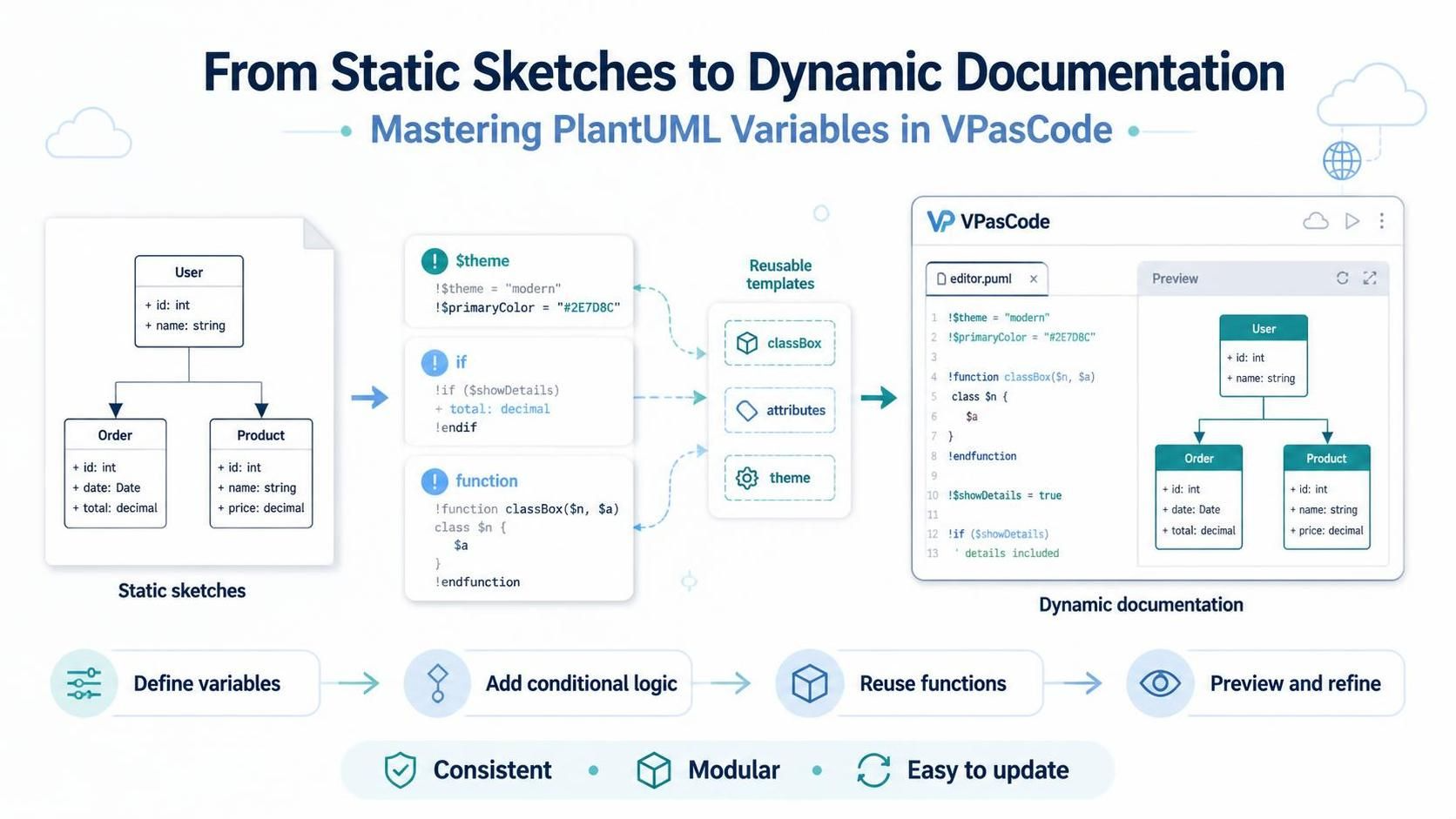
PlantUML 類別圖描述系統的靜態結構:其類別、屬性、操作與關係。您撰寫文字規格並將其渲染為圖表,使原始碼易於編輯並納入版本控制。
1. 最小化圖表
類別圖以「@startuml」開始,並以「@enduml:
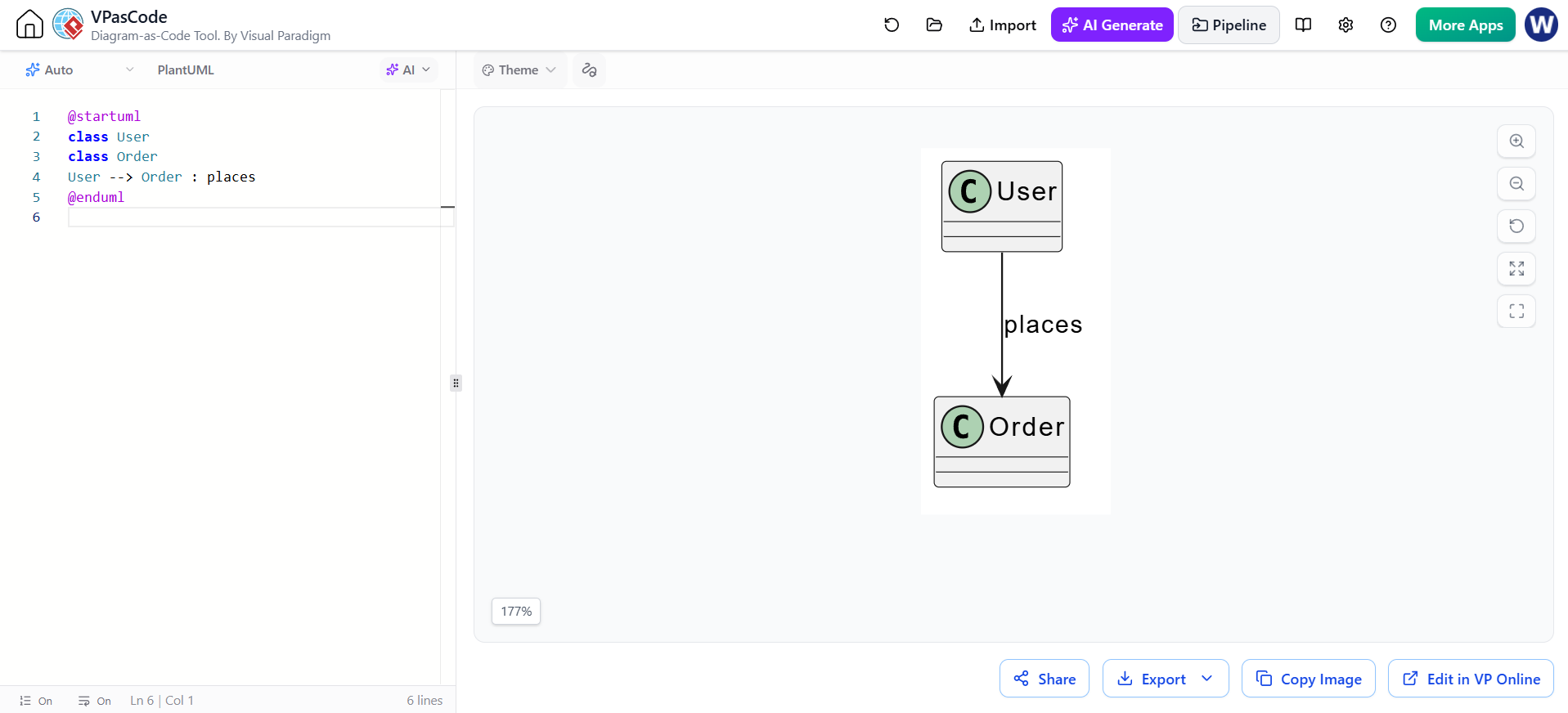
@startuml
class User
class Order
User --> Order : places
@enduml
PlantUML 可從關係宣告中推斷類別,但明確宣告它們能使較大的圖表更易於掃描與維護。
2. 類別、屬性與方法
將屬性與操作放入大括號內。冒號用於分隔成員名稱與其類型;括號則標示操作。
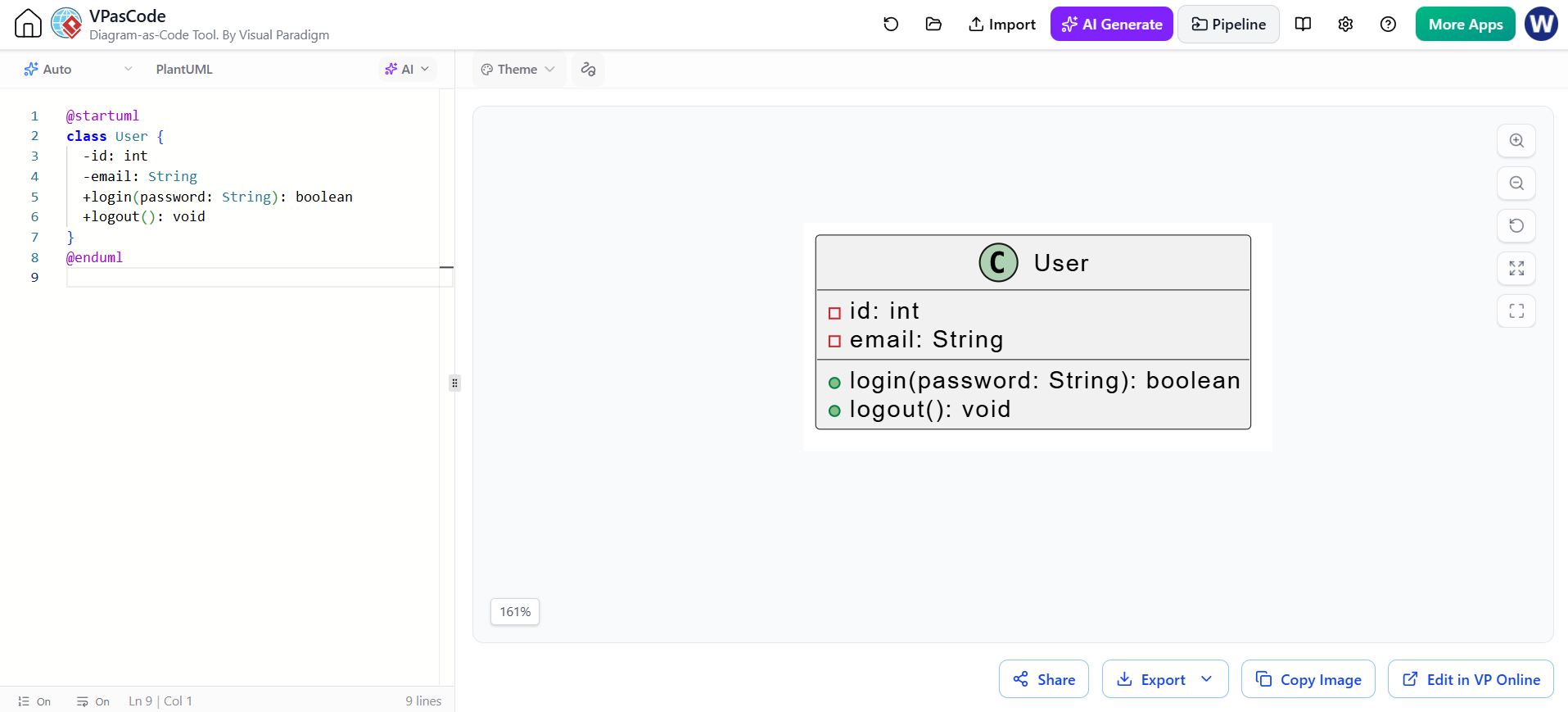
@startuml
class User {
  -id: int
  -email: String
  +login(password: String): boolean
  +logout(): void
}
@enduml
可見性標記如下:
-
+公共 -
-私有 -
#受保護 -
~套件私有
您也可以將類型寫在成員名稱之前,例如:+String email 或 +void logout()。PlantUML 支援熟悉的程式碼風格成員表示法以及這些可見性標記。
靜態與抽象成員
使用 {static} 或 {classifier} 表示靜態成員,並使用 {abstract} 表示抽象成員:
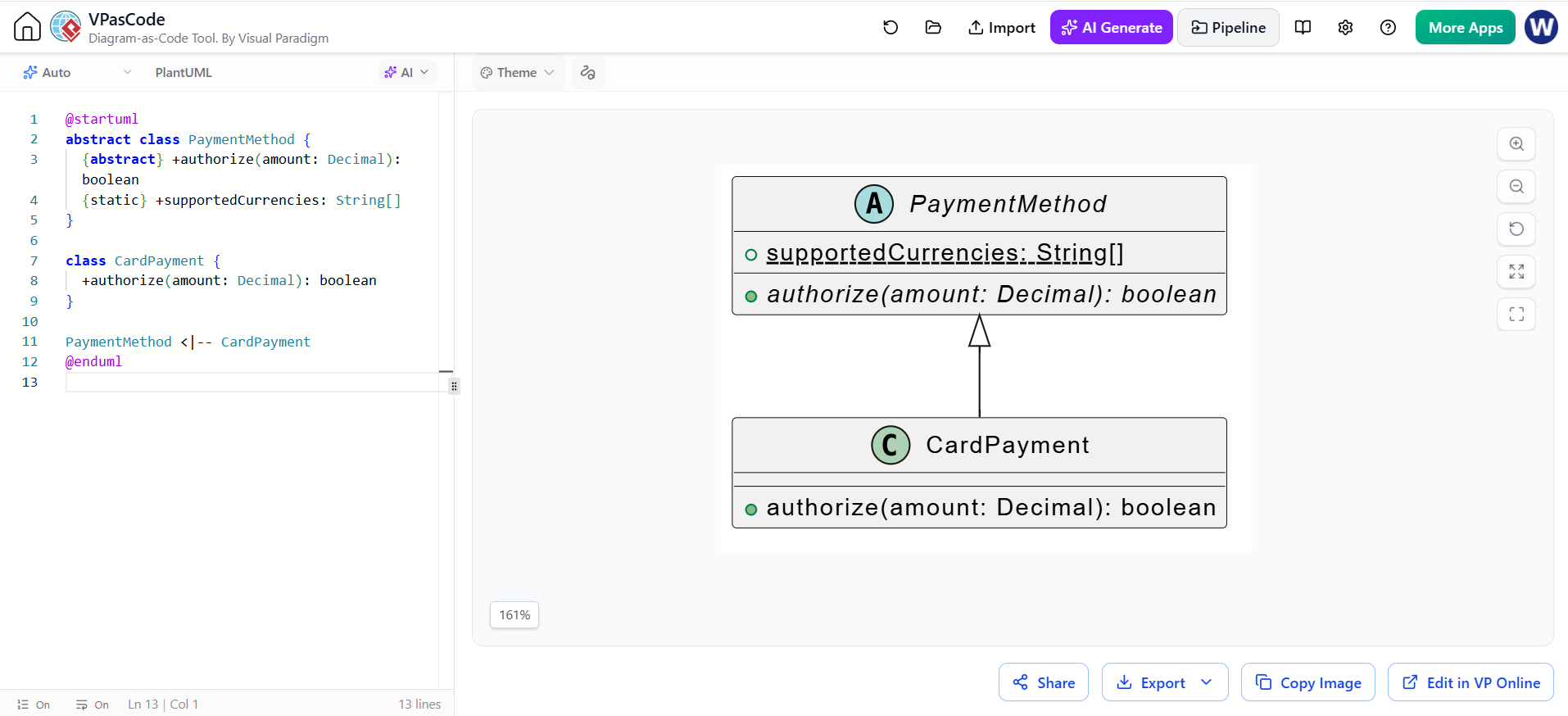
@startuml
抽象類別 PaymentMethod {
  {abstract} +authorize(amount: Decimal): boolean
  {static} +supportedCurrencies: String[]
}

class CardPayment {
  +authorize(amount: Decimal): boolean
}

PaymentMethod <|-- CardPayment
@enduml
抽象類別也可以使用「抽象類別.
3. 關聯
箭頭形狀表示關聯類型。線條的方向由名稱的順序決定;請使用標籤以釐清其含義。
| 關聯 | PlantUML 記法 | 典型含義 |
|---|---|---|
| 繼承 / 泛化 | `Parent < | — Child` |
| 介面實現 | `Interface < | .. Class` |
| 組合 | 整體 *-- 部分 |
部分的整個生命週期由整體擁有 |
| 聚合 | 整體 o-- 部分 |
整體彙集或引用可獨立存在的部分 |
| 定向關聯 | A --> B |
A 對 B 具有可導航的關聯 |
| 依賴 | A ..> B |
A 使用或依賴 B |
這些是 PlantUML 的標準關聯記法。
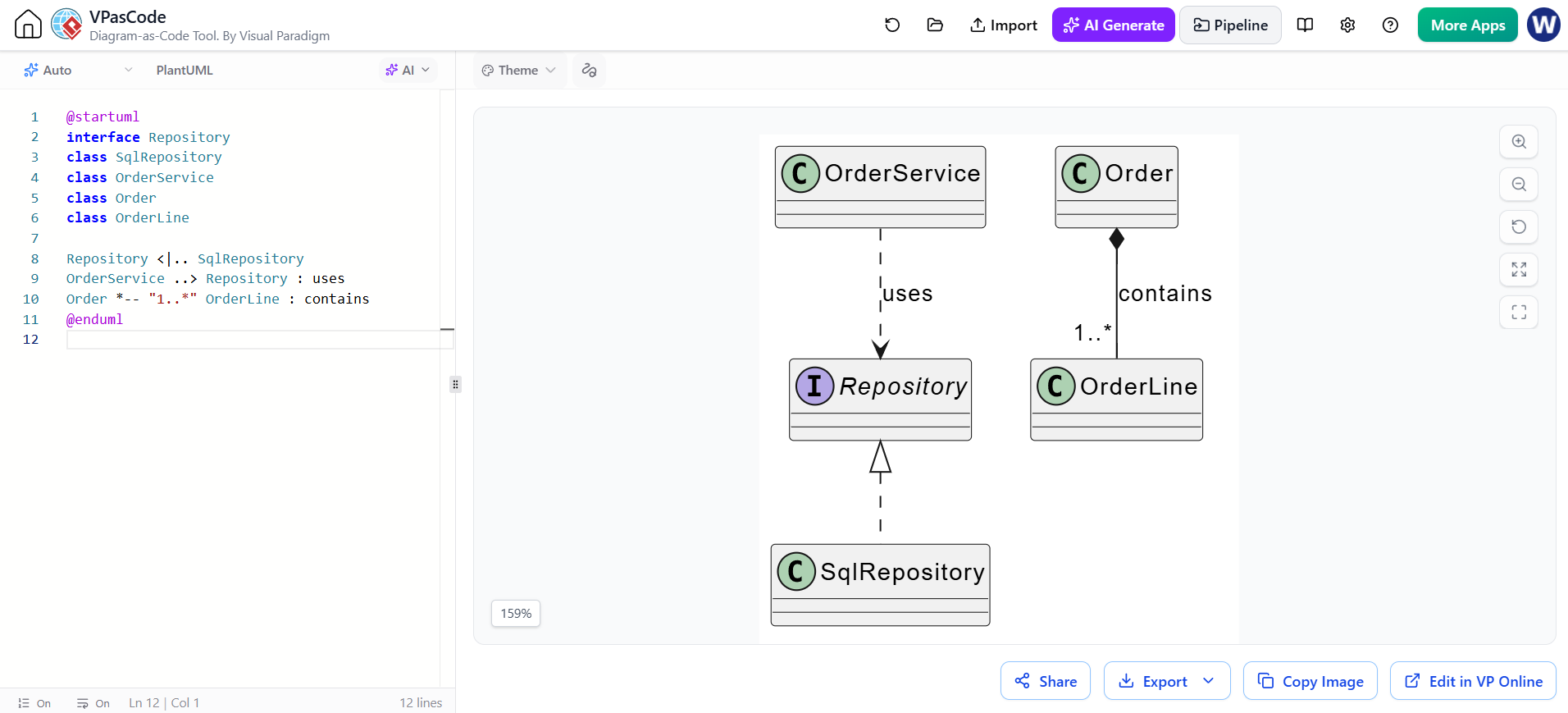
@startuml
interface Repository
class SqlRepository
class OrderService
class Order
class OrderLine

Repository <|.. SqlRepository
OrderService ..> Repository : uses
Order *-- "1..*" OrderLine : contains
@enduml
謹慎選擇:組合與聚合表達不同的生命週期語義。僅當部分有意義地由整體擁有時才使用組合;當兩種擁有關係的解釋都不適用時,請使用普通關聯。
4. 多重性、角色名稱與標籤
多重性指定在關聯的兩端各有多少物件可以參與。常見形式包括 "1", "0..1", "*",以及 "1..*".
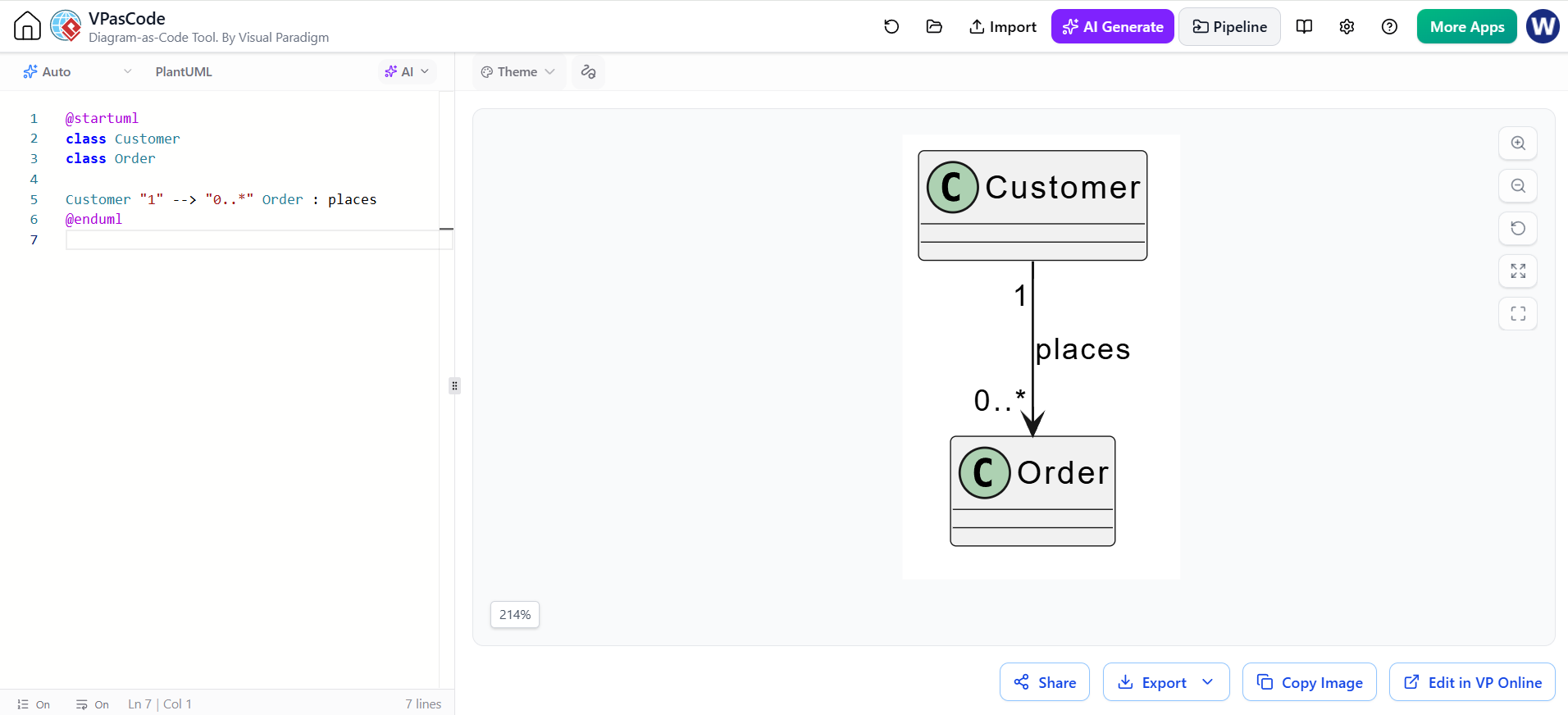
@startuml
class Customer
class Order

Customer "1" --> "0..*" Order : places
@enduml
在此,每個 訂單關聯到一個 客戶,而一個 客戶可下達零筆或多筆訂單。請從另一端讀取多重性:靠近「的數字為訂單說明一名顧客可關聯多少筆訂單。
為求更精確,請加入角色名稱或約束條件:
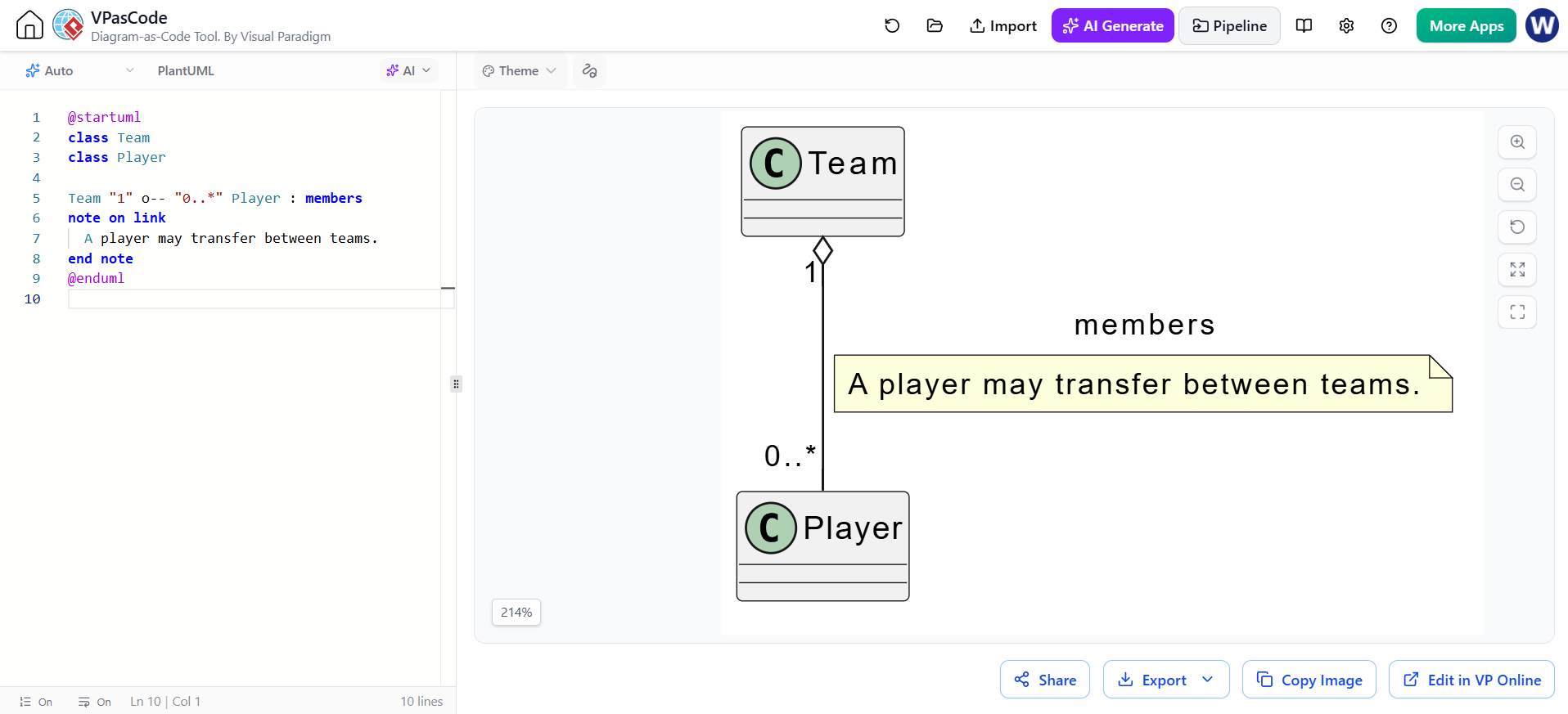
@startuml
class Team
class Player

Team "1" o-- "0..*" Player : members
note on link
  球員可在球隊間轉隊。
end note
@enduml
5. 介面、列舉、標記與套件
PlantUML 支援以下宣告:介面, 列舉, 抽象類別,以及寫在「與」之間的標記:<<與>>.
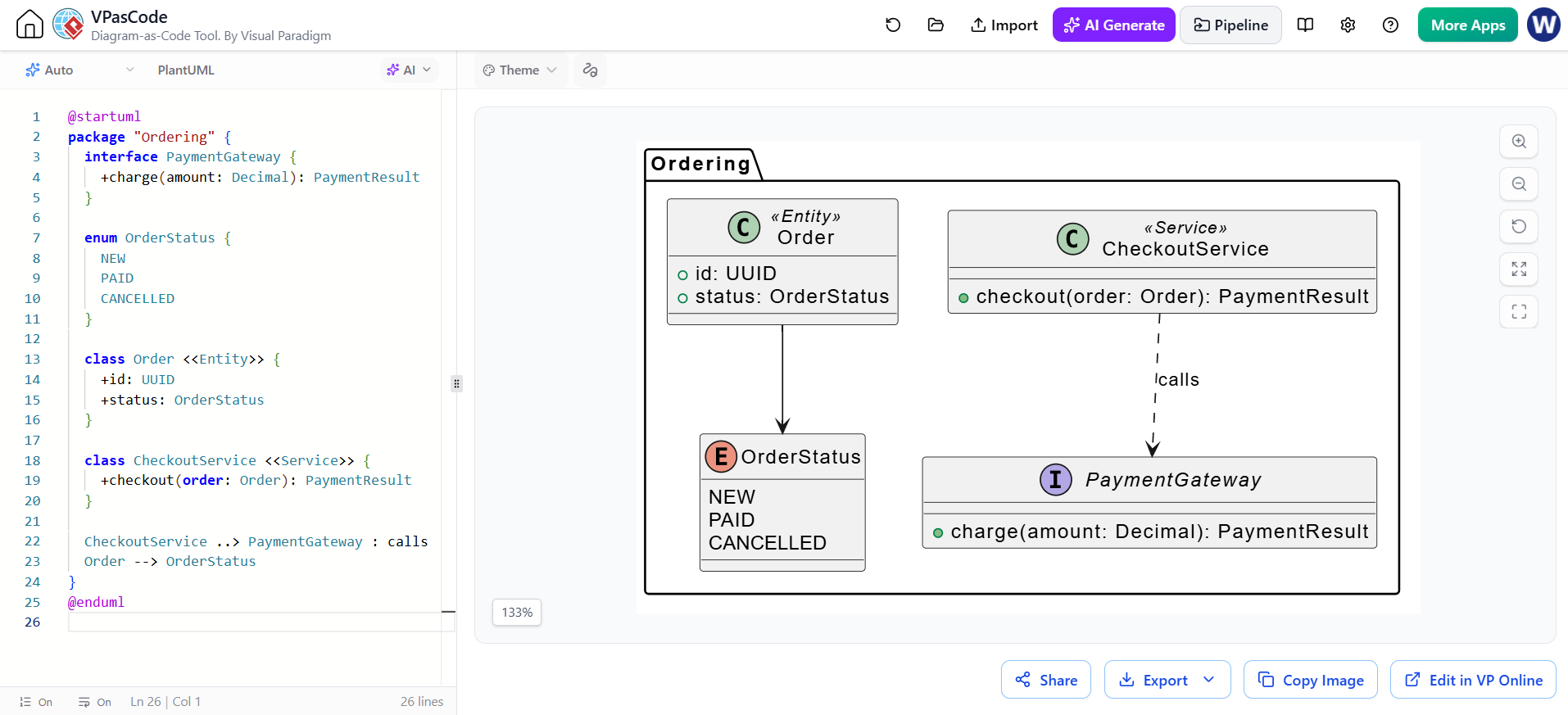
@startuml
package "Ordering" {
  interface PaymentGateway {
    +charge(amount: Decimal): PaymentResult
  }

  enum OrderStatus {
    NEW
    PAID
    CANCELLED
  }

  class Order <<Entity>> {
    +id: UUID
    +status: OrderStatus
  }

  class CheckoutService <<Service>> {
    +checkout(order: Order): PaymentResult
  }

  CheckoutService ..> PaymentGateway : calls
  Order --> OrderStatus
}
@enduml
套件可將相關類型視覺化分組。使用如「<<實體>>」 或「<<服務>>」 當它們能提供有用的上下文時;避免添加僅重複類別名稱已包含內容的標籤。
6. 註解、別名與佈局
註解可用於解釋設計決策或釐清限制,而無需讓類別名稱過於冗長。當顯示名稱包含空格或標點符號時,別名可發揮幫助作用。
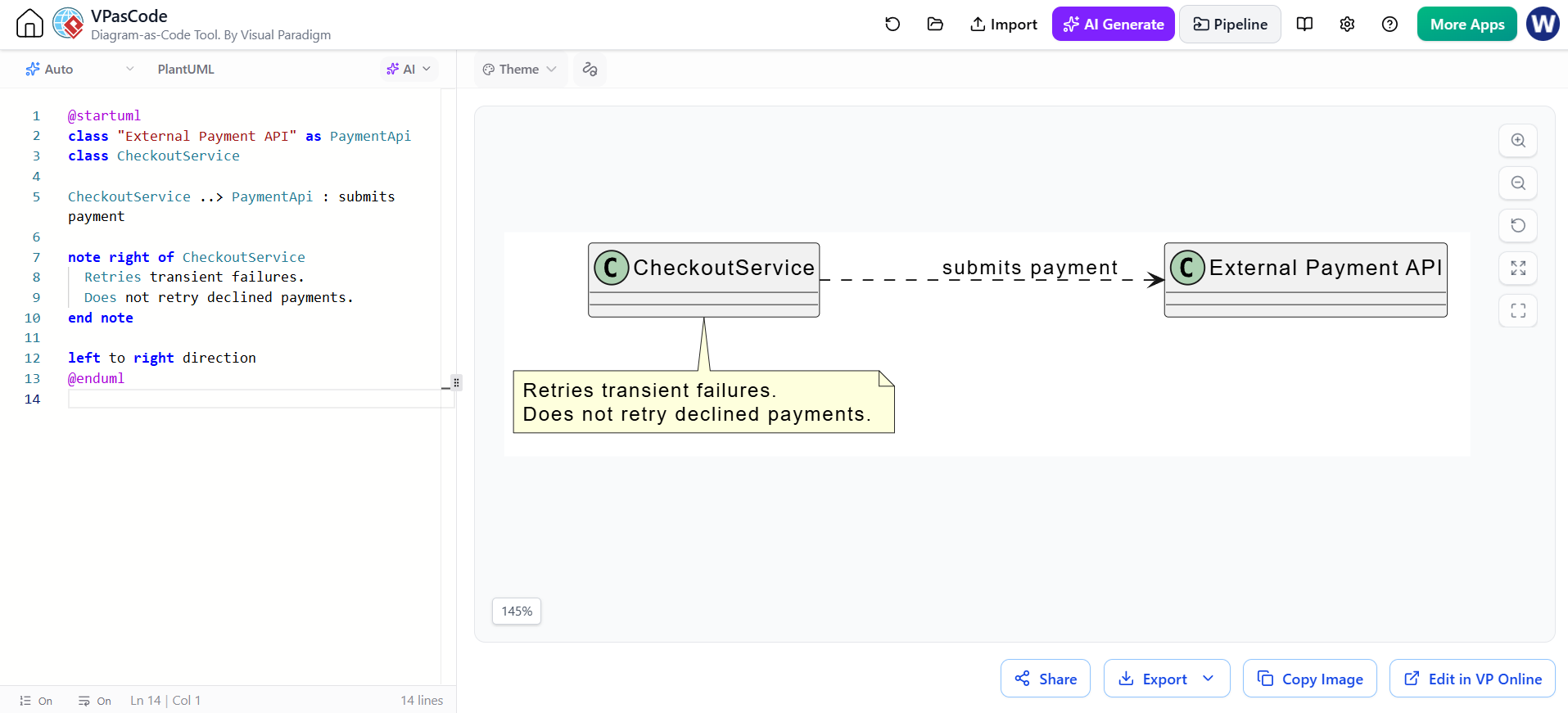
@startuml
class "External Payment API" as PaymentApi
class CheckoutService

CheckoutService ..> PaymentApi : 提交付款

note right of CheckoutService
  重試暫時性失敗。
  不重試被拒絕的付款。
end note

left to right direction
@enduml
由左至右的方向 可變更整體佈局方向;預設為由上至下。您也可使用關係方向,例如「-左->」 或「-上-|>」 以引導局部配置。
7. 更完整的範例
此範例結合了可見性、類型、方法、列舉、多重性、組合與相依性:
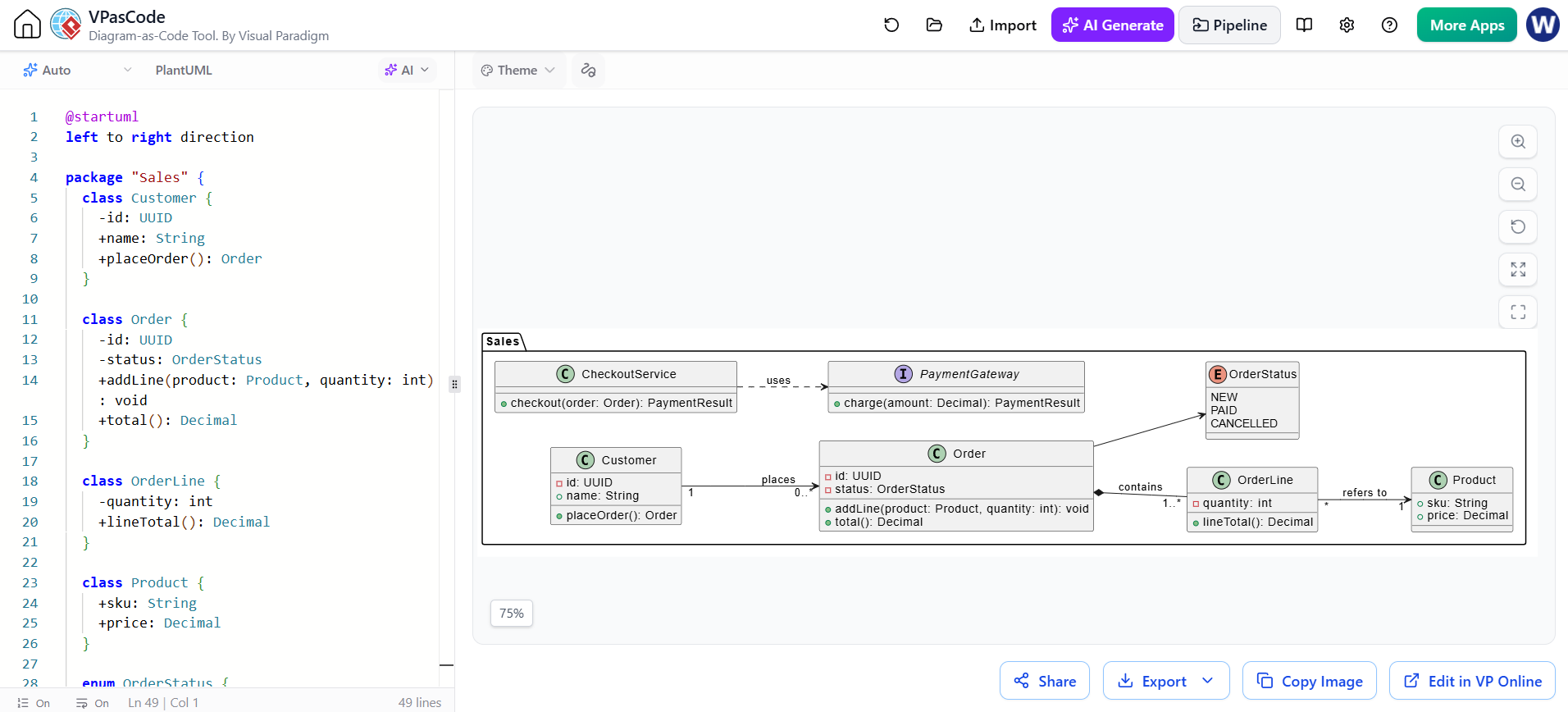
@startuml
left to right direction

package "Sales" {
  class Customer {
    -id: UUID
    +name: String
    +placeOrder(): Order
  }

  class Order {
    -id: UUID
    -status: OrderStatus
    +addLine(product: Product, quantity: int): void
    +total(): Decimal
  }

  class OrderLine {
    -quantity: int
    +lineTotal(): Decimal
  }

  class Product {
    +sku: String
    +price: Decimal
  }

  enum OrderStatus {
    NEW
    PAID
    CANCELLED
  }

  interface PaymentGateway {
    +charge(amount: Decimal): PaymentResult
  }

  class CheckoutService {
    +checkout(order: Order): PaymentResult
  }

  Customer "1" --> "0..*" Order : 下單
  Order *-- "1..*" OrderLine : 包含
  OrderLine "*" --> "1" Product : 參照
  Order --> OrderStatus
  CheckoutService ..> PaymentGateway : 使用
}
@enduml
8. 工具:Visual Paradigm VPasCode
VPasCode 是 Visual Paradigm 推出的一款基於瀏覽器的文字轉圖表編輯器。它支援 PlantUML 類別圖,並提供帶有即時預覽功能的程式碼編輯器,讓您能夠撰寫或貼上 PlantUML,並在編寫過程中檢視渲染結果。
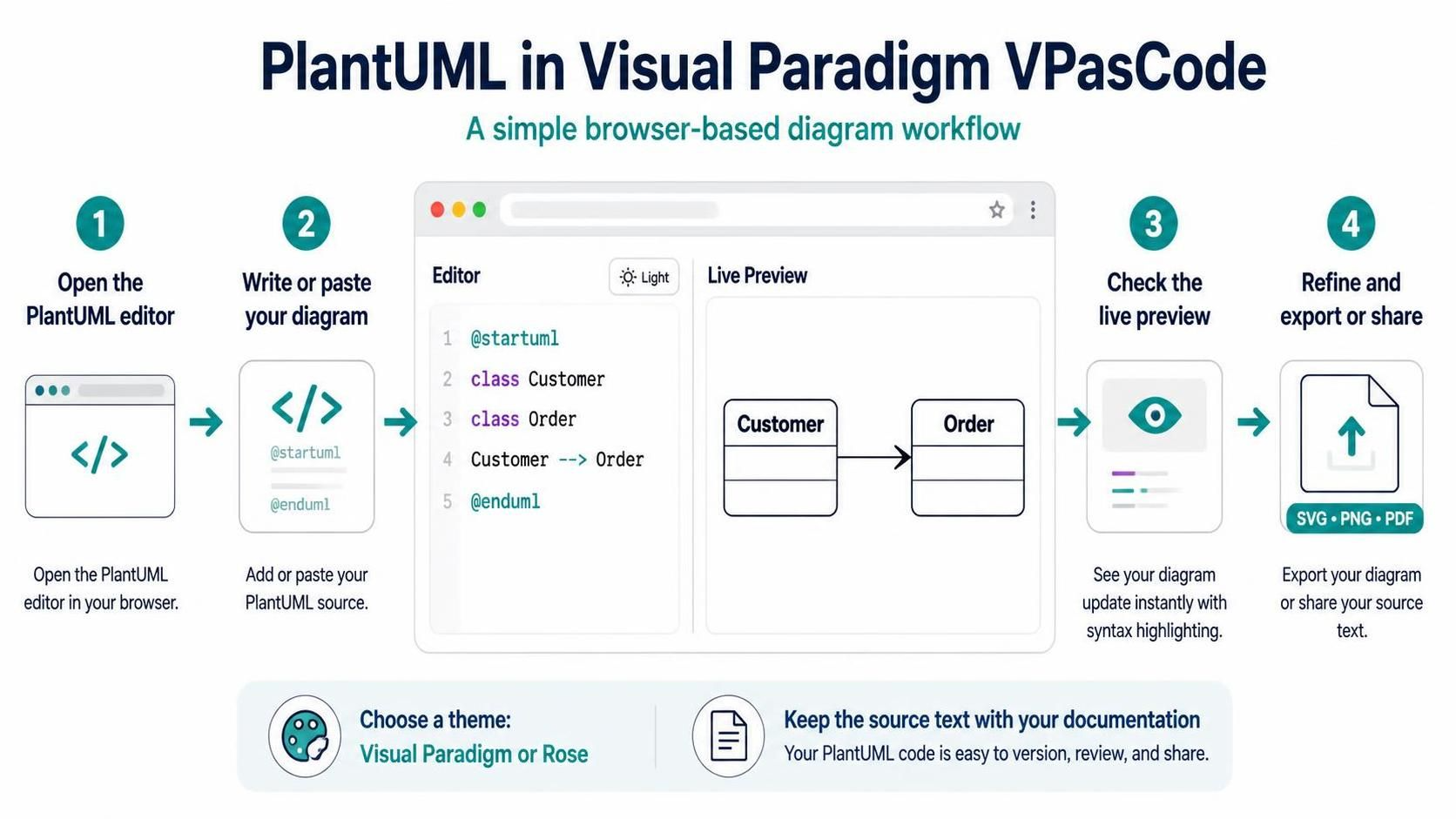
典型工作流程:
-
開啟 VPasCode,並選擇 PlantUML 編輯器或 PlantUML 範例。
-
將起始文字替換為您的圖表,包括
@startuml以及@enduml. -
檢查即時預覽;若渲染失敗,請檢視高亮顯示的語法錯誤及其所在行。
-
精修圖表,然後根據需要匯出或分享。VPasCode 說明 SVG、PNG 和 PDF 的匯出選項。
VPasCode 也提供 PlantUML 的主題選擇介面,包含 Visual Paradigm 和 Rose 主題。為了在團隊中獲得一致結果,請將 PlantUML 原始碼與您的文件或程式碼一同保存,而非僅依賴匯出的影像。
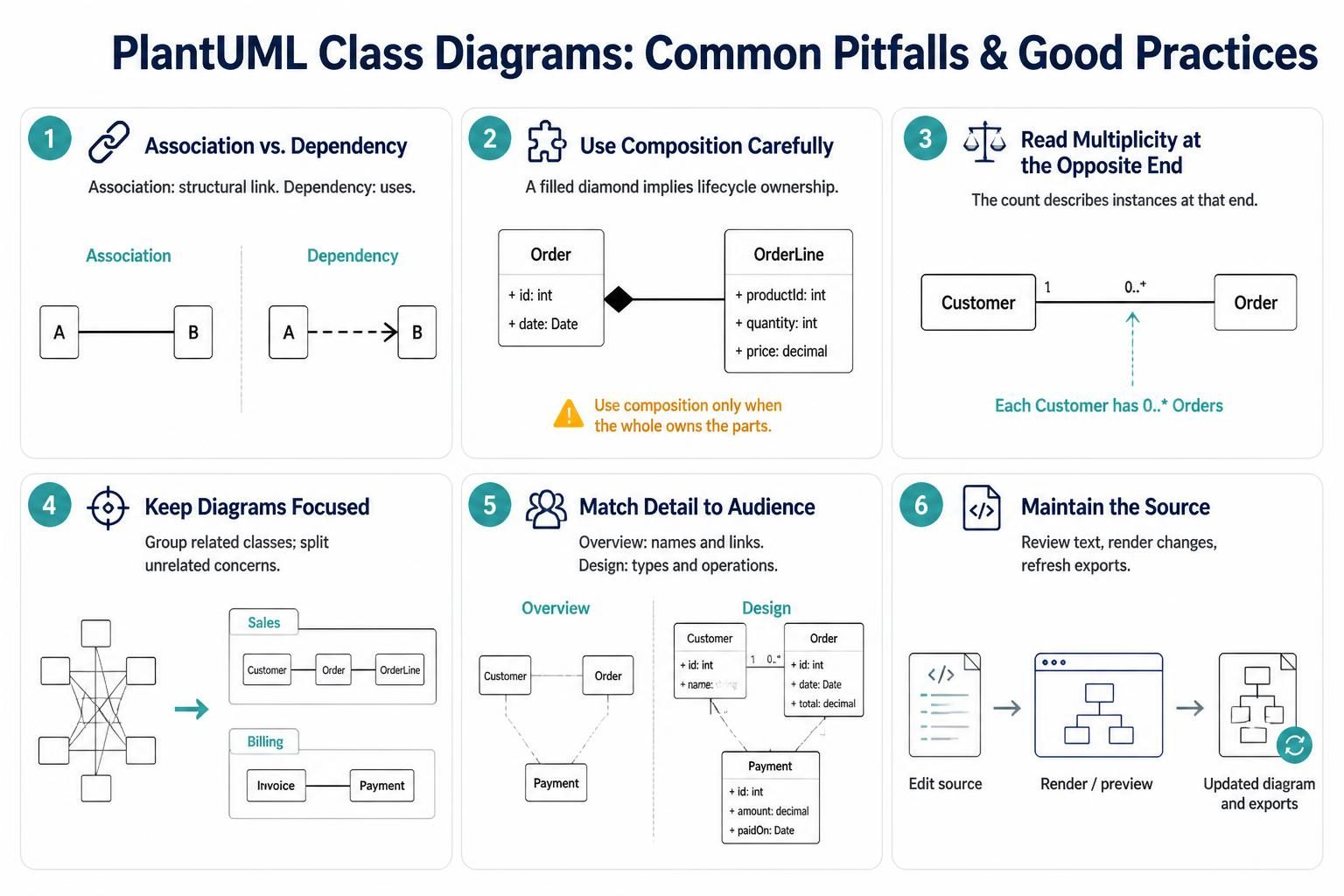
9. 常見陷阱與良好實踐
-
請勿將關聯(association)與相依性(dependency)混淆。相依性通常表示「使用」;關聯則常代表更持久的結構關係。
-
避免過度使用組合(composition)。它比單純的連結具有更強的生命週期主張。
-
從另一端標註多重性。某類別旁的數字表示該類別的實例可能與另一端實例關聯的數量。
-
保持圖表專注。將非常大的模型拆分為套件或獨立圖表,以處理不同的關注點。
-
呈現符合受眾需求的細節。概念性概覽可能只需類別名稱與關係;設計層級的圖表則可能需要類型、可見性與操作。
-
將原始碼視為需維護的產出物。檢視文字變更,編輯後重新渲染,並在原始碼變更時重新生成匯出檔案。
快速參考
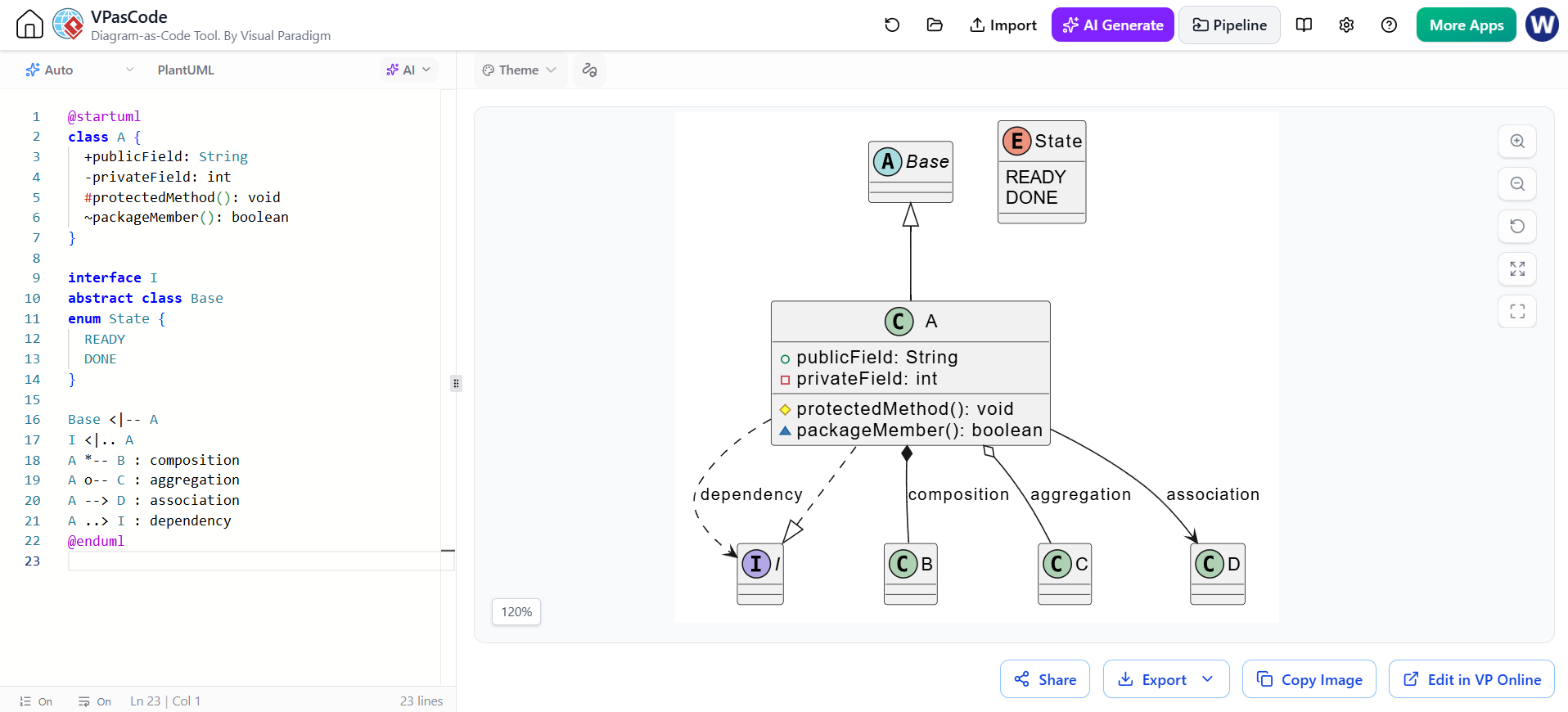
@startuml
class A {
  +publicField: String
  -privateField: int
  #protectedMethod(): void
  ~packageMember(): boolean
}

interface I
abstract class Base
enum State { READY; DONE }

Base <|-- A
I <|.. A
A *-- B : composition
A o-- C : aggregation
A --> D : association
A ..> I : dependency
@enduml
當圖表需要進一步細化時,PlantUML 支援額外的類別圖功能,包括成員分組、註解、顏色等。