
Introduction
PlantUML class diagrams describe a system’s static structure: its classes, attributes, operations, and relationships. You write a text specification and render it as a diagram, making the source easy to edit and keep under version control.
1. A minimal diagram
A class diagram starts with @startuml and ends with @enduml:
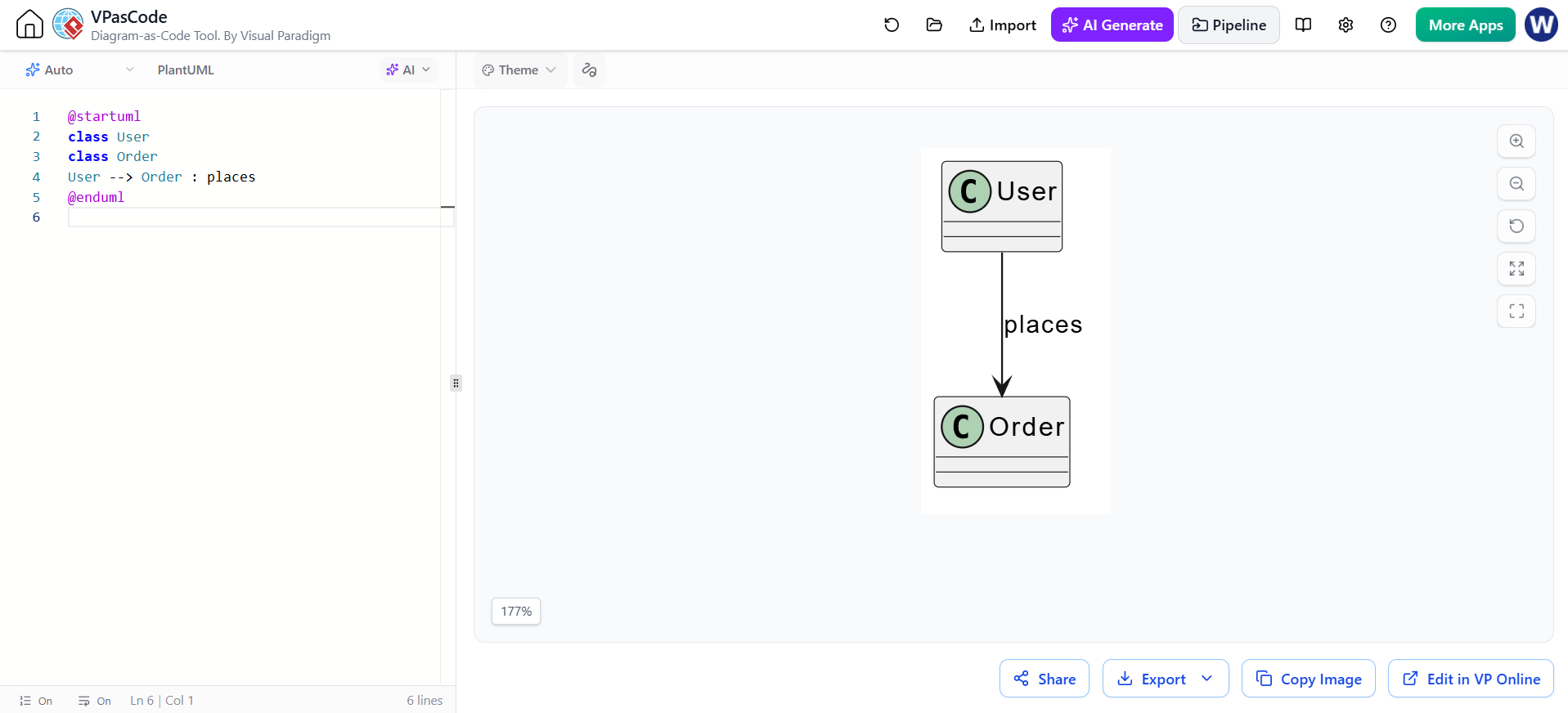
@startuml
class User
class Order
User --> Order : places
@enduml
PlantUML can infer classes from relationship declarations, but declaring them explicitly makes larger diagrams easier to scan and maintain.
2. Classes, attributes, and methods
Put attributes and operations inside braces. A colon separates a member name from its type; parentheses mark an operation.
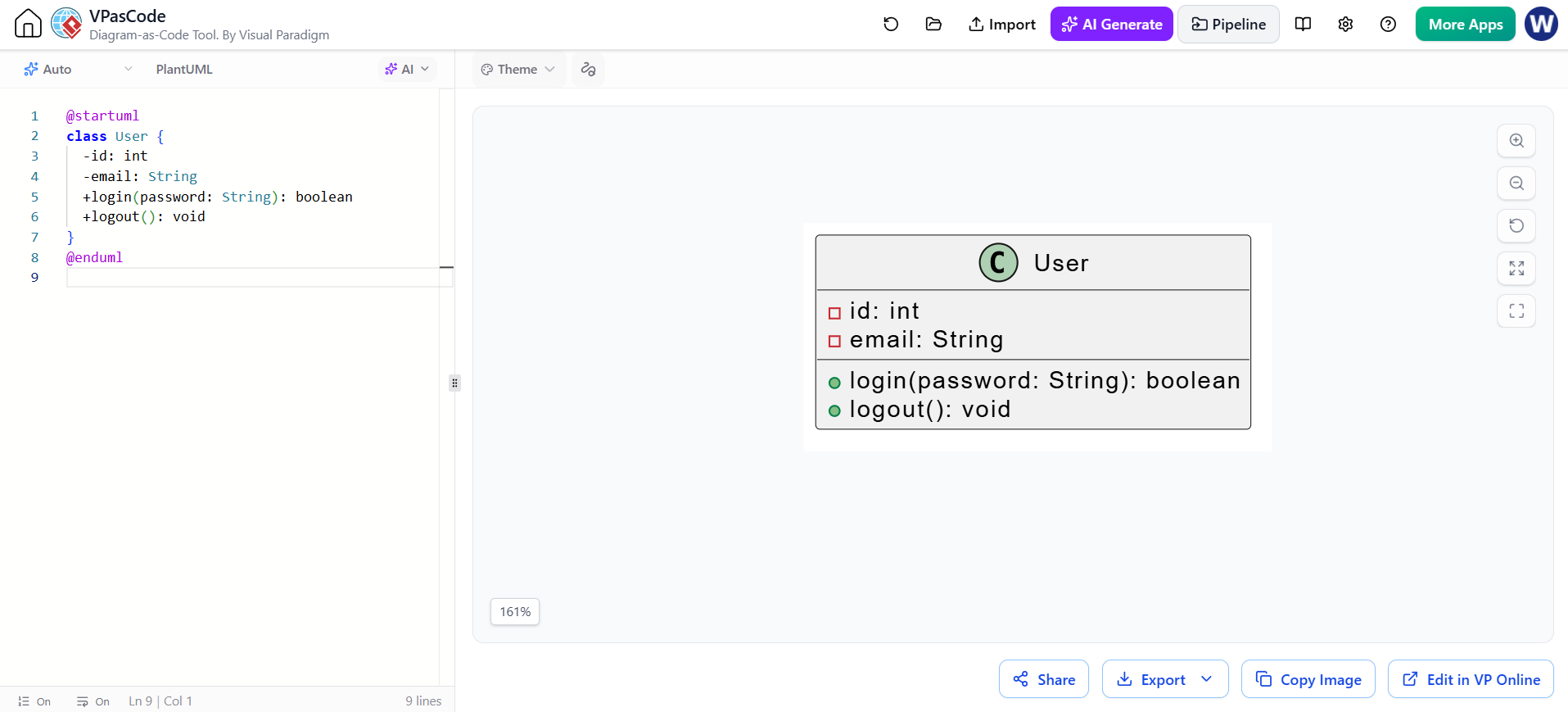
@startuml
class User {
  -id: int
  -email: String
  +login(password: String): boolean
  +logout(): void
}
@enduml
Visibility markers are:
-
+public -
-private -
#protected -
~package-private
You can also write the type before the member name—for example, +String email or +void logout(). PlantUML supports both familiar code-like member notation and these visibility markers.
Static and abstract members
Use {static} or {classifier} for static members and {abstract} for abstract members:
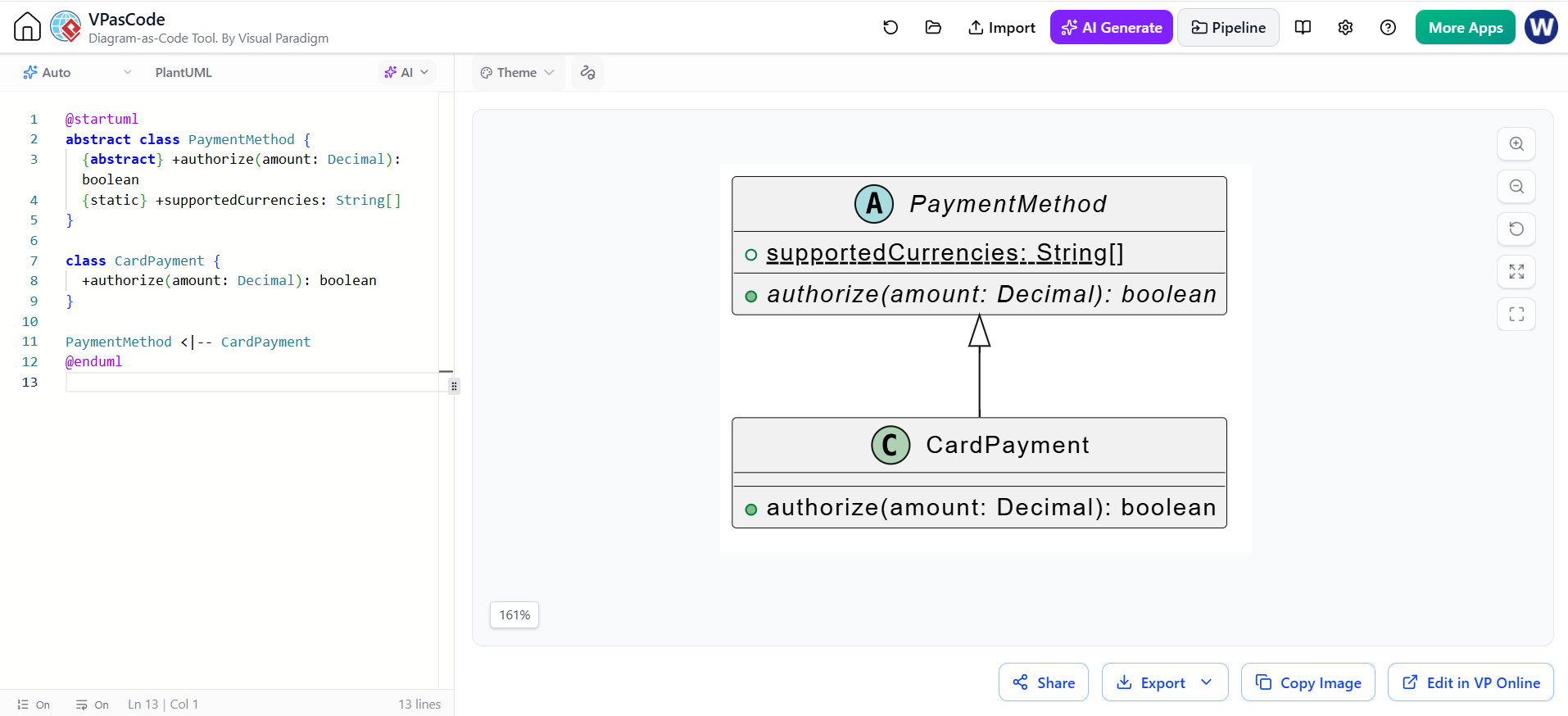
@startuml
abstract class PaymentMethod {
  {abstract} +authorize(amount: Decimal): boolean
  {static} +supportedCurrencies: String[]
}

class CardPayment {
  +authorize(amount: Decimal): boolean
}

PaymentMethod <|-- CardPayment
@enduml
An abstract class can also be declared with abstract class.
3. Relationships
The arrow shape conveys the relationship type. The direction of the line is chosen by the order of the names; use labels to clarify its meaning.
| Relationship | PlantUML notation | Typical meaning |
|---|---|---|
| Inheritance / generalization | `Parent < | — Child` |
| Interface realization | `Interface < | .. Class` |
| Composition | Whole *-- Part |
Part’s lifecycle is owned by the whole |
| Aggregation | Whole o-- Part |
Whole groups or refers to parts that can exist independently |
| Directed association | A --> B |
A has a navigable relationship to B |
| Dependency | A ..> B |
A uses or depends on B |
These are PlantUML’s standard relationship notations.
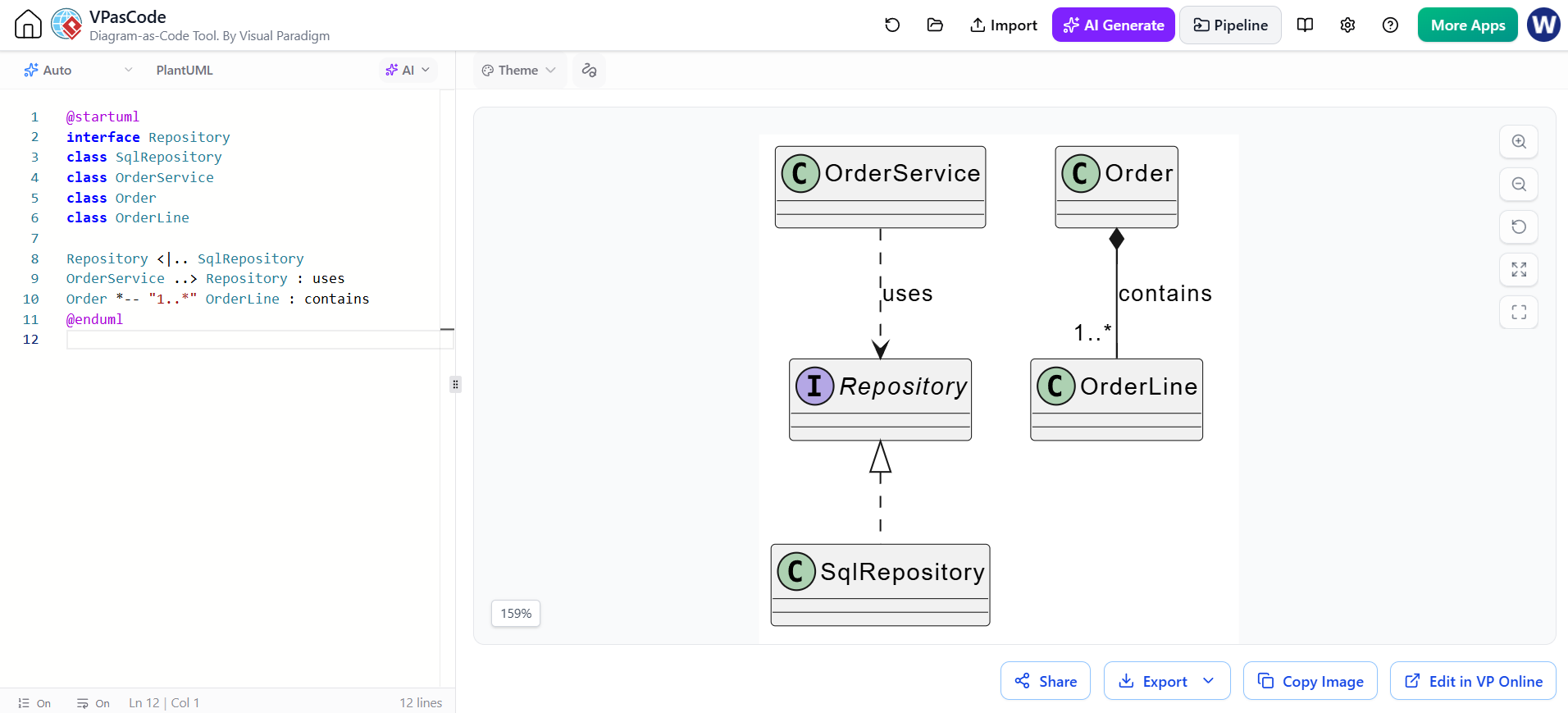
@startuml
interface Repository
class SqlRepository
class OrderService
class Order
class OrderLine

Repository <|.. SqlRepository
OrderService ..> Repository : uses
Order *-- "1..*" OrderLine : contains
@enduml
Choose carefully: Composition and aggregation express different lifecycle semantics. Use composition only when the part is meaningfully owned by the whole; use a plain association when neither ownership interpretation fits.
4. Multiplicity, role names, and labels
Multiplicity specifies how many objects may participate at each end of an association. Common forms include "1", "0..1", "*", and "1..*".
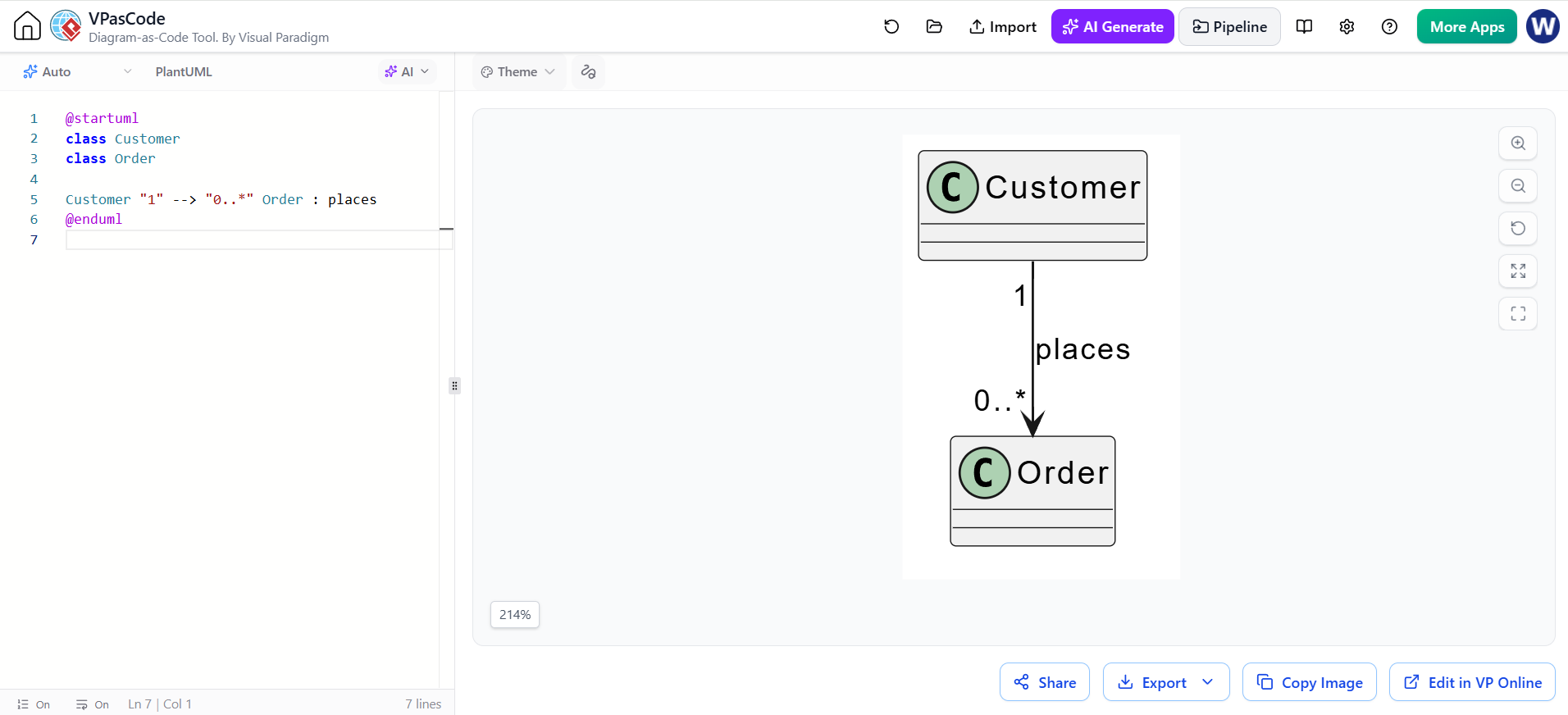
@startuml
class Customer
class Order

Customer "1" --> "0..*" Order : places
@enduml
Here, each Order is associated with one Customer, while a Customer may place zero or more orders. Read the multiplicities from the opposite end: the number near Order describes how many orders can be associated with a customer.
For extra precision, add role names or constraints:
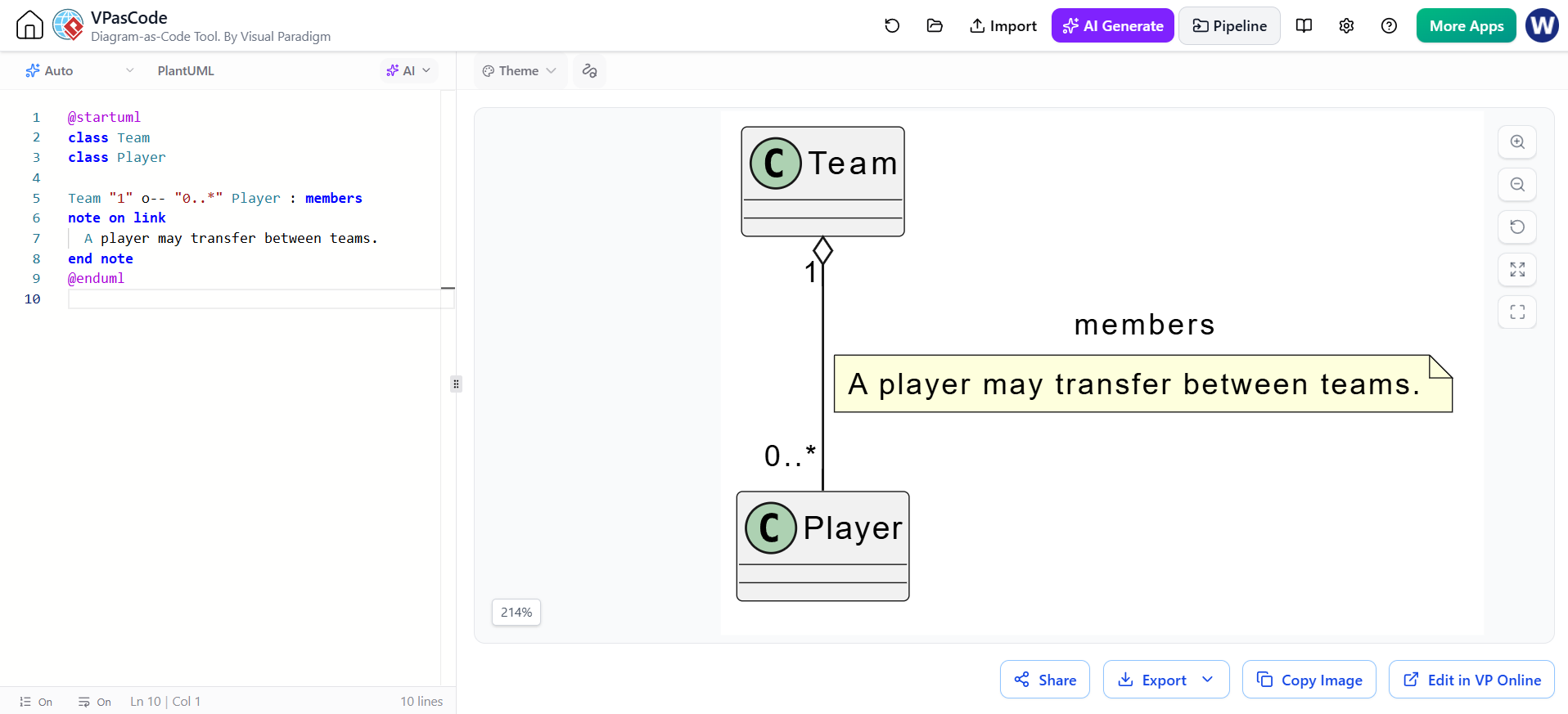
@startuml
class Team
class Player

Team "1" o-- "0..*" Player : members
note on link
  A player may transfer between teams.
end note
@enduml
5. Interfaces, enums, stereotypes, and packages
PlantUML supports declarations such as interface, enum, abstract class, and stereotypes written between << and >>.
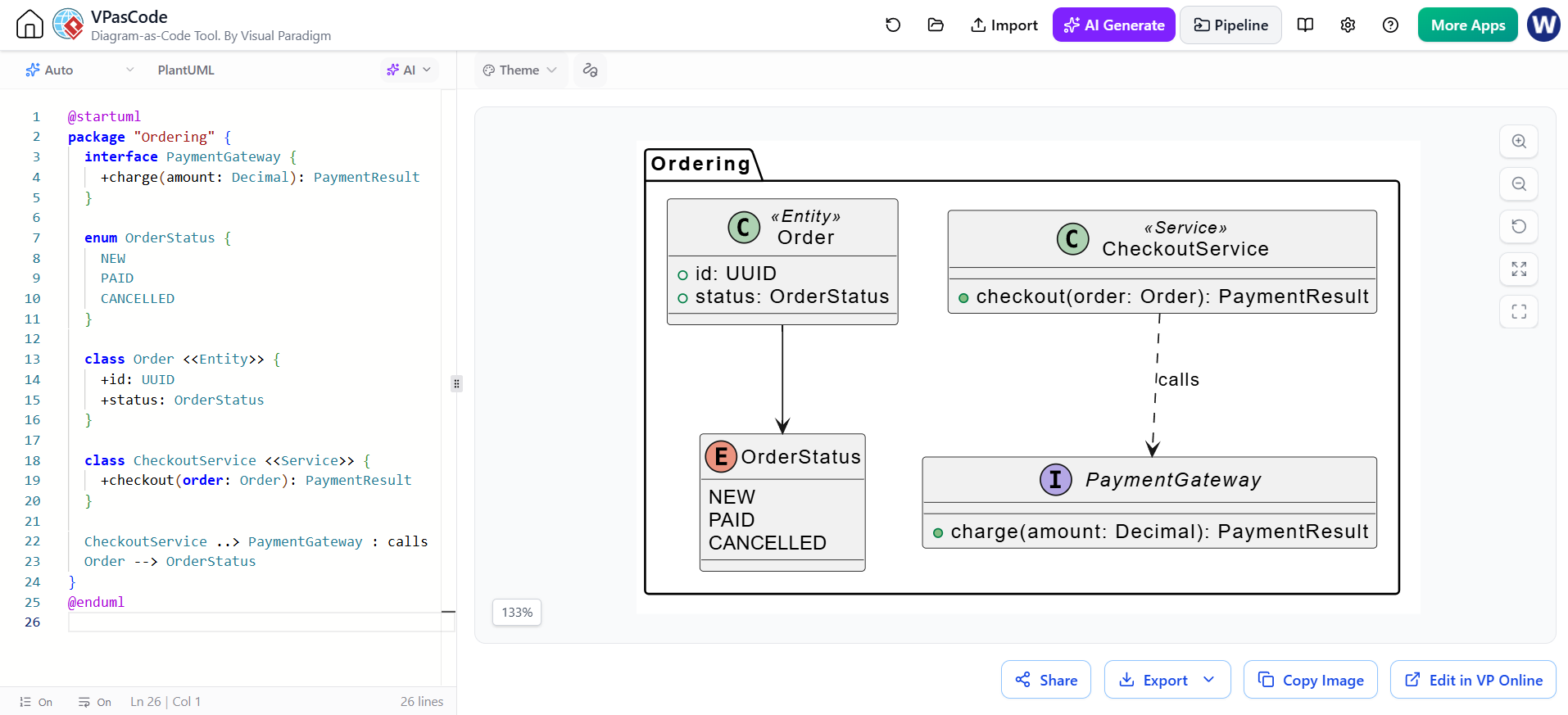
@startuml
package "Ordering" {
  interface PaymentGateway {
    +charge(amount: Decimal): PaymentResult
  }

  enum OrderStatus {
    NEW
    PAID
    CANCELLED
  }

  class Order <<Entity>> {
    +id: UUID
    +status: OrderStatus
  }

  class CheckoutService <<Service>> {
    +checkout(order: Order): PaymentResult
  }

  CheckoutService ..> PaymentGateway : calls
  Order --> OrderStatus
}
@enduml
Packages group related types visually. Use stereotypes such as <<Entity>> or <<Service>> when they add useful context; avoid adding labels that merely repeat what the class name already says.
6. Notes, aliases, and layout
Notes can explain design decisions or clarify a constraint without overloading class names. Aliases help when a displayed name contains spaces or punctuation.
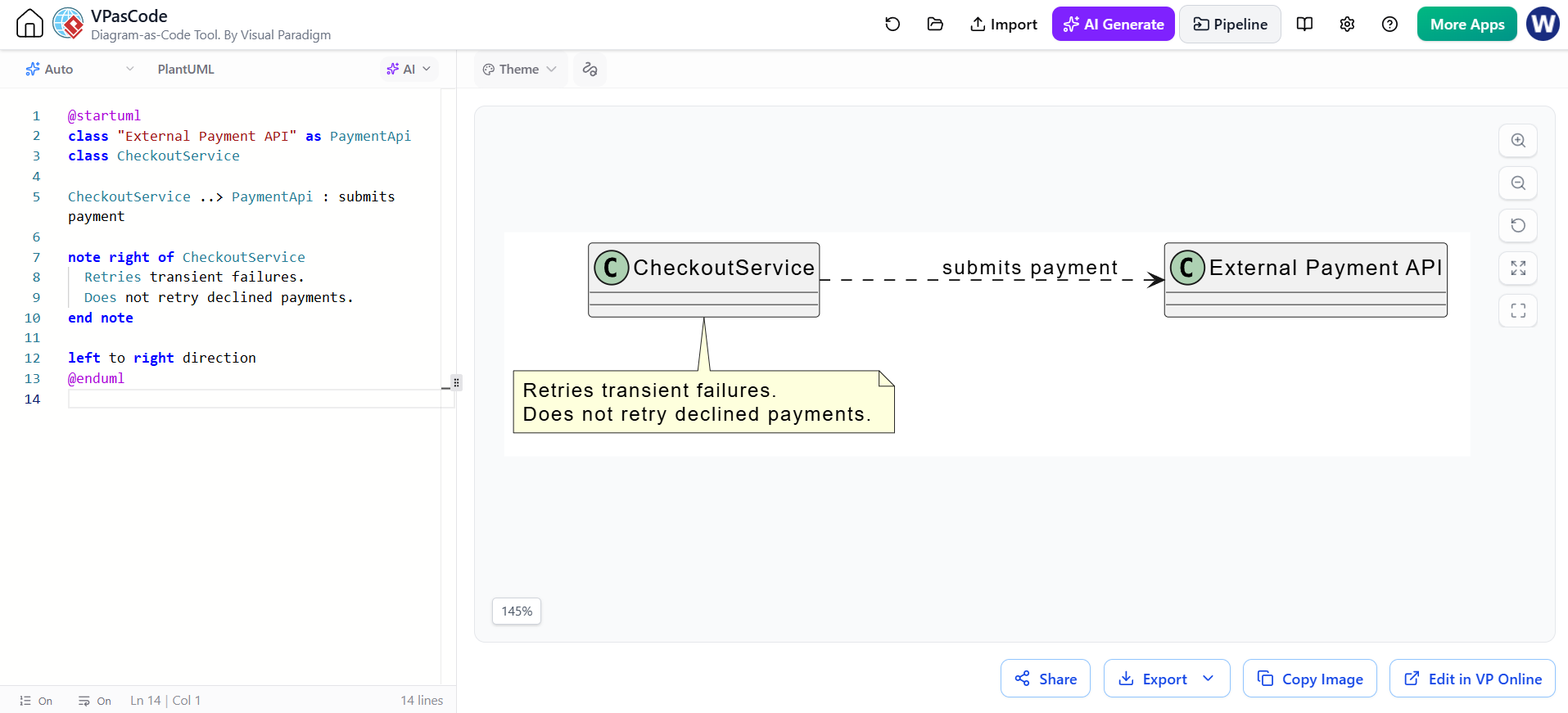
@startuml
class "External Payment API" as PaymentApi
class CheckoutService

CheckoutService ..> PaymentApi : submits payment

note right of CheckoutService
  Retries transient failures.
  Does not retry declined payments.
end note

left to right direction
@enduml
left to right direction changes the overall layout direction; the default is top-to-bottom. You can also use relationship directions such as -left-> or -up-|> to guide local placement.
7. A fuller example
This example combines visibility, types, methods, enums, multiplicities, composition, and dependency:
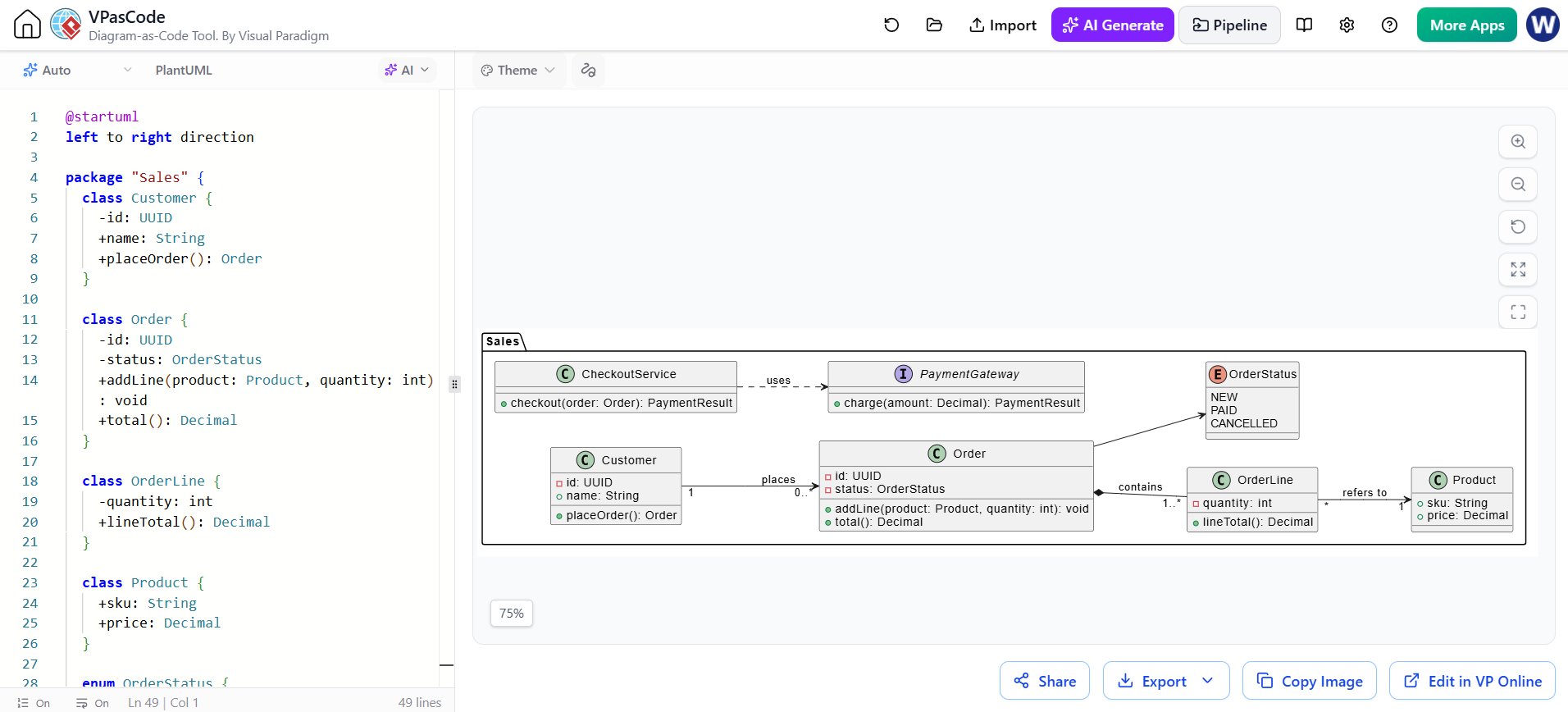
@startuml
left to right direction

package "Sales" {
  class Customer {
    -id: UUID
    +name: String
    +placeOrder(): Order
  }

  class Order {
    -id: UUID
    -status: OrderStatus
    +addLine(product: Product, quantity: int): void
    +total(): Decimal
  }

  class OrderLine {
    -quantity: int
    +lineTotal(): Decimal
  }

  class Product {
    +sku: String
    +price: Decimal
  }

  enum OrderStatus {
    NEW
    PAID
    CANCELLED
  }

  interface PaymentGateway {
    +charge(amount: Decimal): PaymentResult
  }

  class CheckoutService {
    +checkout(order: Order): PaymentResult
  }

  Customer "1" --> "0..*" Order : places
  Order *-- "1..*" OrderLine : contains
  OrderLine "*" --> "1" Product : refers to
  Order --> OrderStatus
  CheckoutService ..> PaymentGateway : uses
}
@enduml
8. Tooling: Visual Paradigm VPasCode
VPasCode is a browser-based text-to-diagram editor from Visual Paradigm. It supports PlantUML class diagrams and provides a code editor with live preview, so you can write or paste PlantUML and inspect the rendered result as you work.
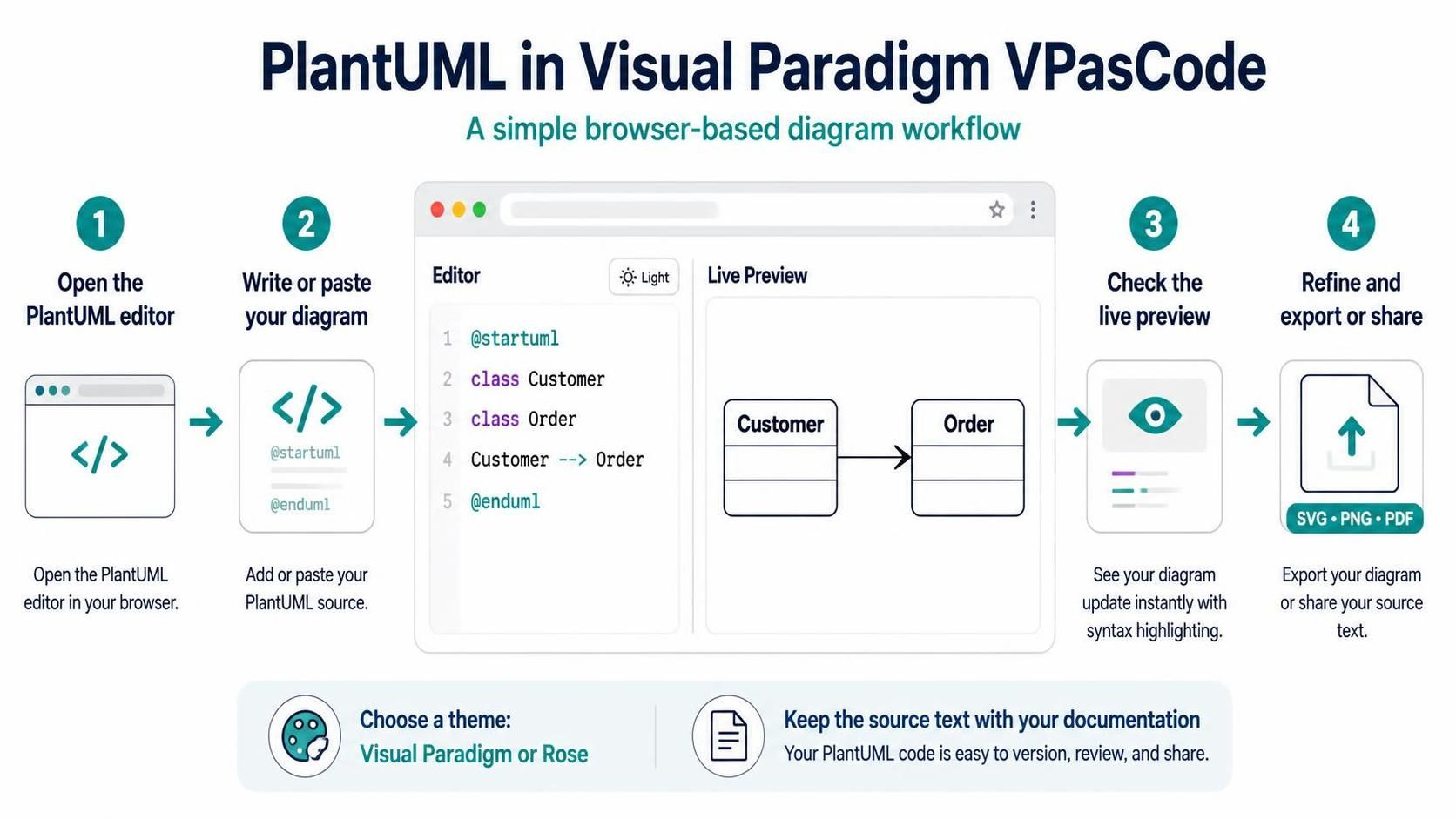
A typical workflow:
-
Open VPasCode and select the PlantUML editor or a PlantUML example.
-
Replace the starter text with your diagram, including
@startumland@enduml. -
Check the live preview; if rendering fails, inspect the highlighted syntax error and its line.
-
Refine the diagram, then export or share it as needed. VPasCode describes SVG, PNG, and PDF export options.
VPasCode also offers a theme-selection interface for PlantUML, including Visual Paradigm and Rose themes. For consistent results in a team, keep the PlantUML source alongside your documentation or code rather than relying only on an exported image.
9. Common pitfalls and good practices
-
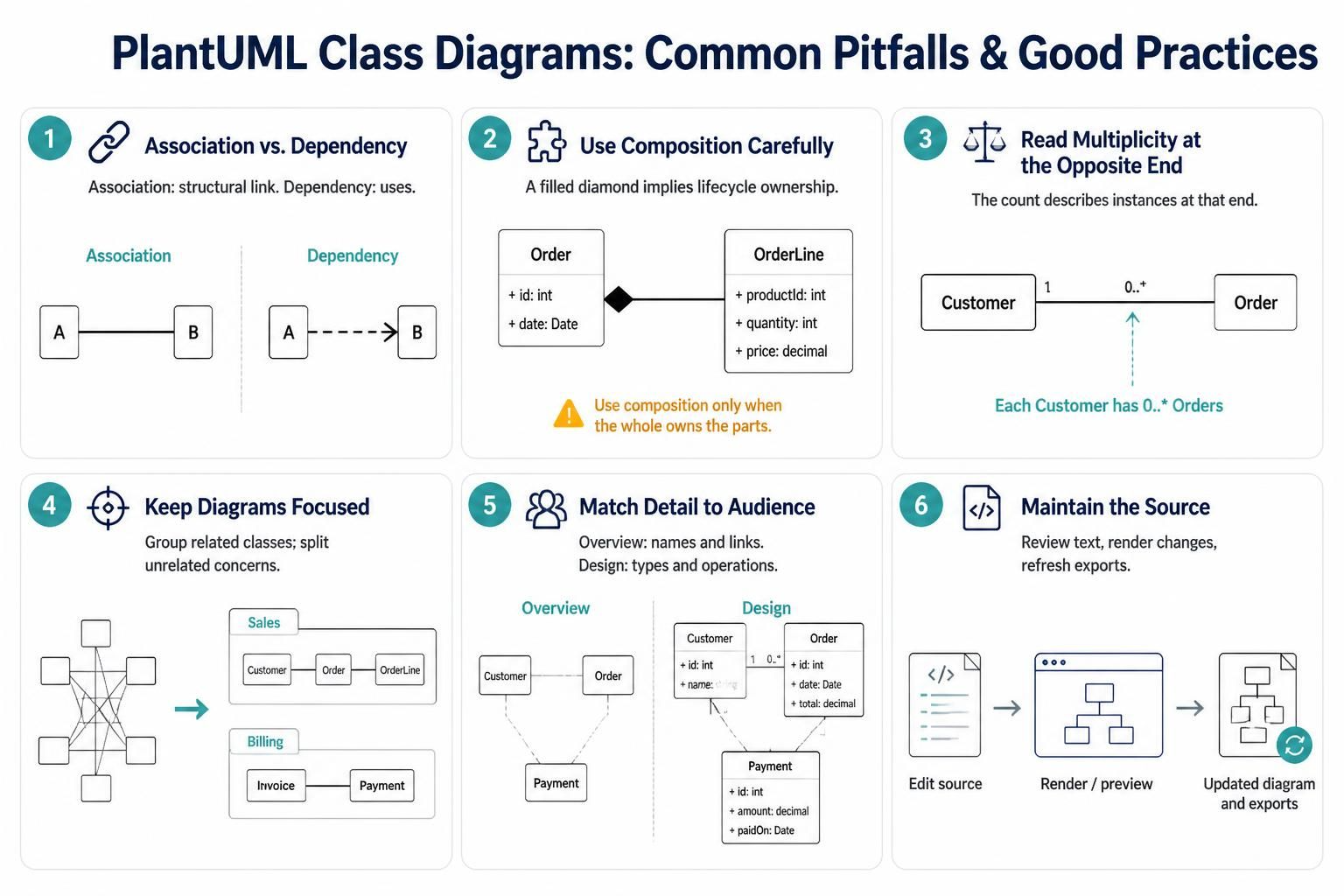
Do not confuse an association with a dependency. A dependency generally means “uses”; an association often represents a more persistent structural relationship.
-
Avoid overusing composition. It makes a stronger lifecycle claim than a simple connection.
-
Label multiplicities from the opposite end. The number beside one class tells how many instances of that class may be related to an instance at the other end.
-
Keep diagrams focused. Split a very large model into packages or separate diagrams for distinct concerns.
-
Show the details that serve the audience. A conceptual overview may need only class names and relationships; a design-level diagram may need types, visibility, and operations.
-
Treat the source as the maintained artifact. Review changes to the text, render after edits, and regenerate exports when the source changes.
Quick reference
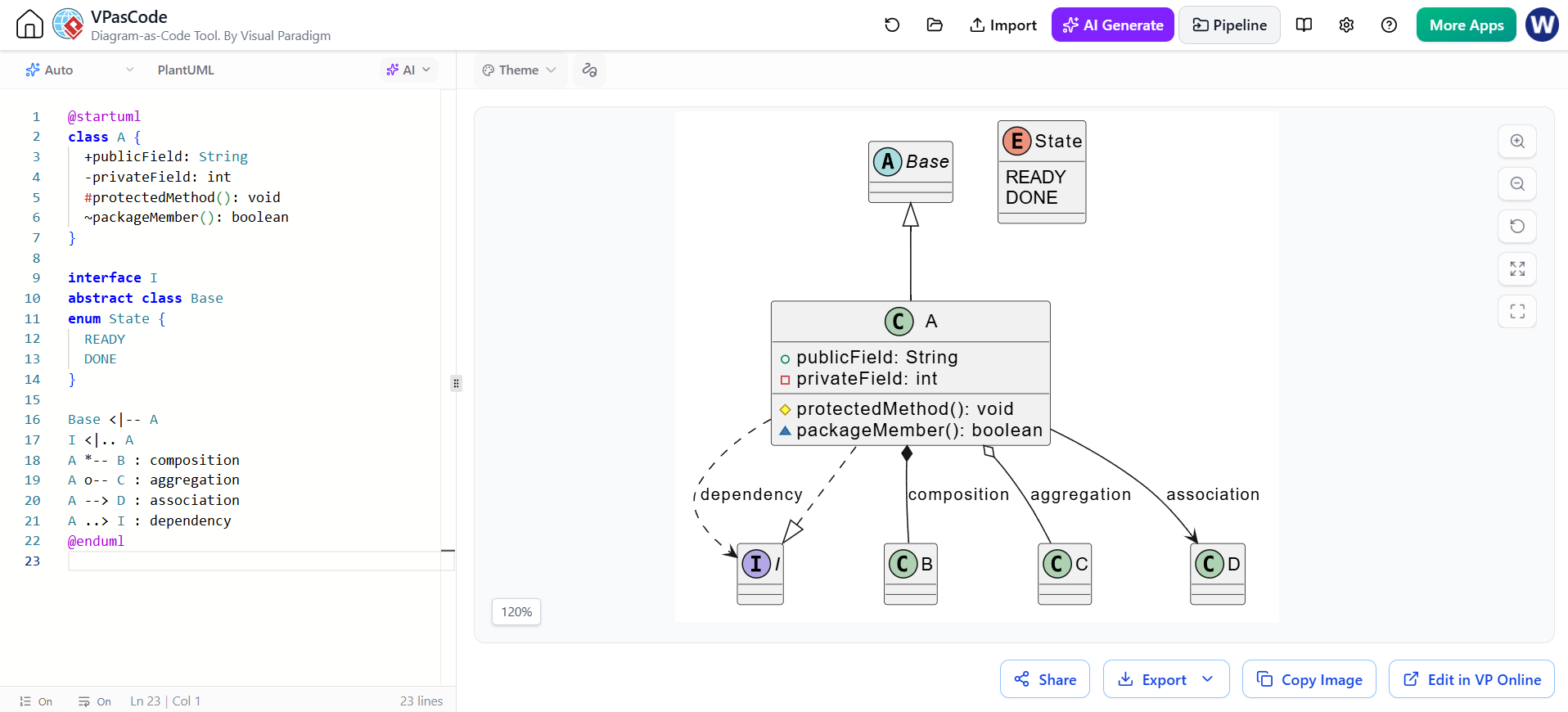
@startuml
class A {
  +publicField: String
  -privateField: int
  #protectedMethod(): void
  ~packageMember(): boolean
}

interface I
abstract class Base
enum State { READY; DONE }

Base <|-- A
I <|.. A
A *-- B : composition
A o-- C : aggregation
A --> D : association
A ..> I : dependency
@enduml
PlantUML supports additional class-diagram features—including member grouping, notes, colors, and more—when a diagram needs further refinement.