In BPMN (Business Process Model and Notation), arrows show how work progresses and how participants communicate. Two connectors look deceptively similar but mean different things: sequence flows and message flows.
The simplest distinction is:
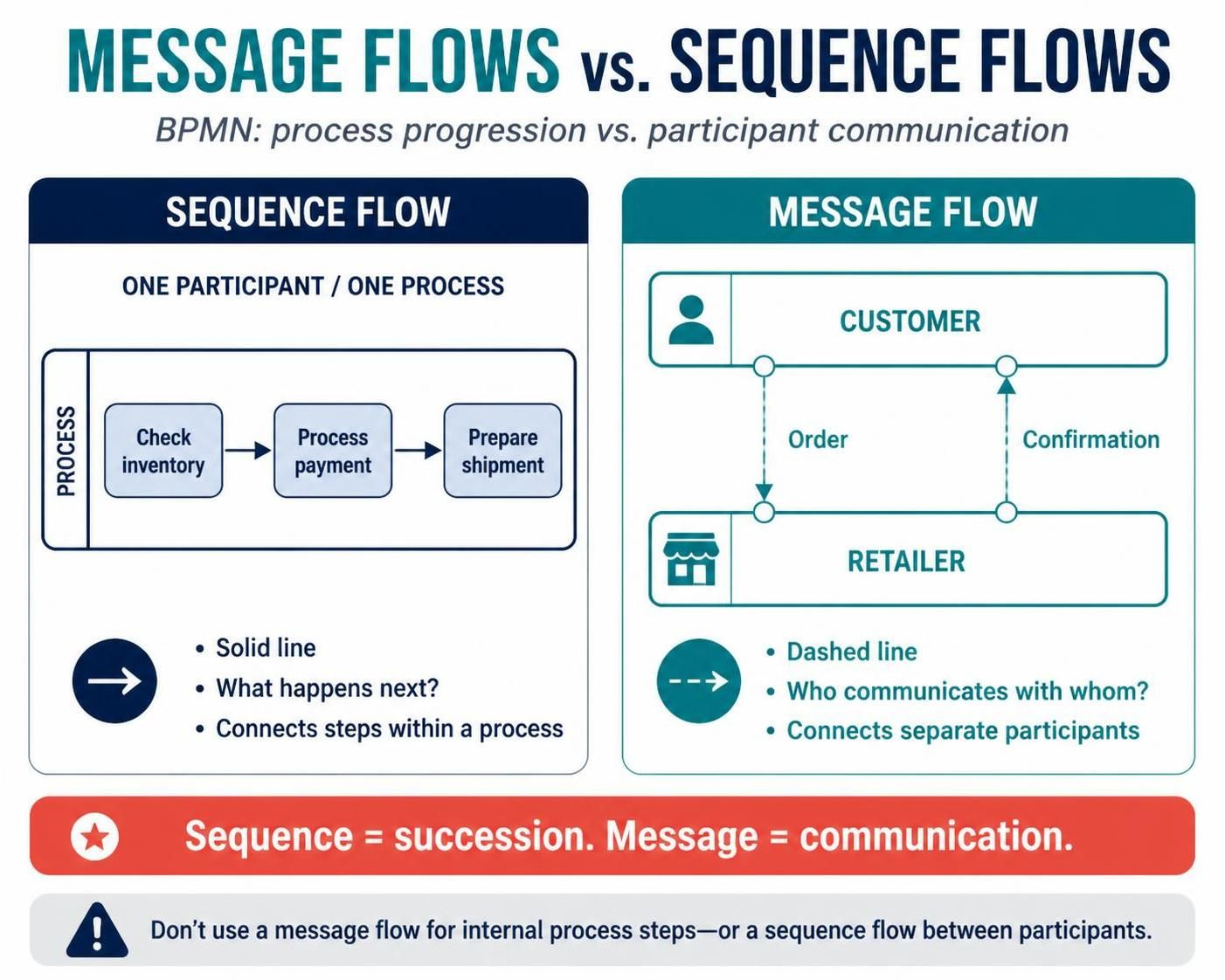
A sequence flow shows what happens next within a process. A message flow shows communication between separate participants.
Mixing them up can make a diagram misleading—and, in some modeling or automation tools, invalid.
What is a sequence flow?
A sequence flow connects activities, events, and gateways within a single process. It shows the order in which the process proceeds: after one step, which step follows?
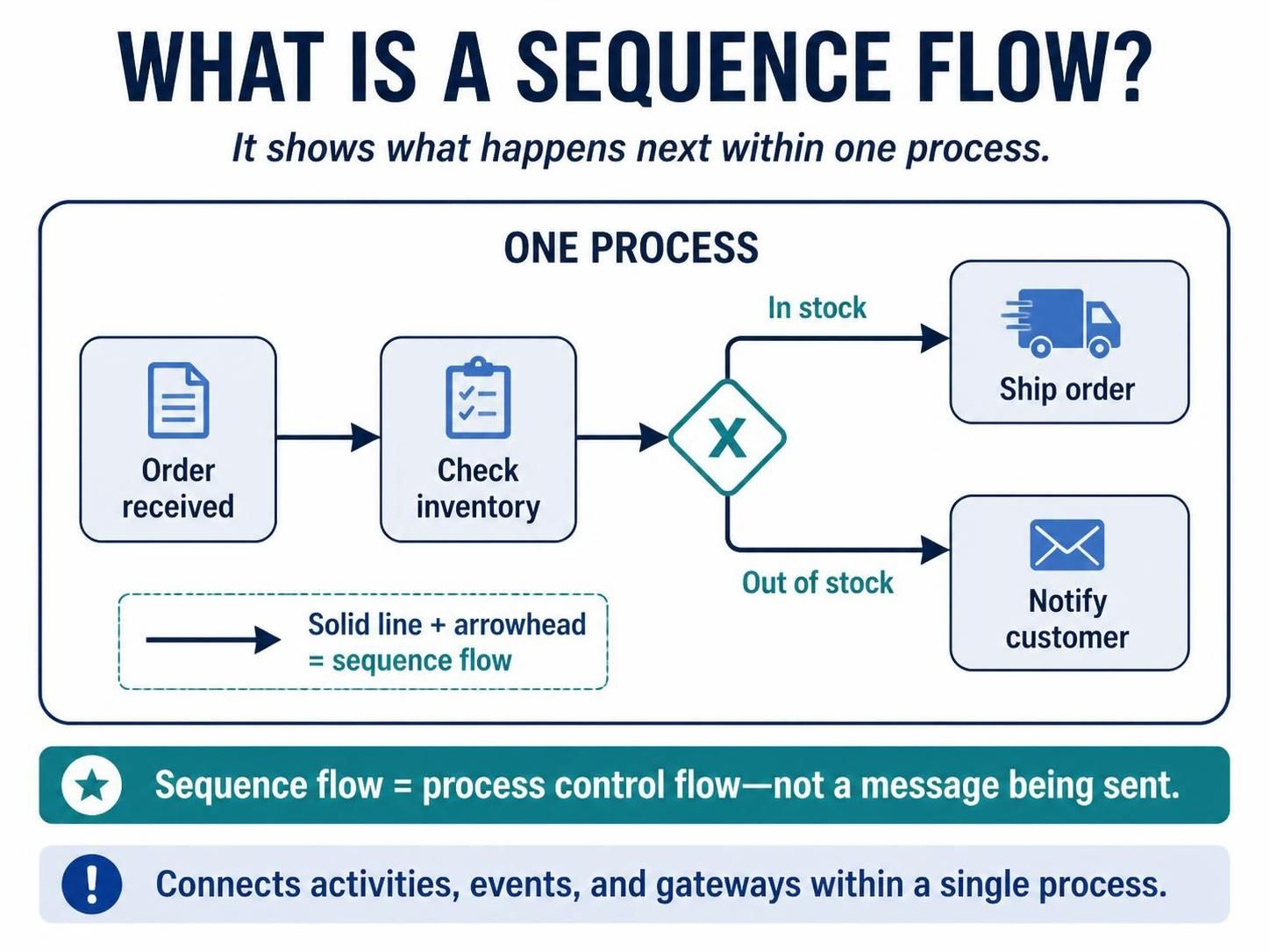
It is drawn as a solid line with an arrowhead. For example:
Order received → Check inventory → Ship order
The arrow means the process continues from one element to the next. At a gateway, sequence flows can also represent alternative or parallel paths. A conditional flow might be labeled “In stock,” while another path is labeled “Out of stock.”
A sequence flow does not, by itself, mean that a message was sent. It represents the process’s control flow.
What is a message flow?
A message flow represents communication between separate participants in a collaboration—for example, between a customer and a retailer, or between a retailer and a delivery company.
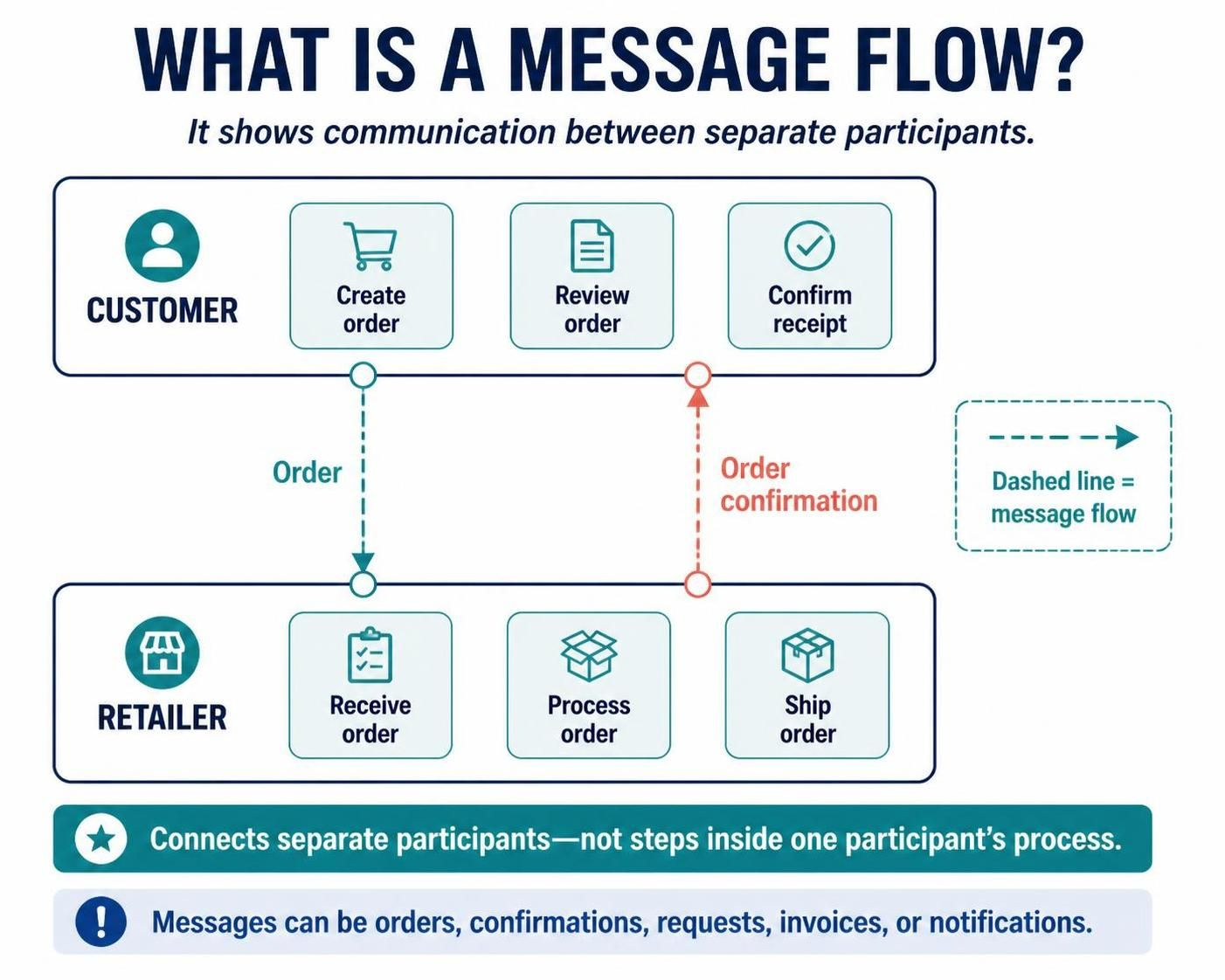
It is drawn as a dashed line, typically with an open circle at the sending end and an arrowhead at the receiving end. A message might be an order, confirmation, request, invoice, or notification.
For example:
-
A customer sends an order to a retailer.
-
The retailer sends an order confirmation to the customer.
These are exchanges between participants, not steps in one participant’s internal workflow. BPMN commonly represents participants as separate pools in a collaboration diagram. A message flow connects those pools; it does not describe the internal order of work within either pool.
The difference at a glance
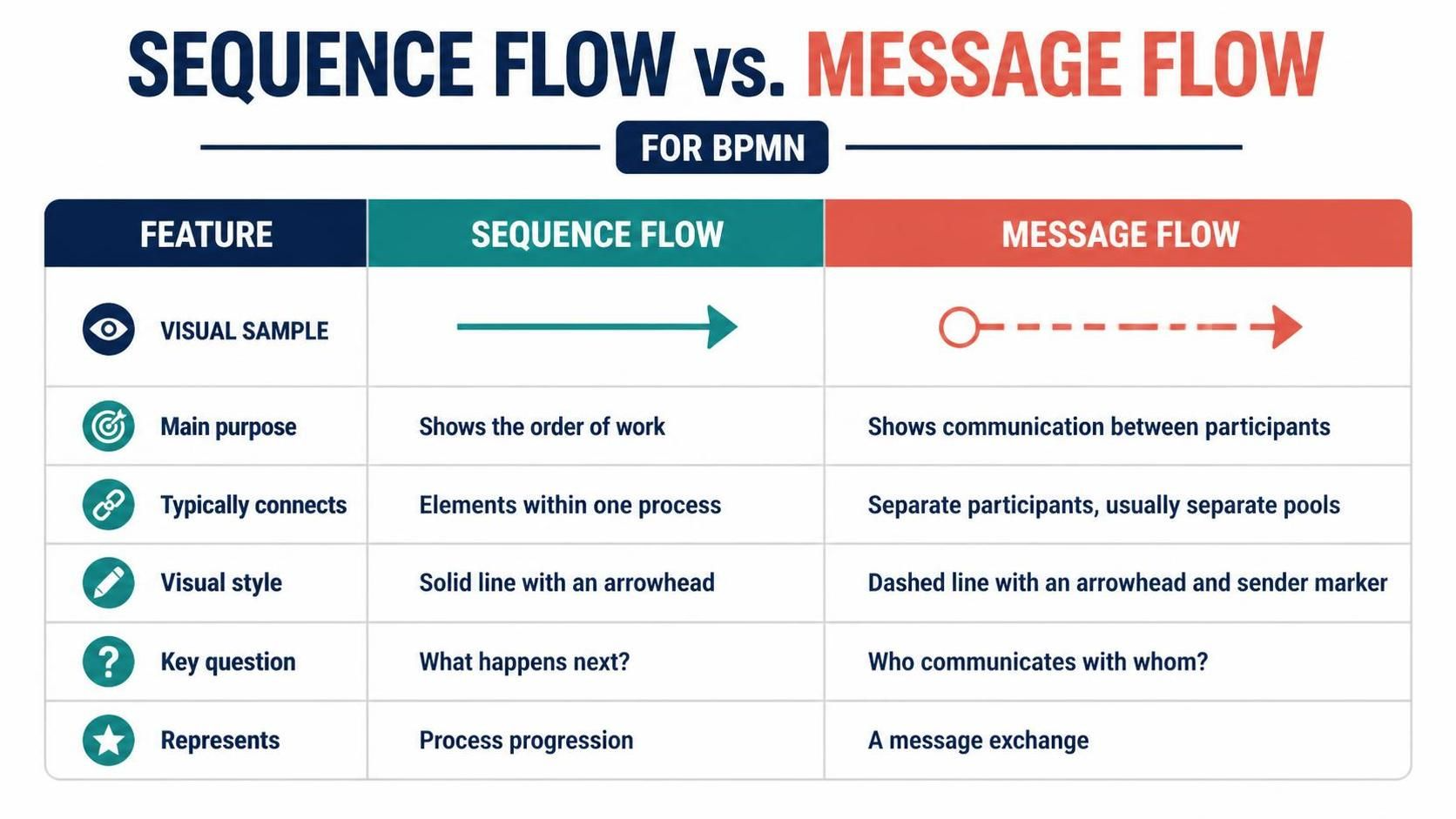
| Feature | Sequence flow | Message flow |
|---|---|---|
| Main purpose | Shows the order of work | Shows communication between participants |
| Typically connects | Elements within one process | Separate participants, usually separate pools |
| Visual style | Solid line with an arrowhead | Dashed line with an arrowhead and sender marker |
| Key question | “What happens next?” | “Who communicates with whom?” |
| Represents | Process progression | A message exchange |
Example: placing an online order
Imagine a customer ordering a product from a retailer.
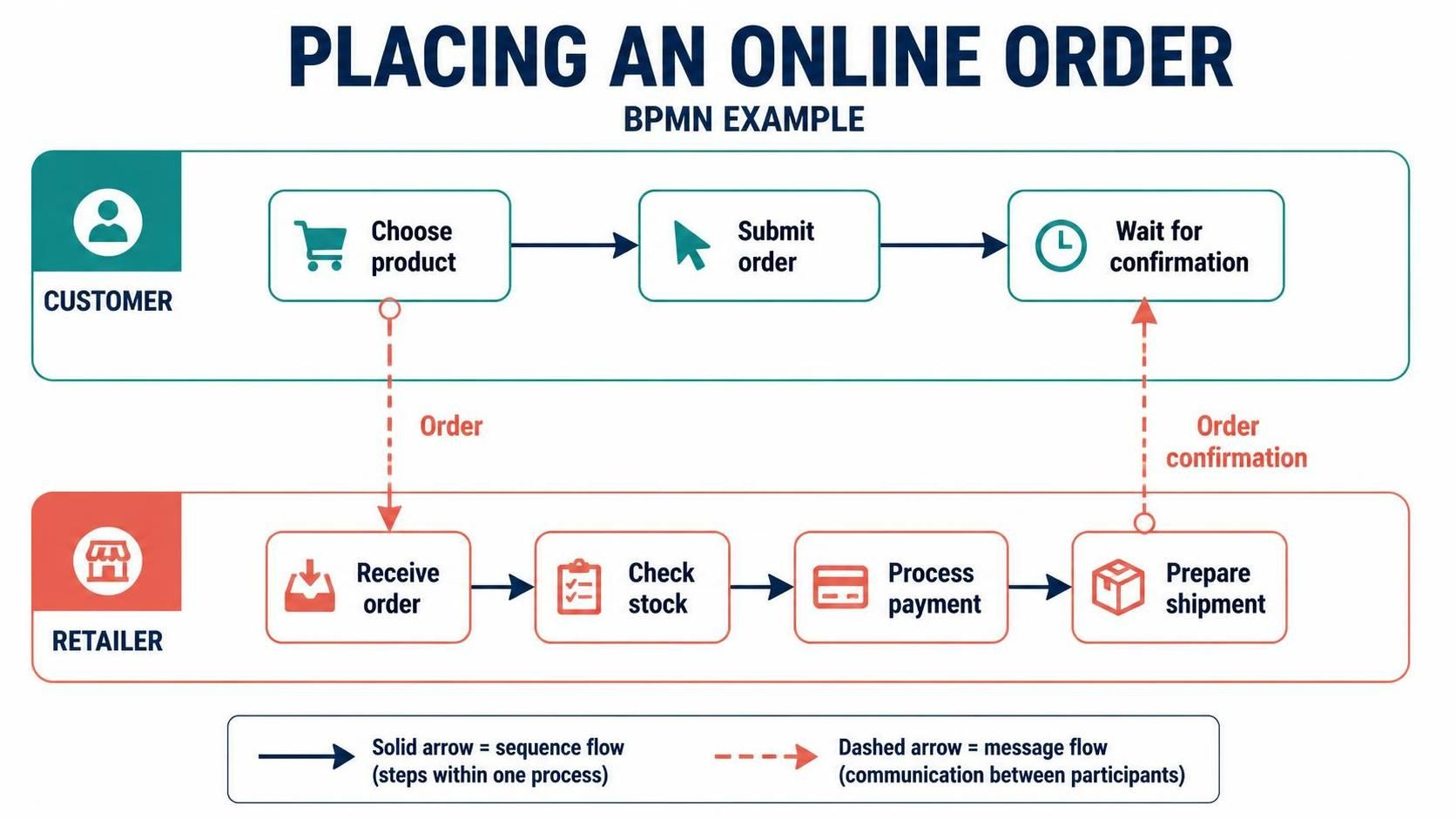
Customer process:
Choose product → Submit order → Wait for confirmation
Retailer process:
Receive order → Check stock → Process payment → Prepare shipment
The customer’s own steps are linked by sequence flows. The retailer’s own steps are also linked by sequence flows. The order sent from the customer to the retailer, and the confirmation sent back, are shown as message flows between the two participants.
This distinction separates two ideas that often happen together: the customer’s process advances when they submit the order, while the retailer receives a message that may trigger or inform its own process.
A practical decision rule
When choosing a connector, ask:
-
Am I showing the next step in the same participant’s process? Use a sequence flow.
-
Am I showing a communication between separate participants? Use a message flow.
-
Am I only attaching a note or data object to an activity? Use an association, not either type of flow.
A helpful shortcut is to think “sequence = succession” and “message = communication.”
Common mistakes
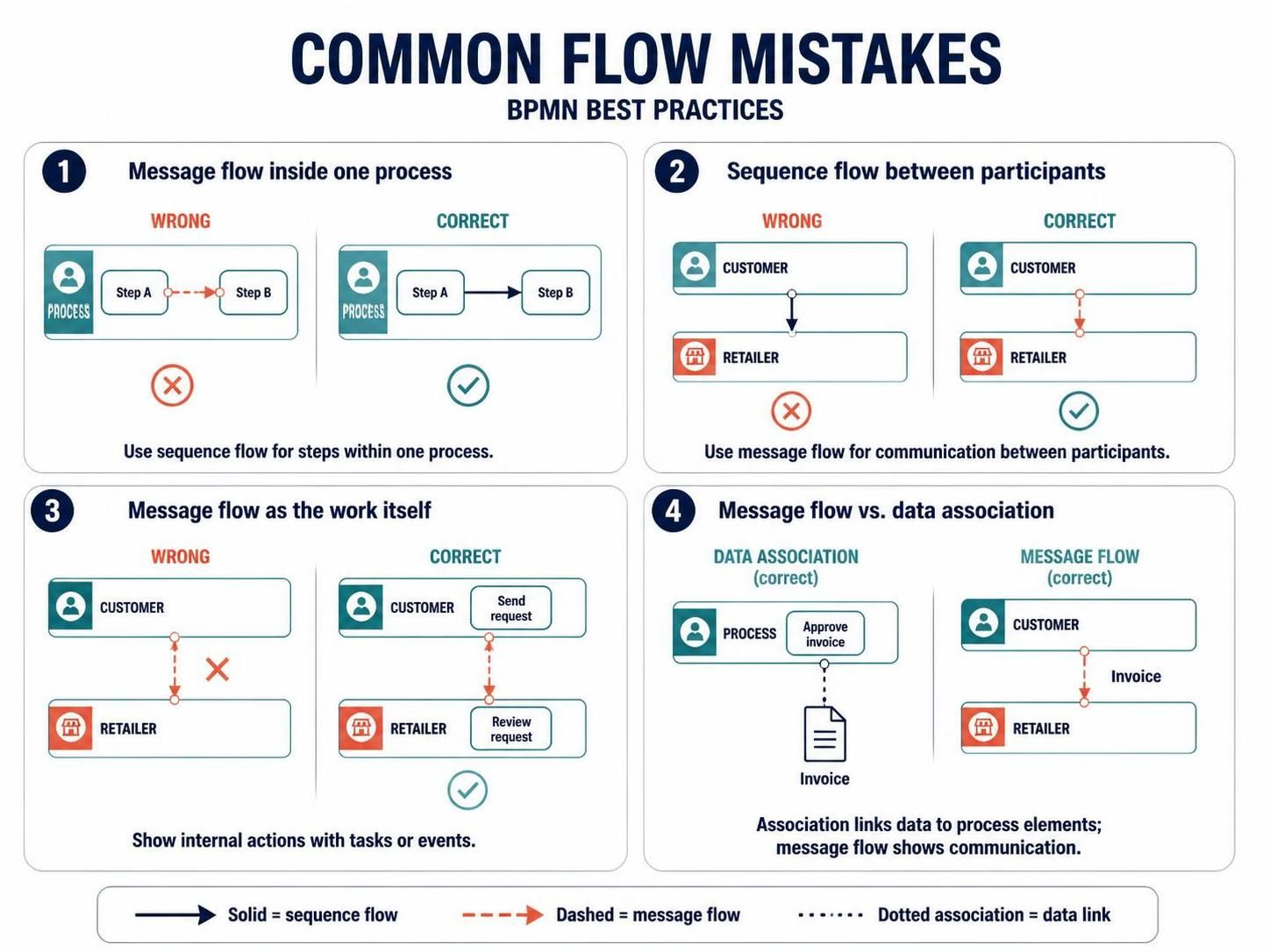
Using a message flow for steps inside one process
If one activity leads to another inside the same participant’s process, connect them with a sequence flow. A message flow is not a decorative alternative; it changes the meaning of the diagram.
Using a sequence flow to cross between participants
A sequence flow should not be used to show that one participant’s process continues directly into another participant’s process. Show the communication with a message flow, and model each participant’s internal work separately.
Treating a message flow as the work itself
A message flow tells readers that information passes between participants. It does not automatically explain the sender’s internal action or the receiver’s handling of it. Add suitable tasks or events to show those steps when they matter.
Confusing messages with data associations
A data object can represent information used or produced by an activity, such as an invoice or application form. An association links that information to a process element; a message flow represents communication between participants.
How message events fit in
A message flow and a message event are related, but they are not the same thing. A message flow shows the exchange between participants. A message event shows that a process sends or receives a message at a particular point in its own workflow.
For instance, a customer’s process may contain a message-catching event meaning “receive confirmation.” The retailer’s process may contain a message-throwing event meaning “send confirmation.” The message flow between the pools shows that those events communicate with one another.
Why the distinction matters
Clear connectors help readers understand where responsibility sits, what triggers a process, and whether an arrow indicates process progression or communication. In executable BPMN models, the distinction can also affect how a process is interpreted or automated: sequence flows define a process’s control flow, while message exchanges may need to be implemented separately by the system or task logic.
Quick review checklist
Before sharing a BPMN diagram, check that:
-
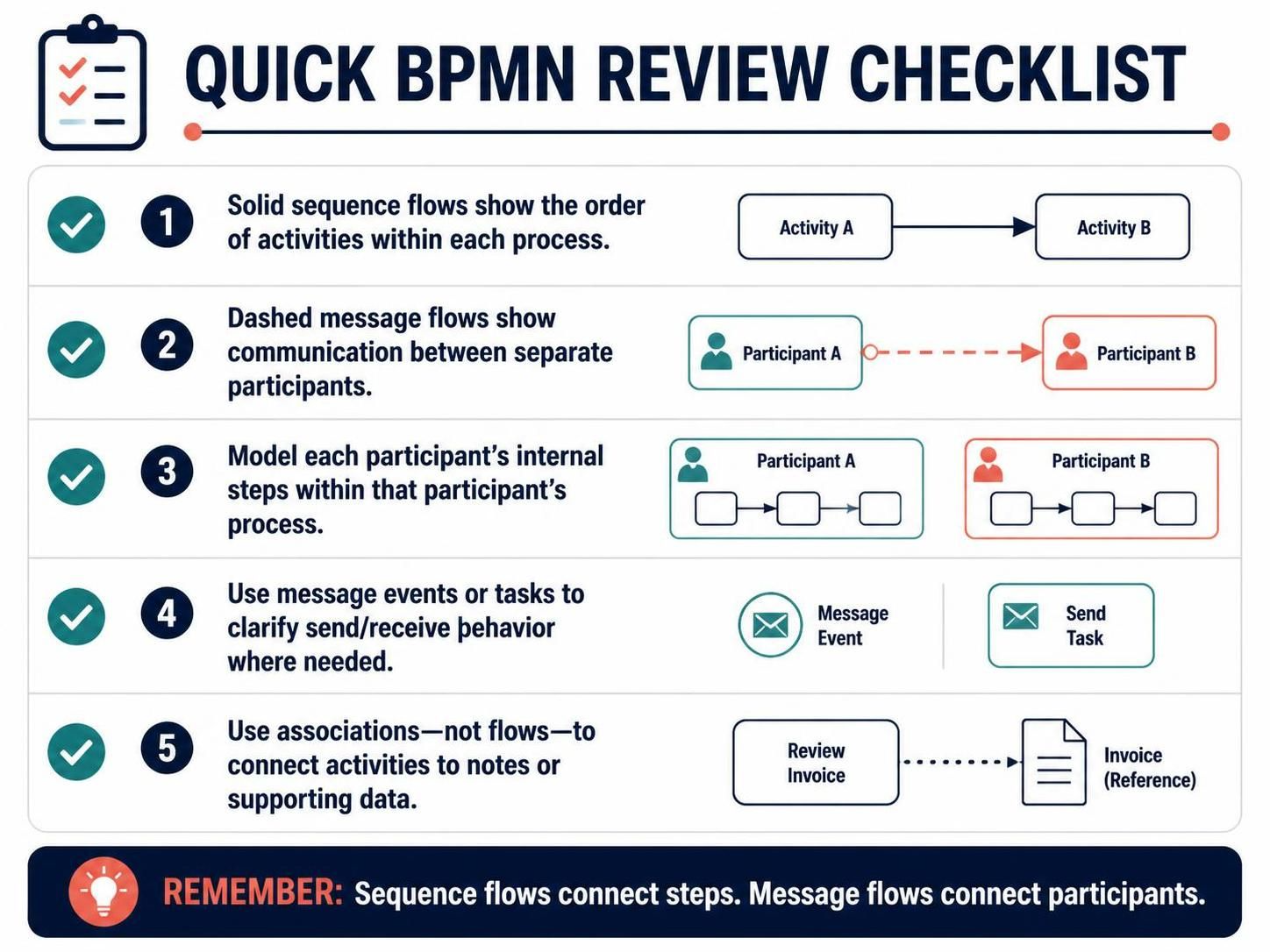
Solid sequence flows show the order of activities within each process.
-
Dashed message flows show communication between separate participants.
-
Each participant’s internal steps are modeled within that participant’s process.
-
Message events or tasks make the send/receive behavior clear where needed.
-
Associations—not flows—connect activities to notes or supporting data.
If you remember only one thing, remember this: sequence flows connect steps in a process; message flows connect participants through communication.
Conclusion
Sequence flows and message flows may both appear as arrows in a BPMN diagram, but they describe different things. A sequence flow shows how work proceeds within a participant’s process; a message flow shows information exchanged between separate participants. Use each connector for its intended purpose, and add tasks, events, and associations where needed to clarify what participants do and what information they use. Keeping these distinctions clear makes BPMN diagrams easier to read, model, and communicate.