


Your Journey to Interactive Digital Publishing
Introduction to Fliplify
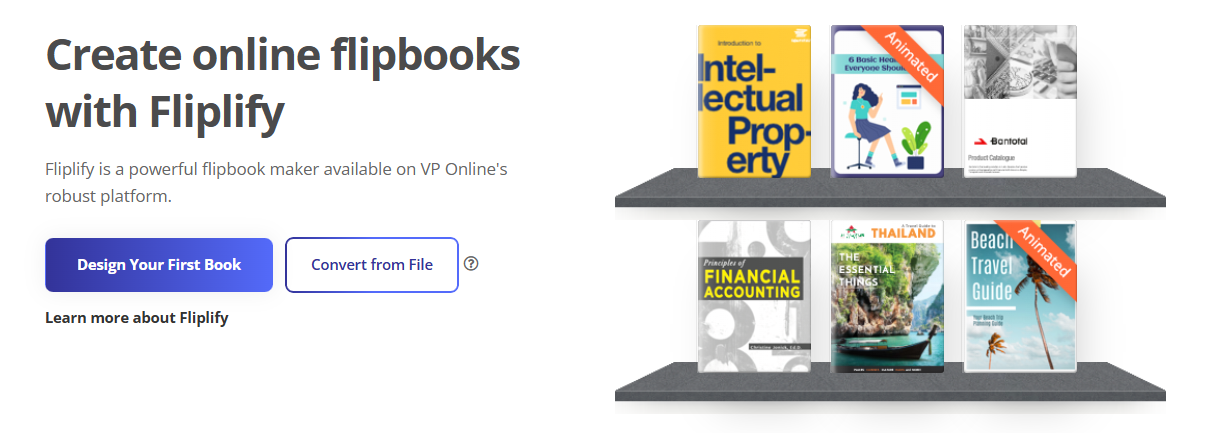
Welcome to Fliplify, an innovative online platform developed by Visual Paradigm that transforms static documents into engaging, interactive flipbooks. Whether you’re creating eBooks, brochures, catalogs, or presentations, Fliplify provides the tools to captivate your audience with dynamic, professional-quality digital publications.
This comprehensive guide will walk you through every step of your Fliplify journey—from initial exploration to mastering advanced features and publishing your creations.
Phase 1: Discovery – Understanding What Fliplify Offers
Before diving in, it’s essential to understand the powerful capabilities that make Fliplify stand out in the digital publishing landscape.
Core Capabilities
Interactive Engagement
Fliplify goes beyond static pages by allowing you to embed videos, links, and animations directly into your flipbooks, creating immersive reading experiences that keep audiences engaged.
Professional Design Flexibility
Design publications from scratch or leverage customizable templates to match your brand’s unique style and identity.
Realistic Reading Experience
Experience smooth, lifelike page-turn animations that simulate the tactile feel of physical books, enhancing reader engagement and satisfaction.
Universal Accessibility
Your flipbooks automatically optimize for all devices—desktops, tablets, and smartphones—with specialized reader modes that ensure perfect readability on any screen.
Phase 2: Preparation – Setting Up Your Journey
Step 1: Access Your Fliplify Account
Begin your journey by visiting Fliplify or accessing it through Visual Paradigm Online at online.visual-paradigm.com. Create a free account to explore basic features, with premium capabilities available through Visual Paradigm subscriptions.
Step 2: Plan Your Content Strategy
Success starts with preparation. Before creating your flipbook:
-
Outline your content structure and flow
-
Gather all visual assets (images, icons, charts)
-
Prepare your text content
-
Identify interactive elements you want to include
-
Consider your target audience and their viewing preferences
Step 3: Choose Your Starting Point
You have two primary paths:
-
Upload Existing Files: Convert PDFs, Word documents, PowerPoint presentations, or images into flipbooks
-
Build from Scratch: Use the Flipbook Designer’s drag-and-drop tools to create custom layouts
Phase 3: Creation – Building Your Interactive Flipbook
Step 4: Launch Your Project
-
Log in to your Fliplify account
-
Navigate to the Flipbooks section
-
Click Create New Project to access the Flipbook Designer
-
Upload your files or start with a blank canvas
Step 5: Customize and Enhance
This is where your flipbook comes to life. Leverage Fliplify’s comprehensive feature set:
Design Customization
-
Select from professional templates or create custom layouts
-
Adjust colors, fonts, and styling to match your brand
-
Apply corporate branding with logos and brand colors

Interactive Elements
-
Embed videos and audio files
-
Add clickable links and navigation
-
Integrate animated GIFs and Lotties
-
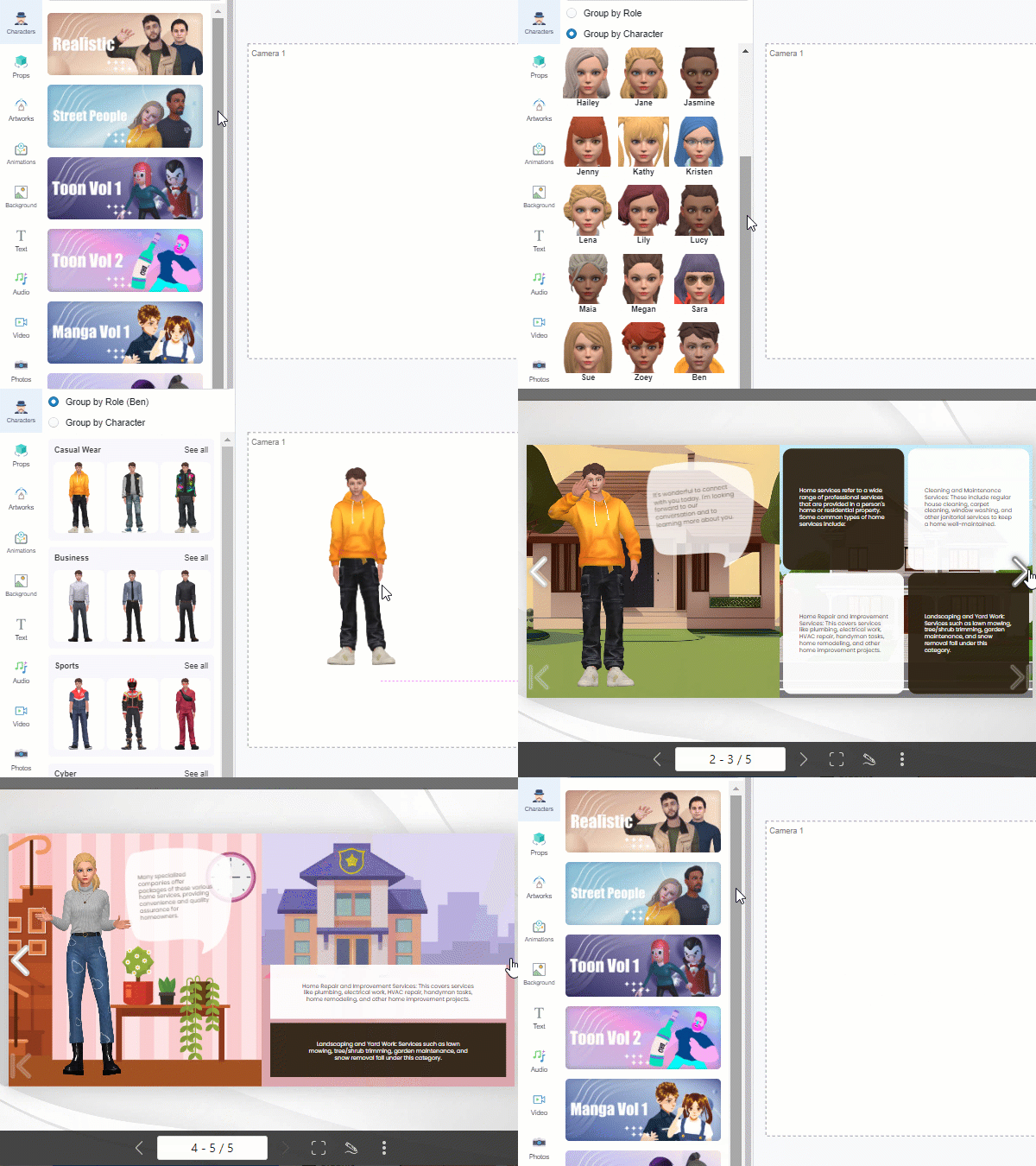
Incorporate 3D animations through AniFuzion integration
Animation Integration
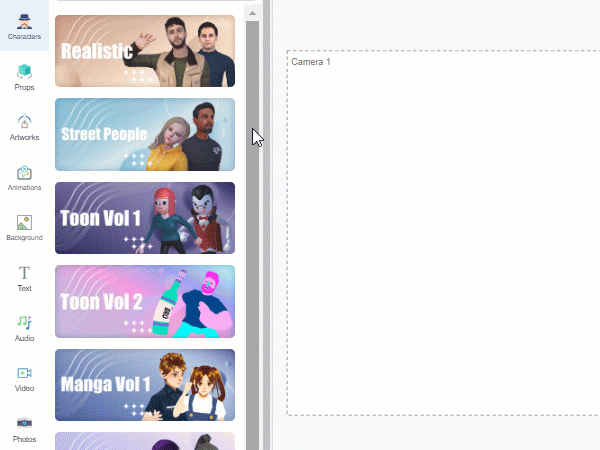
Fliplify’s integration with AniFuzion allows you to create stunning 2D and 3D animations that bring your content to life.
Page Transitions
Choose from over 70 customizable page transition effects to add visual flair and maintain reader engagement throughout the experience.
Advanced Features
-
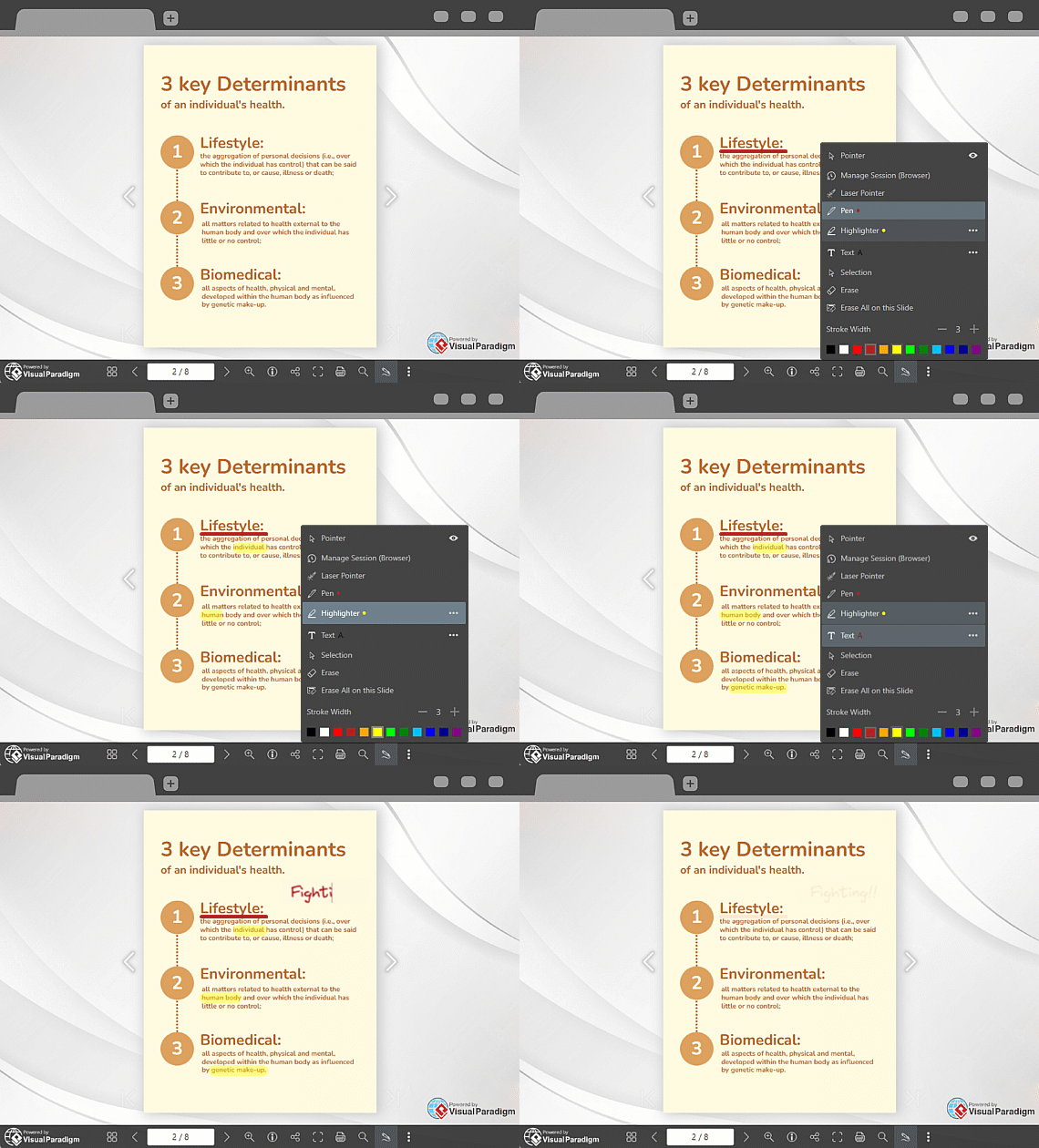
Annotations: Enable collaboration and note-taking capabilities
-
Text Search: Allow readers to quickly locate specific content
-
Visual Bookshelf: Organize and showcase multiple flipbooks in an attractive, navigable interface
Phase 4: Optimization – Ensuring Perfect Delivery
Step 6: Optimize for All Platforms
Fliplify automatically ensures responsive design across all devices, but you should:
-
Preview your flipbook on different screen sizes
-
Test all interactive elements
-
Verify that multimedia content loads properly
-
Check text readability and image quality
SEO and Analytics Integration
For maximum visibility and insights:
-
Optimize your flipbook for search engines
-
Integrate Google Analytics to track reader engagement
-
Monitor performance metrics to refine your content strategy

Phase 5: Publishing – Sharing Your Creation
Step 7: Publish and Distribute
Once satisfied with your flipbook, it’s time to share it with the world:
Publishing Options:
-
Online Publishing: Host your flipbook on Fliplify’s servers
-
Self-Hosting: Deploy flipbooks on your own domain for complete control and branding consistency
-
Direct Sharing: Generate URL links for easy distribution
-
Social Media: Share directly across various social networks
-
Website Embedding: Integrate flipbooks into your existing websites
Flexible Access:
-
Enable printing capabilities for your audience
-
Offer PDF download options for offline viewing
-
Provide annotation features for collaborative projects
Phase 6: Accelerated Creation – Using Templates
Templates for a Quick Start
Fliplify provides an extensive library of professional templates to accelerate your projects. Simply select a template, customize the content, adjust characters and animations, and publish.
Here are some featured templates to inspire your next project:

How Did Trick-or-Treat Became A Halloween Custom? – Edit this template

Elegant Accessories Lookbook – Edit this template
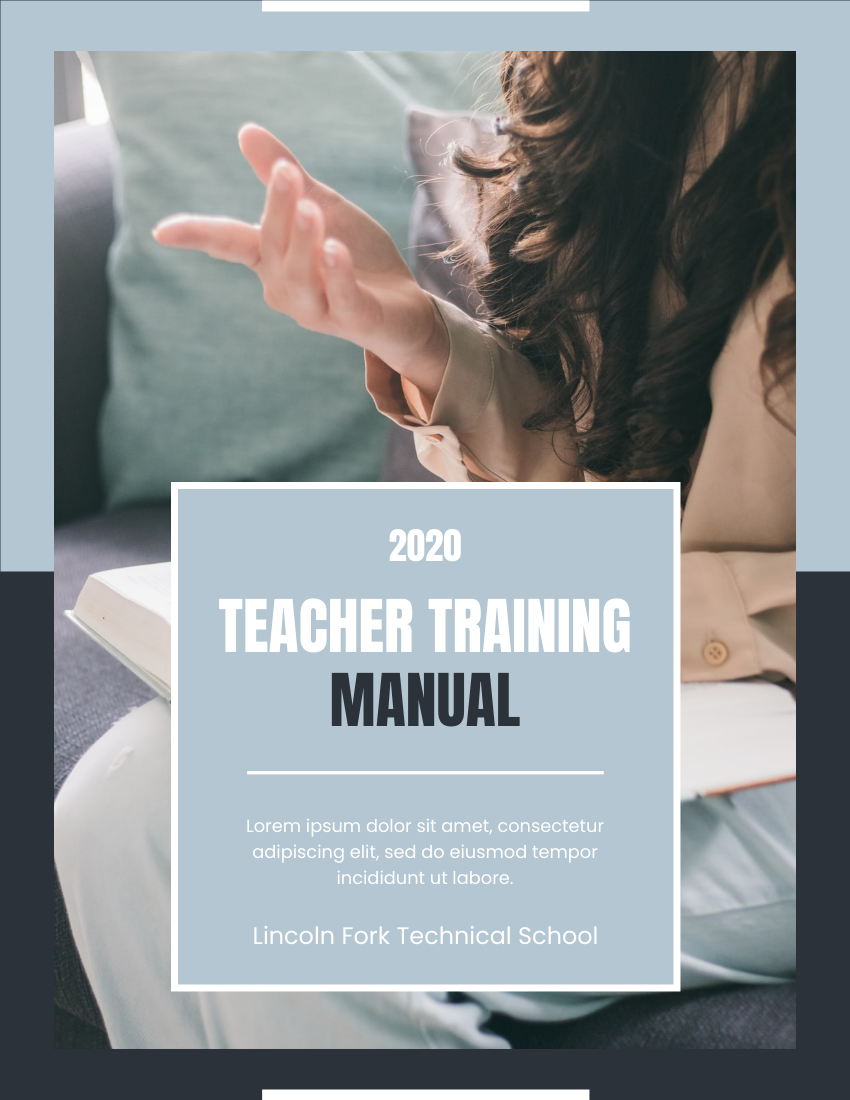
Teaching Training Manual – Edit this template

Professional Kindergarten Prospectus – Edit this template
Phase 7: Mastery – Advanced Capabilities
Integration with Visual Paradigm Ecosystem
Fliplify is part of the comprehensive Visual Paradigm Online Suite, which includes:
-
Diagramming tools
-
Animation creation
-
Graphic design capabilities
-
Productivity tools
This integration enables seamless workflow across all your digital content creation needs.
File Format Versatility
Fliplify supports an extensive range of file types:
-
PDF documents
-
Microsoft Word files
-
PowerPoint presentations
-
Image files (JPG, PNG, etc.)
-
eBook formats
Performance Tracking
With premium plans, access advanced analytics to:
-
Monitor reader engagement patterns
-
Track page views and time spent
-
Identify popular content sections
-
Optimize future publications based on data insights
Summary: Your Complete Fliplify Journey
Your journey with Fliplify encompasses:
-
Discovery – Understanding the platform’s capabilities
-
Preparation – Setting up accounts and planning content
-
Creation – Building interactive, engaging flipbooks
-
Optimization – Ensuring perfect display across all devices
-
Publishing – Sharing through multiple channels
-
Acceleration – Leveraging templates for efficiency
-
Mastery – Utilizing advanced features and integrations
The platform’s intuitive drag-and-drop interface makes it accessible for beginners, while advanced features satisfy professional requirements. With Fliplify, you can quickly create engaging, professional-quality digital flipbooks that captivate your audience and elevate your digital content strategy.
Conclusion
Fliplify stands as an all-in-one online platform that simplifies the creation, sharing, and tracking of interactive flipbooks. With its advanced digital flipbook maker, user-friendly reader experience, 3D character integration through AniFuzion, comprehensive SEO and Google Analytics support, and flexible self-hosted flipbook service, Fliplify is the perfect solution for anyone looking to create dynamic and engaging online content.
Give it a try today and elevate your digital content to new heights.
References
- Flipbook Maker Quick Start Guide: A comprehensive guide to help users get started quickly with Visual Paradigm’s flipbook maker, covering essential features and basic workflows.
- Unveiling the Pinnacle of Flipbook Software: Visual Paradigm: An in-depth review highlighting Visual Paradigm’s position as a leading flipbook software solution in the digital publishing industry.
- Reference List for Learning Fliplify of Visual Paradigm Online: A curated collection of resources and documentation to help users master Fliplify’s features and capabilities.
- Introducing Visual Paradigm Flipbook Maker: Your Ultimate Choice in Digital Publishing: An introduction to Visual Paradigm’s flipbook maker, showcasing its features as a comprehensive digital publishing solution.
- Revolutionize Your Digital Content with Visual Paradigm’s Flipbook Maker: An article exploring how Visual Paradigm’s flipbook maker transforms traditional content into interactive digital experiences.
- Transform Your Digital Publishing with Fliplify by Visual Paradigm: A detailed look at how Fliplify revolutionizes digital publishing workflows and enhances content engagement.
- Why Fliplify by Visual Paradigm Online Stands Out and How AniFuzion Makes It Unbeatable: An exploration of Fliplify’s unique features and the powerful integration with AniFuzion for advanced animation capabilities.
- PDF to Flipbook Converter: Information about Visual Paradigm’s PDF to flipbook conversion tool, enabling easy transformation of static PDFs into interactive flipbooks.
- Create Flipbooks: Visual Paradigm’s flipbook creation platform (Traditional Chinese version), offering tools to build interactive digital publications.
- Create Flipbooks: Visual Paradigm’s main flipbook creation platform, providing comprehensive tools for designing and publishing interactive flipbooks.
- Create Lookbooks: Specialized tools for creating professional lookbooks and catalogs using Visual Paradigm’s flipbook maker.
- Flipbook Maker Quick Start Guide: Community resource providing quick start instructions and tips for new users of Visual Paradigm’s flipbook maker.
Related posts:
 🎬 The Complete User Journey: Creating Animated Flipbooks with Visual Paradigm Online’s Flipbook Maker
 Comprehensive Guide to Creating Animated Content for Flipbooks with Visual Paradigm Online’s Flipbook Maker
 The Complete Non-IT Professional’s Journey to Mastering Fliplify Flipbook Tool
 Flipbook Maker: A Comprehensive Guide to Interactive Digital Publishing