


Your Step-by-Step Guide to Creating Stunning Digital Publications
Introduction: Welcome to Your Flipbook Adventure
Meet Sarah, a marketing coordinator with no technical background. Like many professionals, she needs to create engaging catalogs, reports, and presentations but finds traditional design tools overwhelming. This is her journey discovering Fliplify—a free, user-friendly flipbook maker that transforms how she shares content with colleagues, clients, and partners.
Stage 1: Discovering the Magic of Flipbooks
What is Fliplify?
Sarah’s journey begins when she learns about Fliplify, a tool that lets her create catalogs, ebooks, CVs, and photo albums online. The best part? She can publish them as interactive flipbooks and share them effortlessly with friends, colleagues, and partners—no coding or design expertise required.
Stage 2: Experiencing Flipbooks as a Reader
Before creating her own, Sarah explores what it’s like to read a flipbook. This helps her understand what her audience will experience.
A Seamless Reading Experience
Sarah discovers that reading online doesn’t have to be boring. Fliplify presents books with a realistic page-flip effect, allowing readers to turn pages naturally instead of endless scrolling.

Key Features Sarah Notices:
-
Realistic page-turning animation that mimics physical books
-
Quick navigation with thumbnails for jumping to specific pages
-
Smooth, intuitive interface that requires no instructions
Organized Digital Bookshelves
Sarah is impressed by how books are organized on digital bookshelves, making it easy to browse multiple publications.
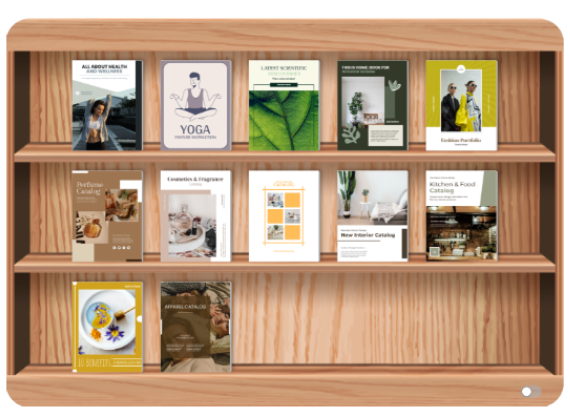
What She Learns:
-
Books can be grouped logically
-
Order can be customized
-
Readers can easily browse through collections
Beautiful, Customizable Themes
The bookshelf designs catch Sarah’s eye—they’re not just functional but visually appealing with various themes.
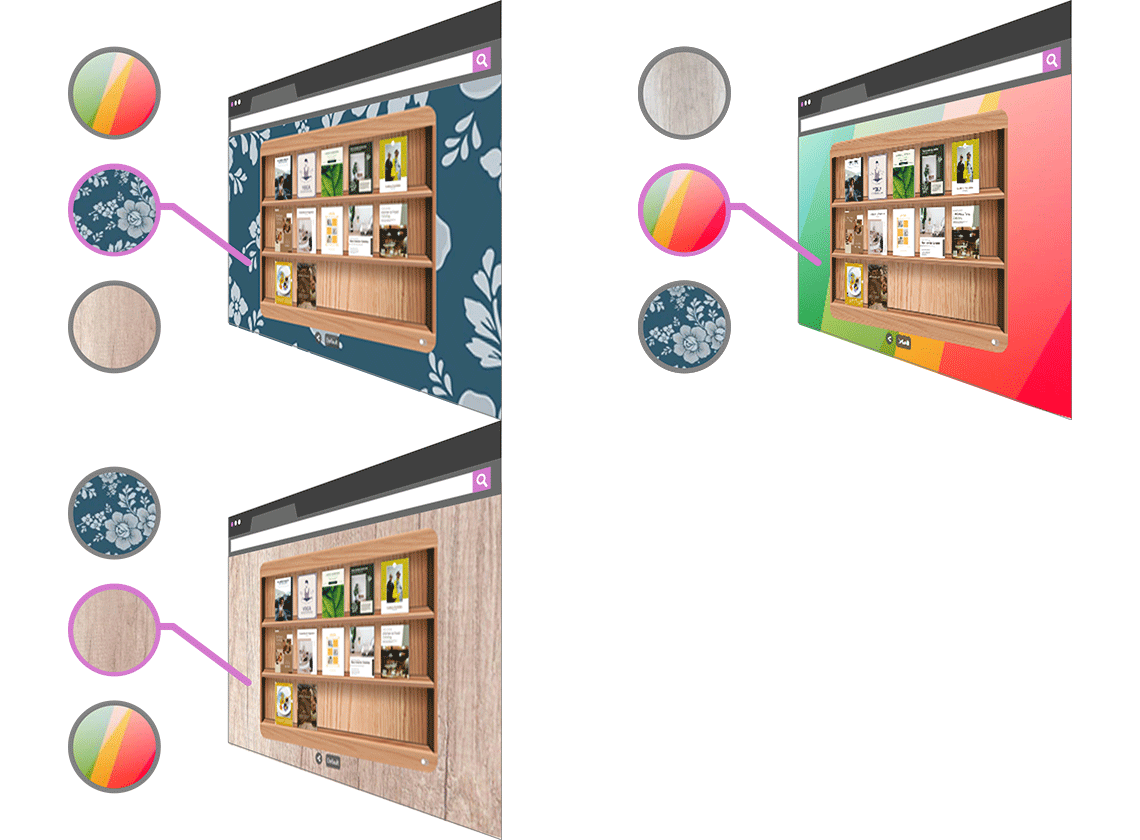
Theme Options Include:
-
Business professional designs
-
Floral and nature patterns
-
Various background styles to match content themes
Focused Reading Mode
Sarah appreciates the distraction-free reading mode that removes ads and unnecessary graphics.
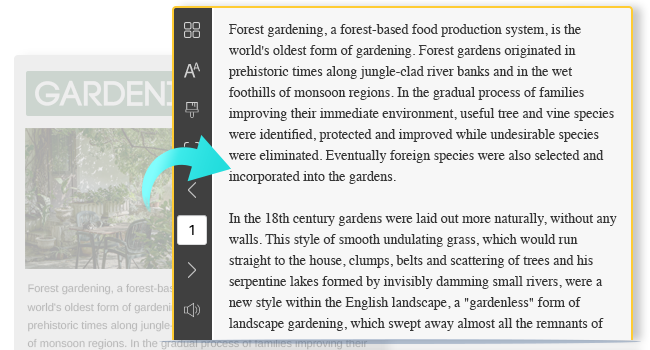
Benefits:
-
Clean, focused reading environment
-
No distracting advertisements
-
Content takes center stage
Stage 3: Creating Your First Flipbook
Now confident about the reader experience, Sarah is ready to create her own flipbook.
Starting from Scratch or Using Templates
Sarah discovers that Fliplify isn’t just a document converter—it’s a full-featured design tool that lets her create books from scratch with intuitive visual tools.
Sarah’s First Steps:
-
Choose a starting point: Begin with a blank canvas or select from templates
-
No technical skills needed: Drag-and-drop interface
-
Professional results: Even as a beginner
Exploring the Template Library
As someone without design experience, Sarah is relieved to find plenty of customizable templates.
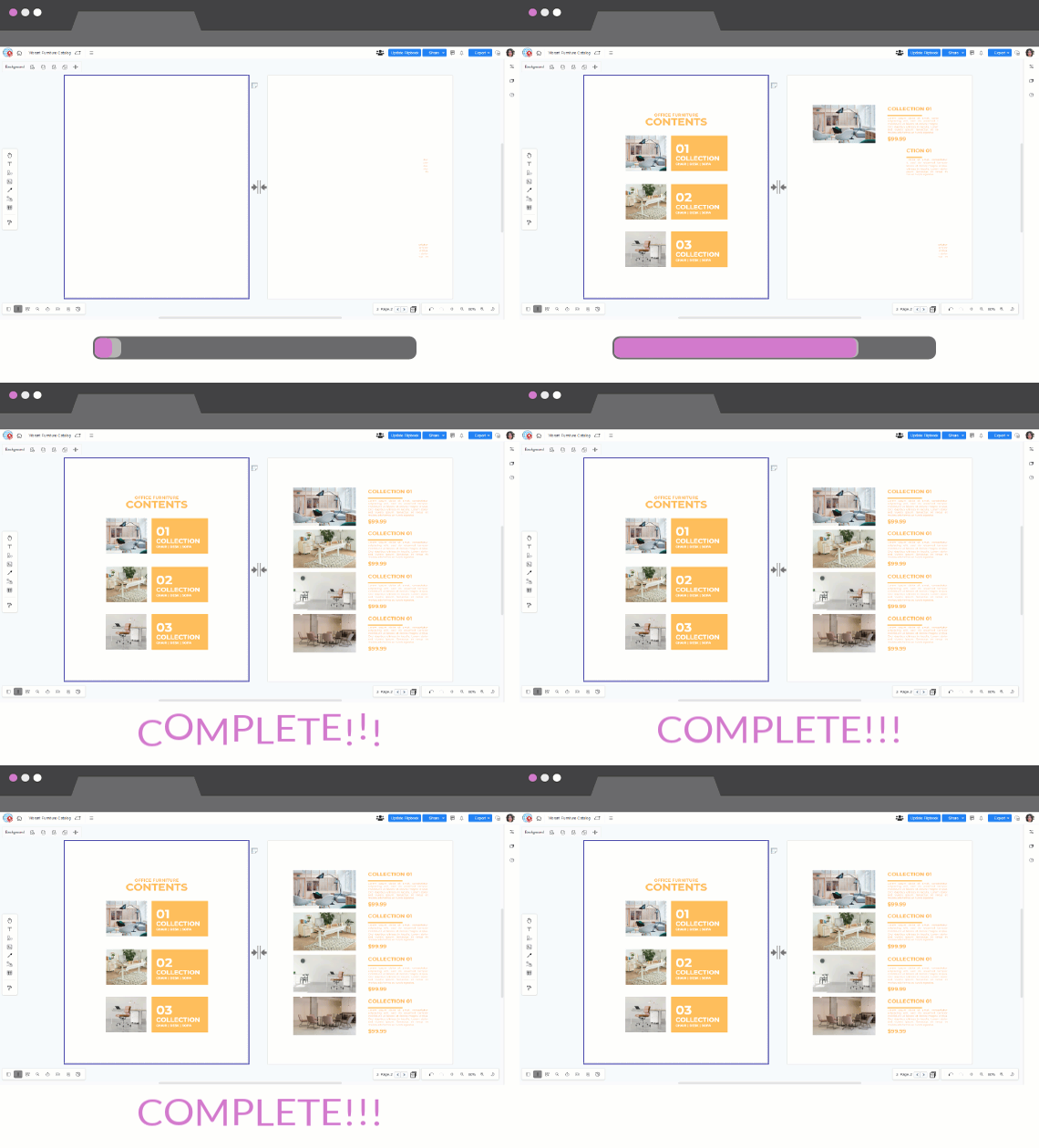
Available Template Types:
-
Reports and business documents
-
Booklets and brochures
-
Product catalogs
-
Lookbooks
-
Photo albums
-
And many more
Customizing Templates to Match Her Brand
Sarah learns she can easily modify every aspect of the templates.
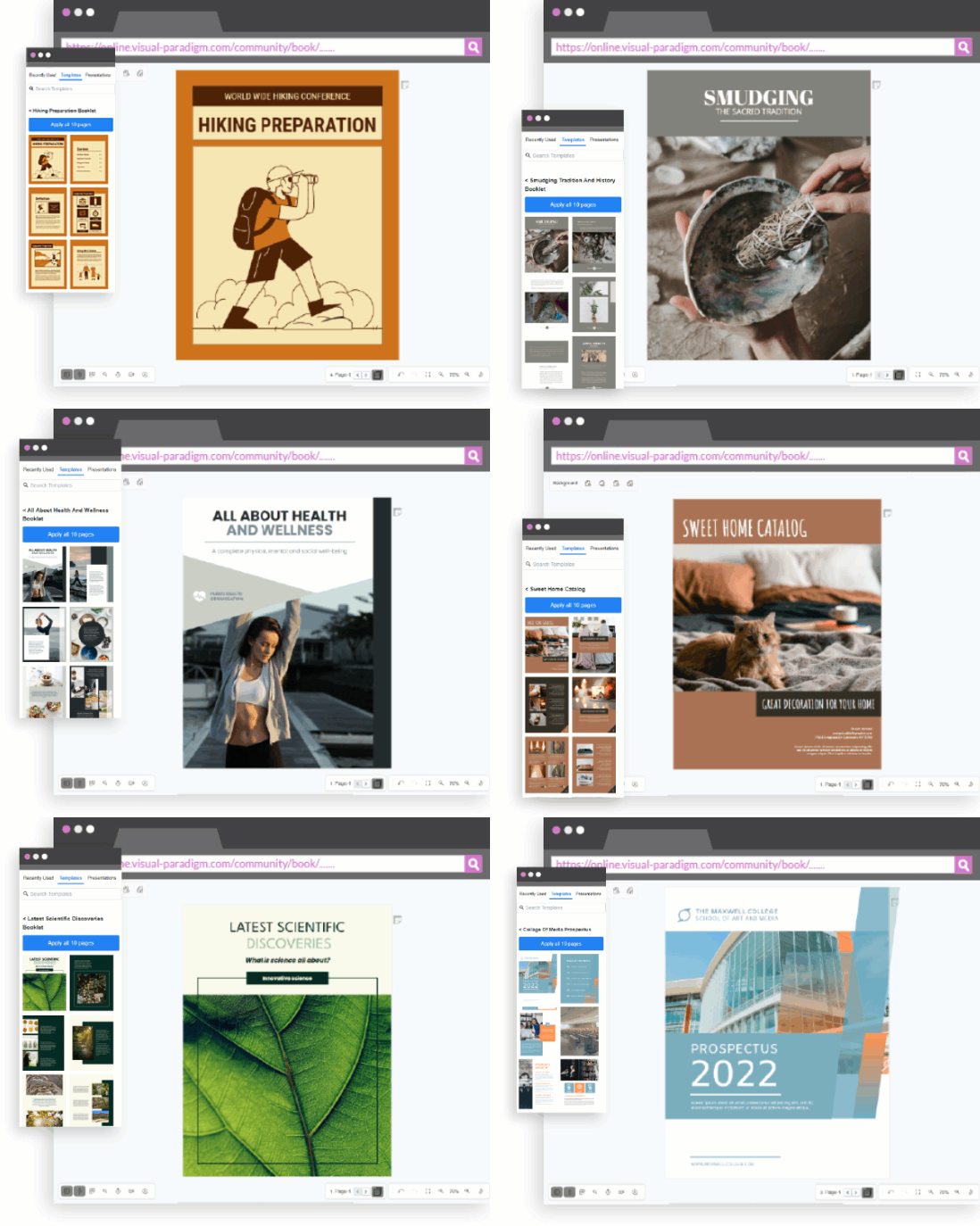
Easy Customizations:
-
Images: Swap in her own photos
-
Fonts: Choose from various typefaces
-
Colors: Match her company branding
-
Layout: Rearrange elements effortlessly
Stage 4: Adding Interactive Elements and Animations
With her basic flipbook created, Sarah wants to make it more engaging.
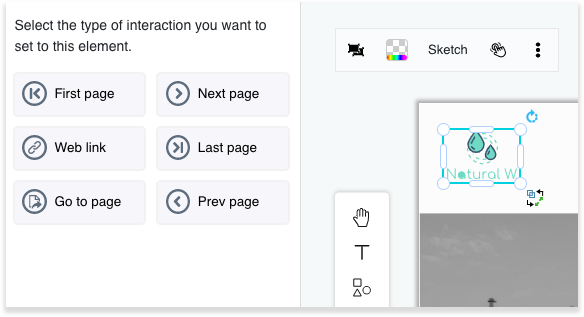
Making Content Interactive
Sarah discovers she can add clickable elements to her flipbook, transforming static pages into interactive experiences.
What She Can Do:
-
Add links to external websites
-
Create navigation between pages
-
Link to product pages or contact forms
-
Enhance user engagement with clickable elements
Perfect For:
-
Product catalogs with “Buy Now” buttons
-
Reports with links to additional resources
-
Portfolios with contact information
Bringing Pages to Life with Animations
To make her flipbook more memorable, Sarah explores animation options.
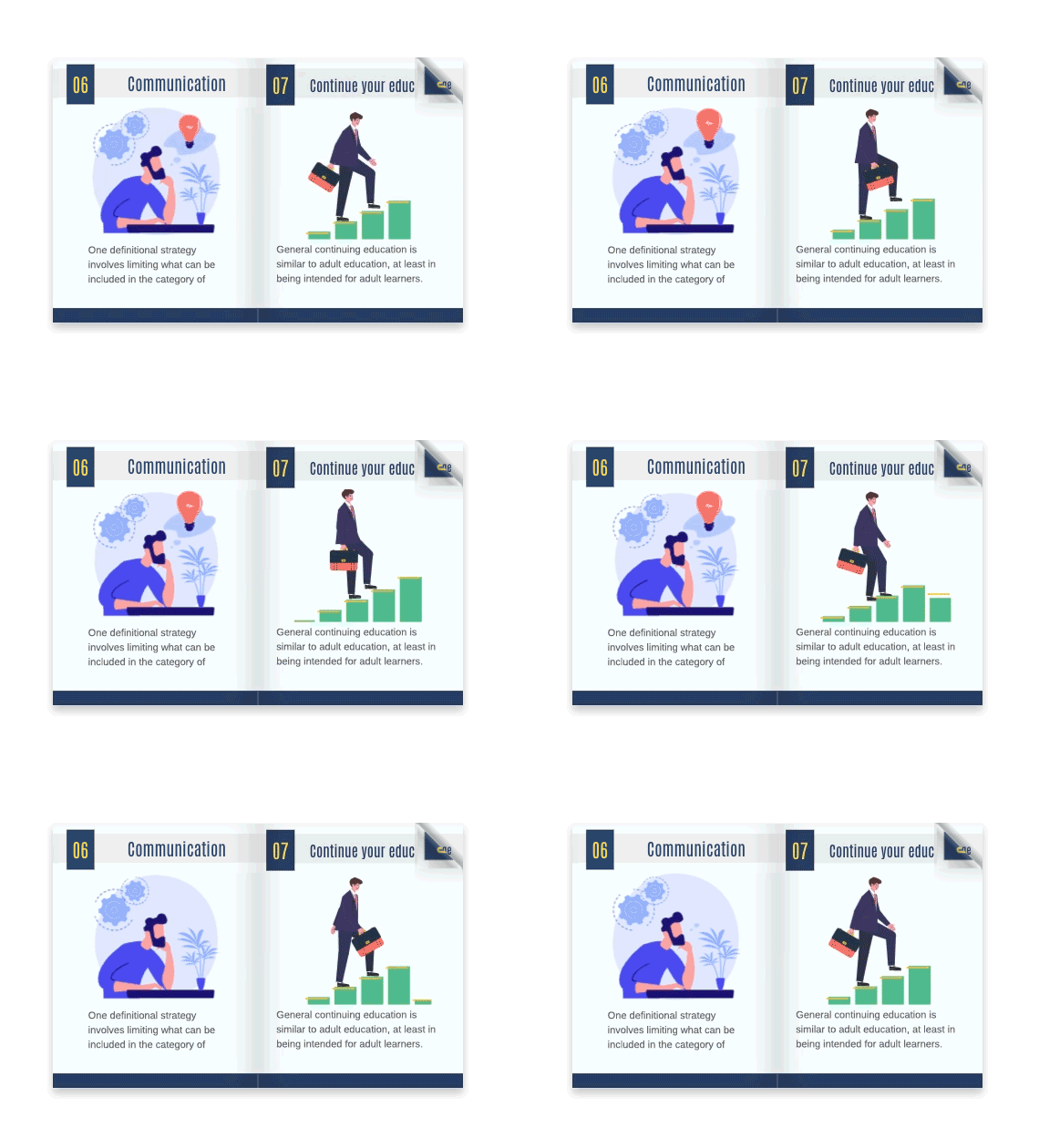
Animation Benefits:
-
Captures audience attention
-
Makes content more engaging
-
Creates professional, polished presentations
-
Keeps readers interested longer
Stunning Page Transitions
Sarah is amazed by the variety of transition effects available—over 70 options to choose from.
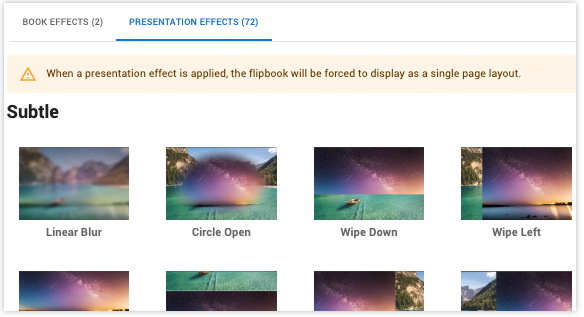
Transition Features:
-
70+ effects: Including fade, wipe, and many more
-
Customizable speed: Control how fast or slow transitions occur
-
Direction control: Choose how effects move across the page
-
Professional impact: Elevates any presentation
Perfect For:
-
Business presentations that impress clients
-
Visual storytelling that captivates audiences
-
Creating memorable, engaging content
Accessing Design Assets
Sarah doesn’t need to be a graphic designer—Fliplify provides a massive library of design assets.
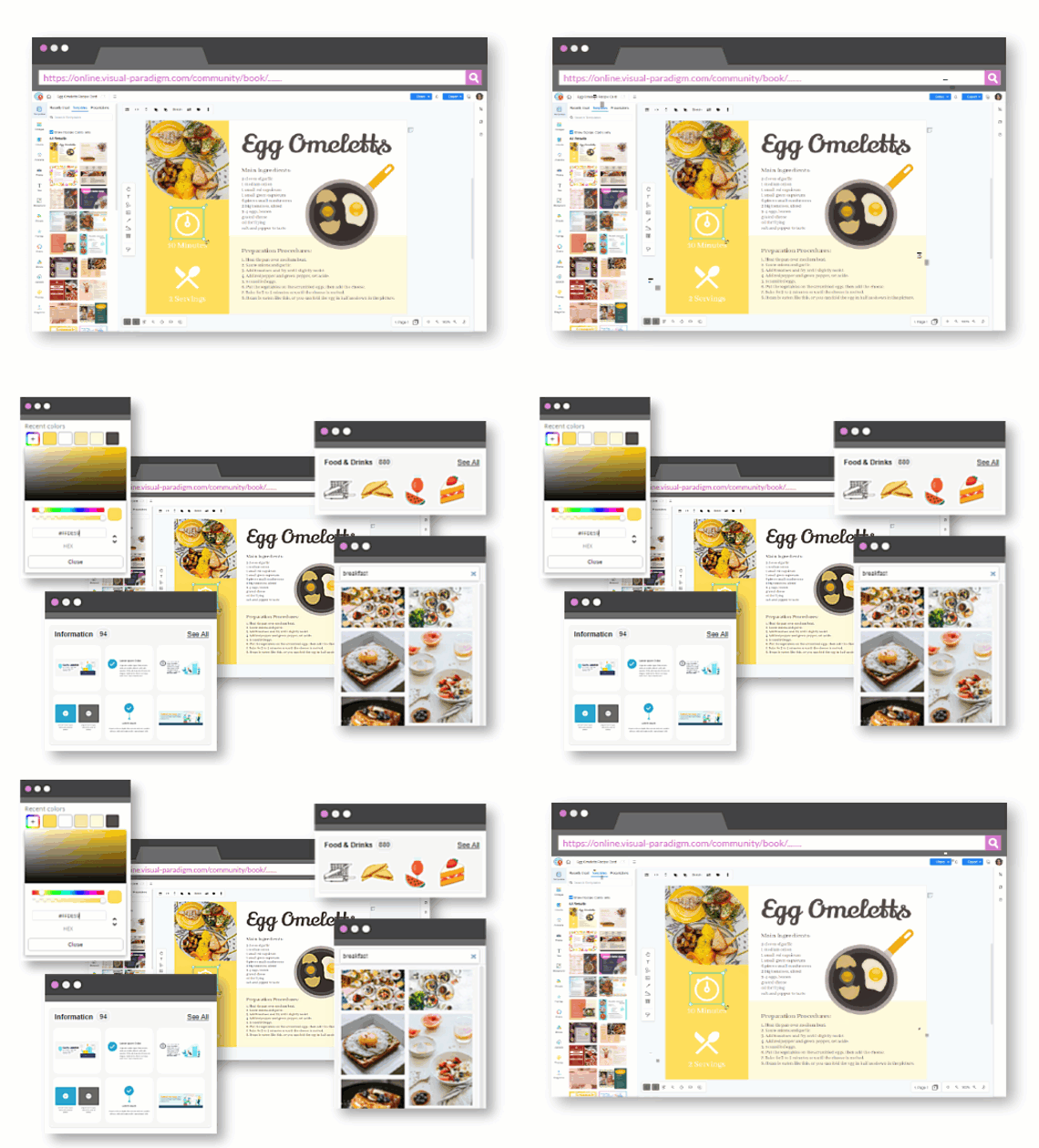
Available Assets:
-
Photos and artwork: For decoration and visual appeal
-
InfoArt: Professional information graphics
-
Charts and graphs: For data visualization
-
Icons and illustrations: To enhance any design
No Design Experience Needed:
Sarah simply browses categories and drags assets into her flipbook—no design skills required.
Stage 5: Publishing and Sharing Your Creation
With her flipbook complete, Sarah is ready to share it with the world.
Publishing to the Online Library
Sarah publishes her flipbook to Fliplify’s online library, making it accessible anytime, anywhere.
What Happens:
-
Flipbook is hosted online
-
Accessible from any device
-
No software installation needed for readers
-
Always up-to-date
Sharing via Simple URL
The easiest way to share? A simple link.
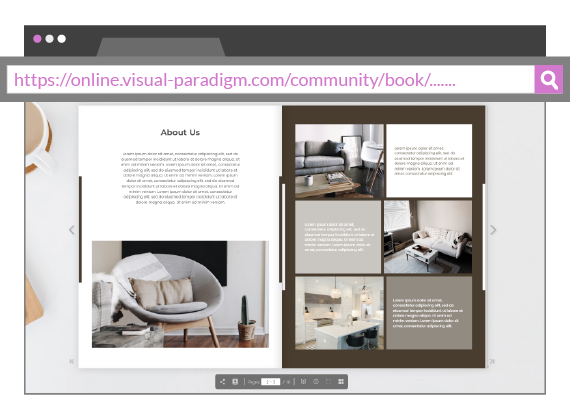
URL Sharing Benefits:
-
Instant access: Recipients click and view immediately
-
No restrictions: No login or software required
-
Universal compatibility: Works on all devices
-
Easy to distribute: Share via email, chat, or any platform
Amplifying Reach Through Social Media
Sarah wants to promote her work more broadly, so she explores social media sharing.
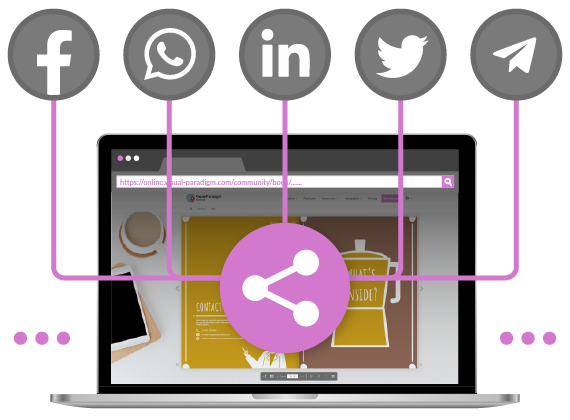
Social Media Features:
-
One-click sharing: Direct shortcuts to major platforms
-
Customizable messages: Edit the accompanying text
-
Auto-generated previews: Attractive link previews
-
Increased visibility: Reach wider audiences
Platforms Supported:
-
Facebook
-
Twitter/X
-
LinkedIn
-
And other major social networks
Stage 6: Controlling Access and Sending Invitations
For sensitive or exclusive content, Sarah learns about privacy and invitation features.
Protecting Content with Passwords
When Sarah needs to share confidential information, she uses password protection.
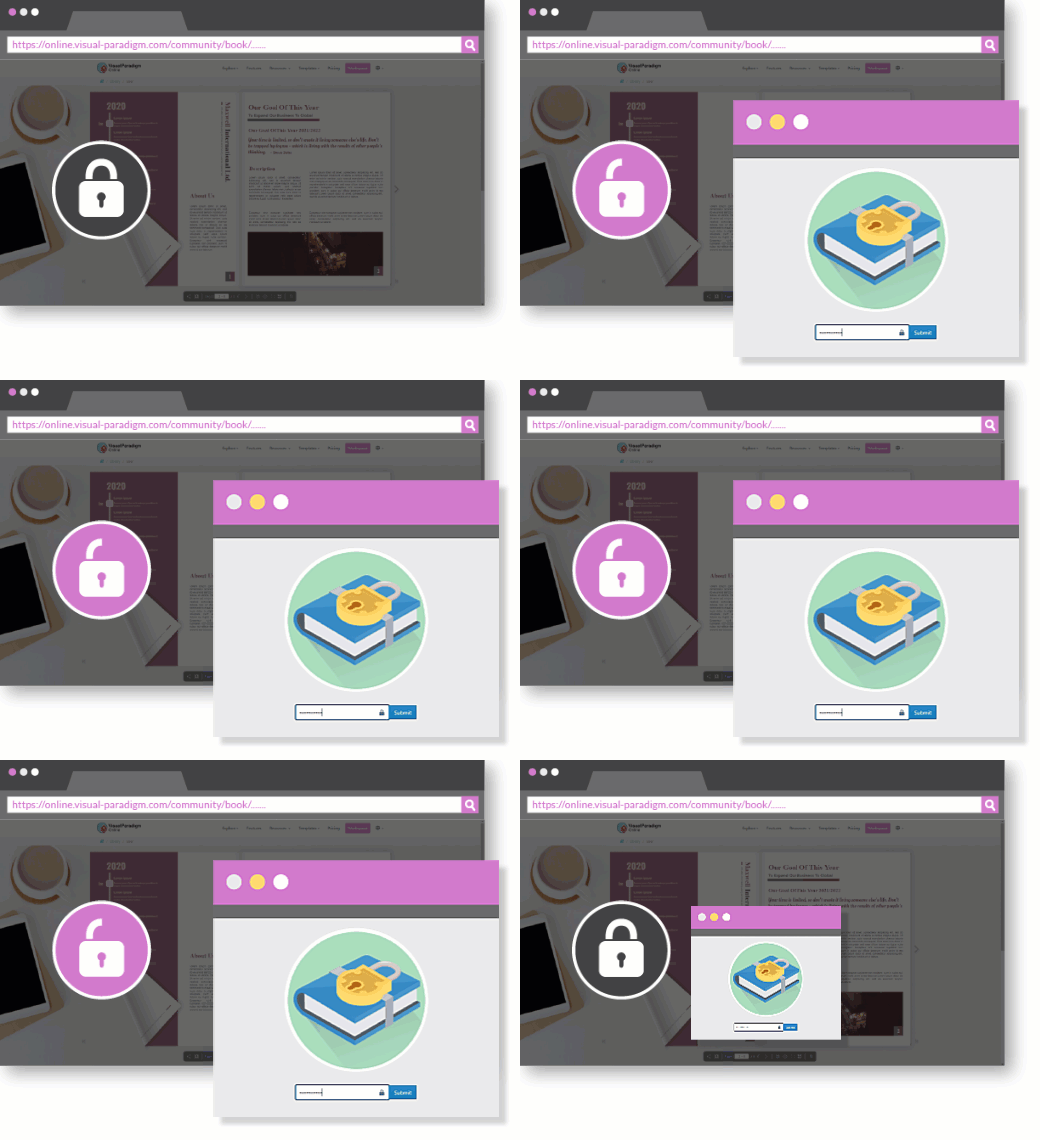
Password Protection Features:
-
Simple setup: Just create a password
-
Secure access: Only those with the password can view
-
Easy distribution: Share password separately
-
Peace of mind: Content stays private
Inviting Specific Readers via Email
For targeted distribution, Sarah can invite specific people.
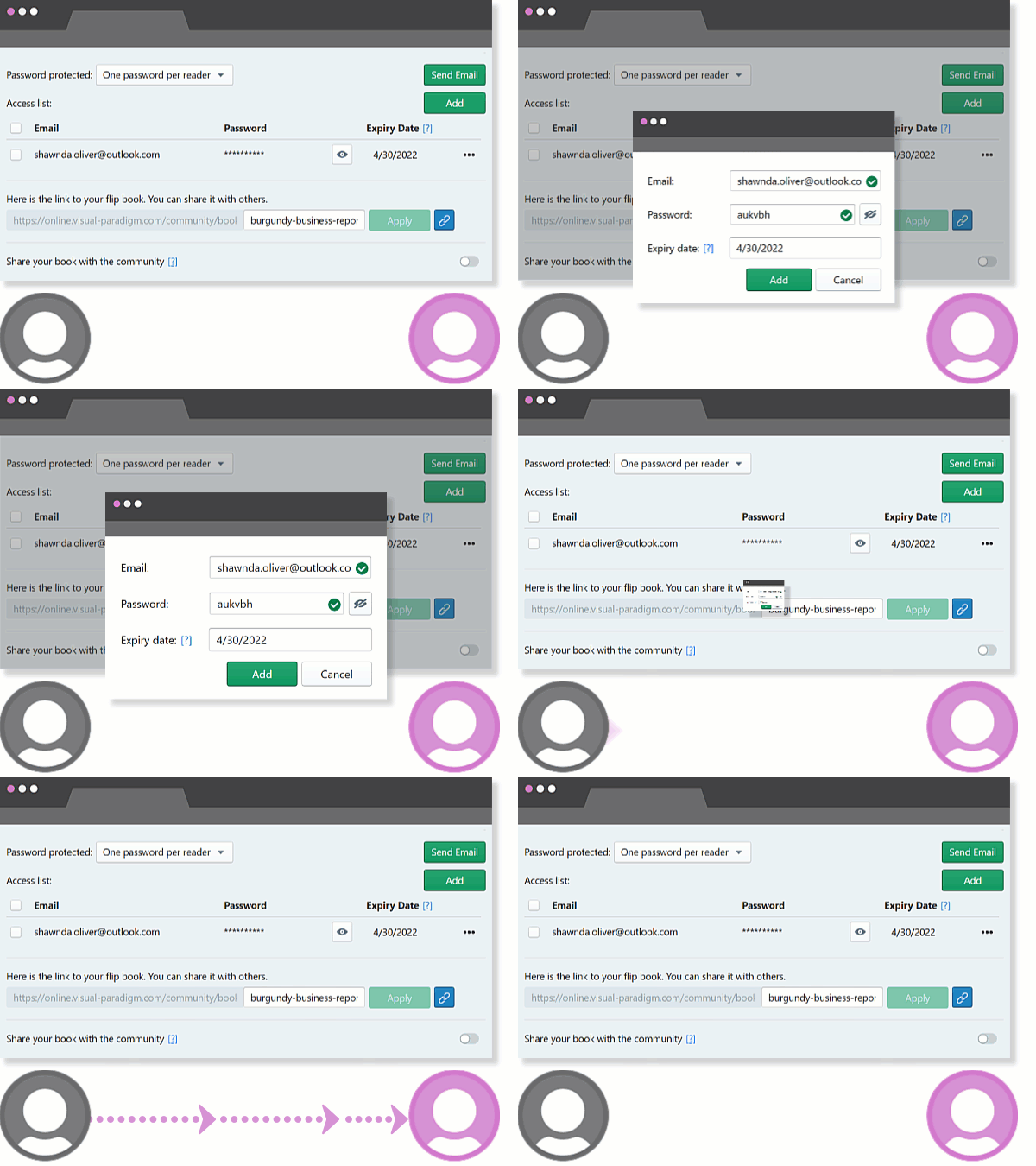
Email Invitation Process:
-
Enter recipient email addresses
-
Add personal message
-
Set password protection if needed
-
Send invitations instantly
Benefits:
-
Targeted distribution: Share only with intended audience
-
Professional approach: Personalized invitations
-
Track engagement: Know who received it
-
Combine security: Use with password protection
Crafting Personalized Invitations
Sarah appreciates the ability to personalize her invitation messages.
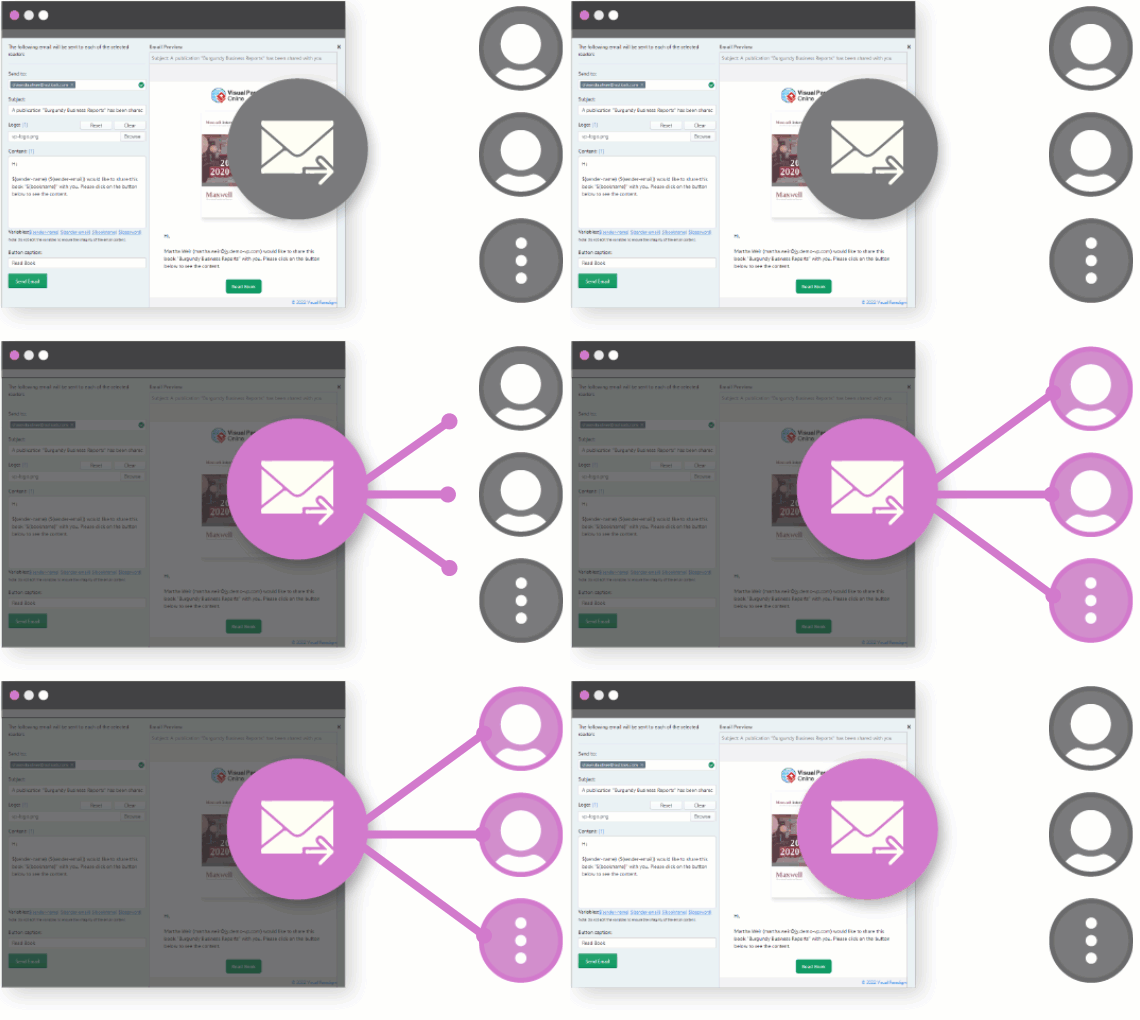
Invitation Features:
-
Multiple recipients: Add many emails at once
-
Custom messages: Personalize each invitation
-
Instant preview: See how it looks before sending
-
Professional presentation: Makes a great impression
Stage 7: Converting Existing Documents
Sarah discovers she doesn’t always need to start from scratch—she can convert existing documents.
The 30-Second Conversion Process
Converting documents to flipbooks is incredibly fast and simple.
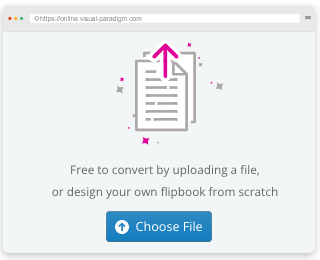
Step 1: Upload
-
Select the file you wish to convert
-
Supported formats include PDF, Word, and more
-
Start converting with one click
-
No technical knowledge required
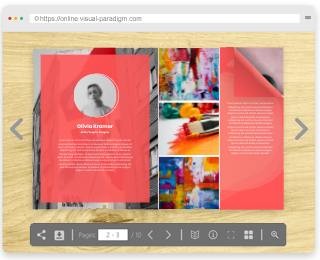
Step 2: Review
-
Once converted, preview your flipbook
-
Check that everything looks correct
-
Make any final adjustments if needed
-
Ready to publish immediately
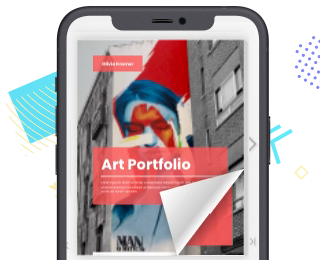
Step 3: Share
-
Your flipbook is published and ready
-
Share via social media platforms
-
Embed on websites or blogs
-
Distribute through email or direct links
Perfect For:
-
Existing reports and documents
-
Previously created catalogs
-
Archived materials that need new life
-
Quick conversion without redesign
Sarah’s Success Story: Real-World Applications
After mastering Fliplify, Sarah applies her new skills to various projects:
1. Product Catalog
-
Created an interactive catalog with clickable product links
-
Added animations to highlight new arrivals
-
Shared via URL with sales team and clients
-
Result: 40% increase in engagement compared to PDF catalogs
2. Quarterly Report
-
Converted existing PDF report to flipbook format
-
Added page transitions for professional presentation
-
Password-protected for confidential financial data
-
Shared with stakeholders via email invitations
3. Company Photo Album
-
Used photo book template
-
Added custom animations between pages
-
Shared on company social media
-
Result: Increased employee engagement and morale
4. Training Manual
-
Created from scratch using templates
-
Added interactive links to video resources
-
Organized in digital bookshelf with other training materials
-
Easy for new employees to access and navigate
Tips for Non-IT Professionals
Based on Sarah’s journey, here are key tips for success:
Getting Started
-
Start with templates: Don’t be intimidated by blank pages
-
Explore as a reader first: Understand the end-user experience
-
Take it one step at a time: Master basic features before advanced ones
Design Best Practices
-
Keep it simple: Don’t overcomplicate with too many animations
-
Maintain consistency: Use consistent colors and fonts throughout
-
Mobile-friendly: Always preview on different devices
-
Quality images: Use high-resolution photos for professional results
Sharing Strategies
-
Choose the right method: URL for public, email invitations for private
-
Add context: Always include a message when sharing
-
Test first: Always preview before distributing widely
-
Track engagement: Monitor who’s viewing your flipbooks
Security Considerations
-
Use passwords for sensitive content
-
Limit access to intended audiences
-
Update content regularly
-
Remove outdated flipbooks from public view
Common Questions Answered
Q: Do I need design experience?
A: Not at all! Fliplify’s intuitive interface and templates make it easy for anyone to create professional flipbooks.
Q: Can I edit my flipbook after publishing?
A: Yes! You can update and republish your flipbook anytime.
Q: What file formats can I convert?
A: Fliplify supports common formats like PDF, Word documents, and more.
Q: Is it really free?
A: Yes, Fliplify offers free flipbook creation and sharing capabilities.
Q: Can I use it on my phone or tablet?
A: Absolutely! Flipbooks are accessible on all devices, and you can create on the go.
Q: How do I measure success?
A: Track views, shares, and engagement to see how your flipbooks perform.
Your Journey Starts Now
Like Sarah, you don’t need to be a tech expert to create stunning, professional flipbooks. Fliplify removes the barriers between your ideas and their presentation, allowing you to focus on content while the tool handles the technical complexity.
Next Steps:
-
Sign up for Fliplify at fliplify.com
-
Explore templates that match your needs
-
Create your first flipbook using a simple template
-
Share with a colleague to get feedback
-
Experiment with features as you grow more comfortable
-
Build your digital bookshelf with multiple publications
Remember:
-
Start simple and build complexity gradually
-
Use templates as learning tools
-
Don’t be afraid to experiment
-
Your audience will appreciate the interactive experience
-
Every expert was once a beginner
Conclusion: Transforming How You Share Information
Sarah’s transformation from a non-IT professional intimidated by design tools to a confident creator of engaging flipbooks shows what’s possible with the right tools. Fliplify empowers anyone to:
✅ Create professional publications without design skills
✅ Engage audiences with interactive, animated content
✅ Share work effortlessly across multiple channels
✅ Protect sensitive information when needed
✅ Convert existing documents in seconds
✅ Build a professional digital presence
Your flipbook journey awaits. Start creating, start sharing, start engaging your audience in ways you never thought possible—all without writing a single line of code.
Reference List
- Fliplify – Free Flipbook Maker: Create catalog, ebook, CV, photo albums online. Publish as flipbook and share with friends, colleagues and partners.
- Visual Paradigm Flipbook Maker – Create Interactive Digital Flipbooks: This comprehensive tool allows users to transform static documents like PDFs, PowerPoint presentations, and eBooks into engaging digital flipbooks with realistic page-flipping effects. It supports publishing reports and brochures for seamless web and mobile sharing.
- AI Flipbook Generator: Create & Publish Digital Books Instantly: This advanced generative AI tool enables users to write, design, and publish professional digital flipbooks or storybooks starting from a simple text prompt. It automates the production of visually rich, multi-page stories with AI-generated content and images.
- Comprehensive Guide to Fliplify: Creating Interactive Flipbooks: This technical resource provides detailed instructions on using Fliplify within the Visual Paradigm Online platform to enhance digital publishing workflows. It focuses on leveraging the tool’s specialized features to build discoverable and impactful online entities.
- Creating Animated Content for Flipbooks with Visual Paradigm Online: This guide explains how creators can generate animated content specifically for flipbooks to increase reader engagement. It details the selection of tools and the process required to build visually dynamic publications.
- Transform Your Digital Publishing with Fliplify: This article highlights how Fliplify acts as a game-changer for the industry by offering more than 70 impressive page transition effects. These dynamic transitions help digital publications stand out from static competitors.
- Free PDF to Flipbook Converter Tutorial: This practical tutorial guides users through converting a PDF into a wonderful flipbook in just a few clicks. It demonstrates how the tool allows readers to interact with documents straight from their browser.
- Corporate Branding and Customization in Flipbooks: This resource explains how to integrate corporate branding elements, such as logos and specific color schemes, to maintain a consistent professional identity. It explores the extensive customization options available to tailor publications to specific project needs.
- Why Visual Paradigm Online’s Flipbook Maker Stands Out: An analysis of how this tool is uniquely suited for professional use, such as creating interactive KPI presentations and financial reports. It also highlights its utility as a free tool for educational purposes and student projects.
- AniFuzion and Fliplify Integration for Dynamic Content: This guide showcases the synergy between the AniFuzion animation tool and Fliplify, allowing users to create captivating animated videos that are then presented in interactive flipbook formats. The integration brings game-engine grade capabilities to users with minimal technical skills.
- Flipbook Maker Quick Start Guide for New Users: A beginner-friendly resource that walks new creators through the essential steps to design and share their first flipbook. It includes tips on using the design library and assets to accelerate the creation process.
Related posts:
 🎬 The Complete User Journey: Creating Animated Flipbooks with Visual Paradigm Online’s Flipbook Maker
 Comprehensive Guide to Creating Animated Content for Flipbooks with Visual Paradigm Online’s Flipbook Maker
 Flipbook Maker: A Comprehensive Guide to Interactive Digital Publishing
 📝 Comprehensive Guide: Adding Annotations to Flipbooks in Visual Paradigm Online