


AniFuzion, part of Visual Paradigm Online, is an online animation tool that simplifies creating 2D and 3D animations with its advanced Text-to-Speech (TTS) and Lip Sync features. These technologies allow users to add natural-sounding voices to characters and synchronize their lip movements, making animations more engaging without needing professional voice actors or complex software.
Why AniFuzion Stands Out
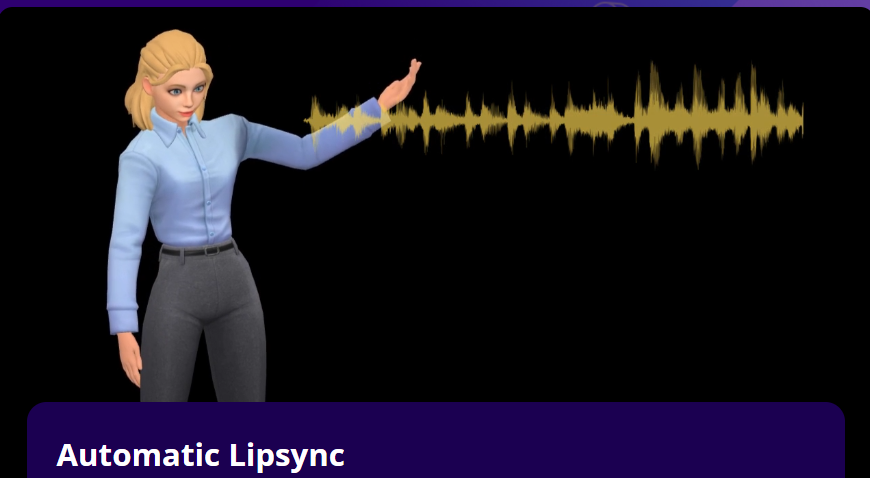
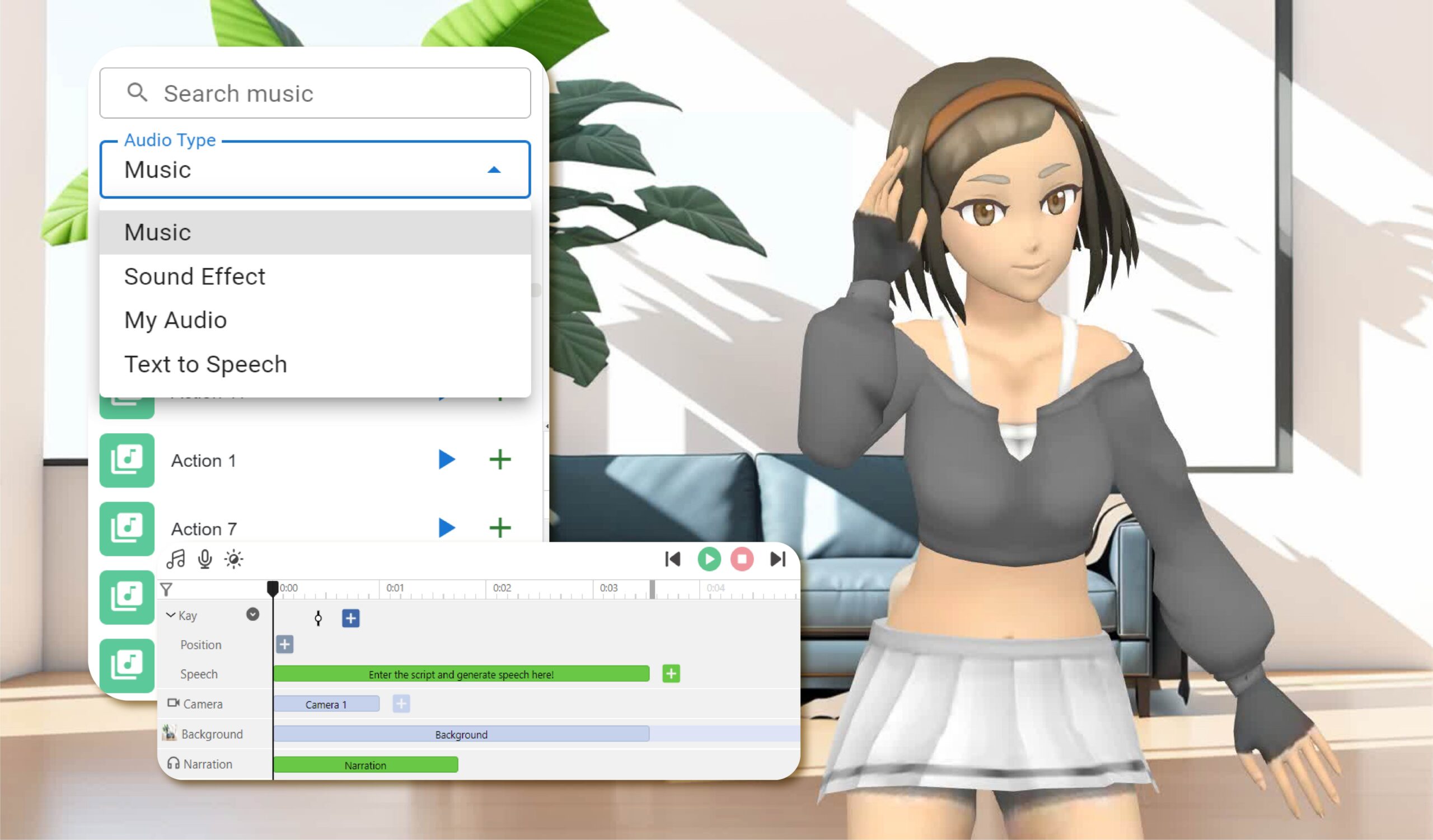
AniFuzion’s TTS offers a variety of voice types, such as standard human, celebrity-style, cartoon, and non-human voices, which is broader than many competitors. This diversity, especially celebrity-style and non-human options, can be particularly useful for creative projects like sci-fi or fantasy animations. Additionally, users can adjust tones (e.g., neutral, happy, angry) and speech speeds, allowing for tailored emotional expression. The automatic Lip Sync ensures characters’ mouth movements match the speech, enhancing realism.
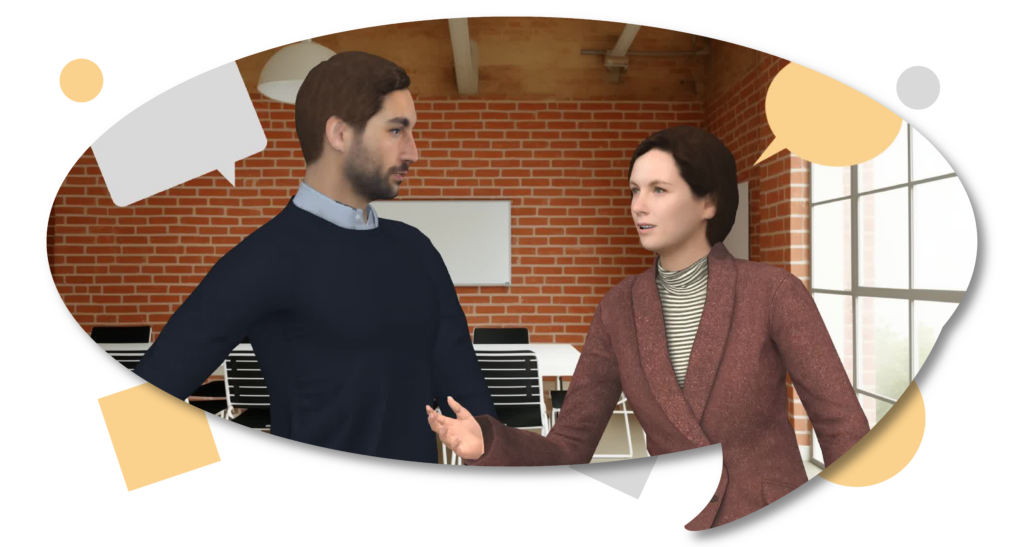
The online, drag-and-drop interface makes AniFuzion accessible, requiring no installation and suitable for all skill levels. This ease of use, combined with seamless integration with character customization and scene settings, sets it apart from tools like Vyond and Animaker, which may have steeper learning curves or fewer voice options.
Unexpected Detail: Niche Voice Options
An unexpected benefit is AniFuzion’s inclusion of celebrity-style and non-human voices, which can add a unique flair to animations, such as using a celebrity voice for marketing videos or a non-human voice for alien characters, enhancing audience engagement in ways competitors might not offer.
Survey Note: Mastering Animation with AniFuzion’s Standout TTS and Lip Sync Features
Introduction and Background
In the realm of animation, the ability to have characters speak realistically is crucial for engaging audiences. Text-to-Speech (TTS) and Lip Sync technologies have revolutionized this aspect, allowing animators to create lifelike dialogue without the need for extensive manual labor or professional voice actors. Among the various tools available, AniFuzion, part of Visual Paradigm Online, stands out for its comprehensive and user-friendly approach to these features. Launched to meet the growing demand for easy-to-use animation software, AniFuzion caters to educators, marketers, business professionals, and creatives, making animation accessible regardless of technical skill. Its mission is to empower users to craft professional-quality animations effortlessly, leveraging visual storytelling to engage, educate, and inspire, as highlighted in various online resources such as How to Add Voice to Characters by Text-to-Speech with Perfect Lip Sync- AniFuzion and Mastering AniFuzion: A Comprehensive Guide to Creating Professional Animations – Visual Paradigm Blog.
Key Features and Detailed Analysis
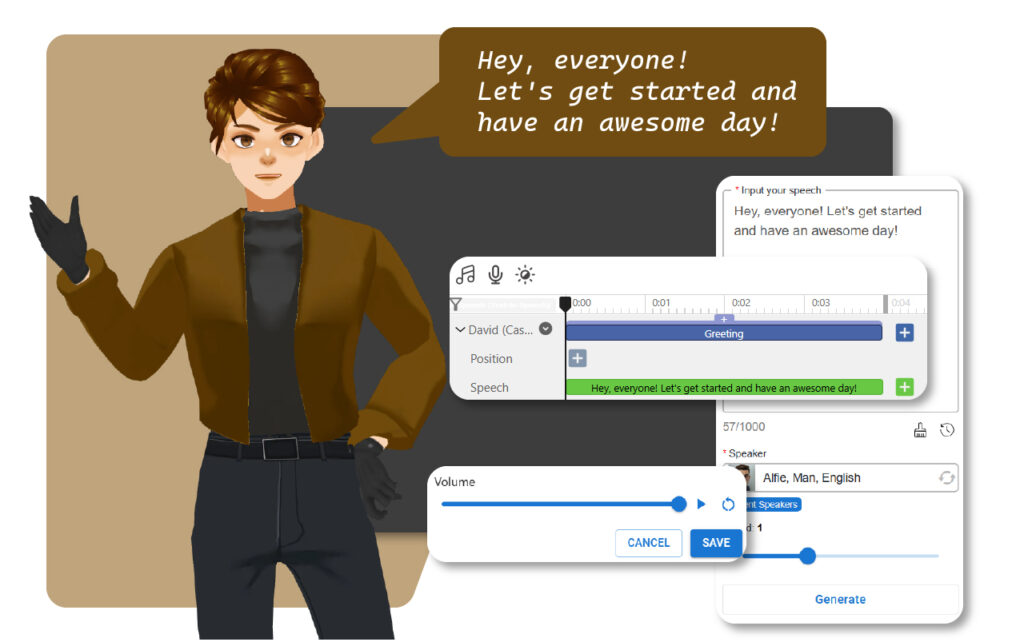
AniFuzion offers a robust TTS system that converts text into natural-sounding speech, complete with a wide array of voice options. These include:
- Standard human voices for realistic dialogue.
- Celebrity-style voices for a familiar tone.
- Cartoon character voices for playful animations.
- Non-human voices for fantasy or sci-fi themes.
This variety ensures that animators can find the perfect voice to match their character’s personality and the project’s tone, as detailed in Enhancing 3D Animation Design with Text-to-Speech and Lip Synchronization – AniFuzion. Moreover, AniFuzion allows for extensive customization of the voiceover:
- Tone adjustment: Choose from neutral, serious, happy, angry, and more to convey different emotions.
- Speed control: Adjust the speech speed to fit the pace of the scene, whether it’s a fast-paced action sequence or a slow, dramatic moment.
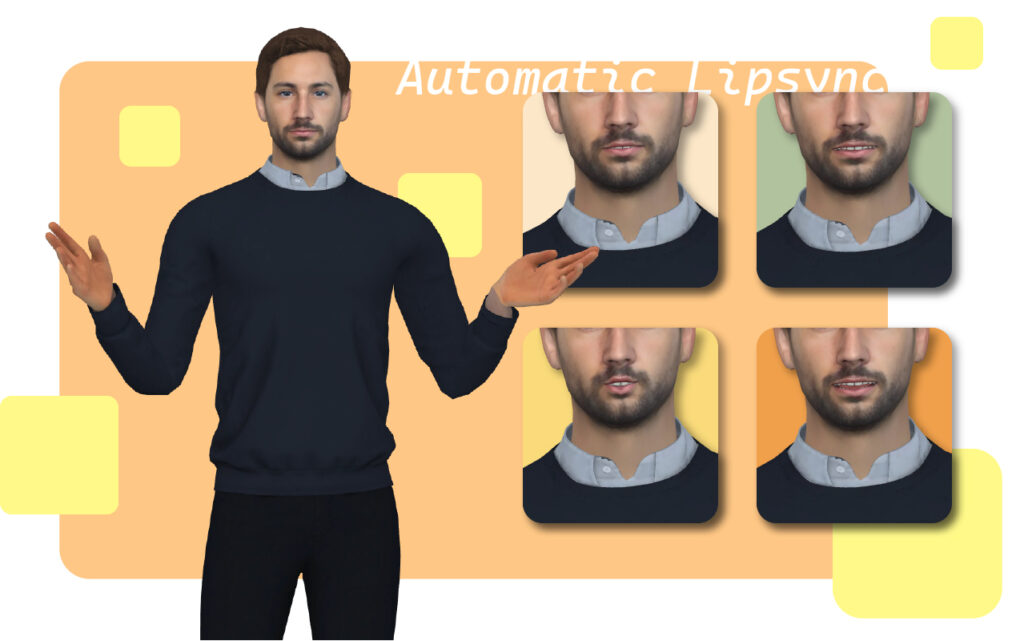
The Lip Sync feature in AniFuzion automatically synchronizes the character’s mouth movements with the generated speech, ensuring that the animation looks natural and professional, as noted in How to Make the Characters talk by the Text-To-Speech Feature – AniFuzion.
The tool’s intuitive, drag-and-drop interface makes it accessible to users of all skill levels, from beginners to experienced animators. Being an online platform, it eliminates the need for software installation, providing convenience and accessibility from any device with internet access, as discussed in Online Animation Maker – AniFuzion.
Below is a detailed comparison of AniFuzion’s TTS and Lip Sync features with competitors:
| Feature | AniFuzion | Vyond | Animaker |
|---|---|---|---|
| Voice Options | Standard, celebrity-style, cartoon, non-human | Standard human voices, provided by Microsoft Azure, Amazon Polly, WellSaid (Enterprise only) | Standard human and cartoon voices, with TTS support |
| Tone and Speed Customization | Adjustable tones (neutral, serious, happy, angry) and speech speed | Adjustable tone, speed, and pitch for some voices | Limited tone and speed adjustments, mainly for uploaded voiceovers |
| Lip Sync Quality | Automatic and precise, integrated with TTS | Automatic lip sync with TTS, but may require manual adjustments for complex scenes | Auto lip-sync available, but user reviews suggest occasional syncing issues |
| User Interface | Intuitive, drag-and-drop, online, no installation required | User-friendly, online, but static interface may be less dynamic | Dynamic interface, but can be confusing for beginners, as per user reviews |
| Integration with Other Tools | Seamless with character customization, scenes, and props | Integrated, but less focus on character variety compared to AniFuzion | Good integration, but fewer voice options for creative projects |
This table highlights AniFuzion’s edge in voice variety and ease of use, particularly with celebrity-style and non-human voices, which competitors like Vyond and Animaker may not offer, as seen in comparisons at 6 Best Vyond Alternatives of 2024 | Pros, Cons, Pricing and Animaker vs Vyond – 2024 Comparison – Software Advice.
Comparison with Competitors
While there are several animation tools that offer TTS and Lip Sync features, AniFuzion distinguishes itself in a few key ways:
- Variety of Voice Options: Unlike some competitors that might only offer standard human voices, AniFuzion provides a broader range, including celebrity-style and non-human voices, which can be particularly useful for creative projects. For instance, Vyond, as per Text to Speech Voice Styles – Help Center, relies on third-party providers like Microsoft Azure and Amazon Polly, which do not explicitly mention celebrity-style or non-human voices, limiting creative options.
- User-Friendly Interface: AniFuzion’s design is straightforward, making it easier for users to navigate and utilize its features without a steep learning curve, as noted in Unlock Your Creativity with AniFuzion: What It Is and Why You Should Use It – ArchiMetric. In contrast, Animaker’s dynamic interface can be confusing for beginners, according to user reviews at Pros and cons of Animaker | Speechify.
- Seamless Integration: The TTS and Lip Sync features are tightly integrated with other aspects of the tool, such as character customization and scene settings, allowing for a cohesive workflow, as discussed in Creating Seamless Animations in AniFuzion with Automatic Motion Retargeting: A Deep Dive – Visual Paradigm Blog. This is a notable advantage over Vyond, which may require more manual adjustments for complex scenes, as per Lip Sync – Vyond Help Center.
Examples, Templates, and Unexpected Details
AniFuzion’s TTS and Lip Sync features have been used in various projects to great effect:
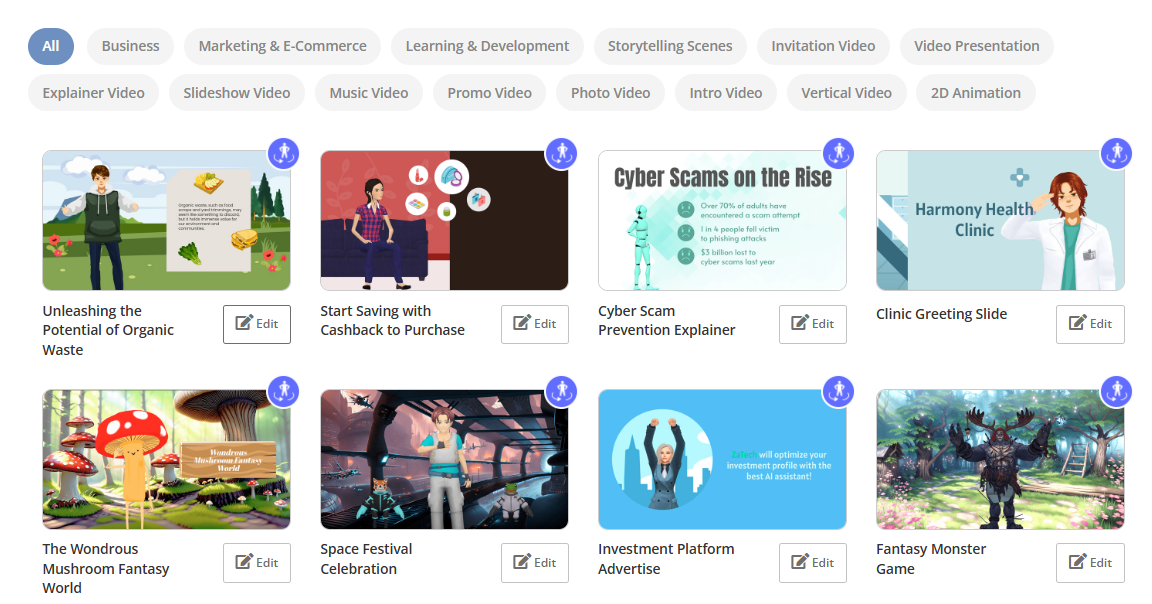
- Educational Videos: A teacher character can deliver lessons with a serious tone, using standard human voices for clarity, as seen in hypothetical scenarios like a “Simple College Promo Video” at Tutorials Archive – AniFuzion.
- Marketing Videos: Celebrity-style voices can be used to add credibility or familiarity, enhancing the appeal of the product or service, such as in a “Fresh Eats Delivered to Your Door” template, an unexpected detail for its niche specificity, as noted in The Ultimate Animation Video Maker – ArchiMetric.
- Children’s Animations: Cartoon character voices bring a playful and engaging element to the story, making it more enjoyable for young audiences, as suggested in Make Your Flipbook Stand Out with AniFuzion – Fliplify.
- Sci-Fi/Fantasy Projects: Non-human voices can be used for alien characters or mystical creatures, adding to the world’s authenticity, as per Unleash Your Inner Warrior with AniFuzion: The Leading 3D Video Maker – Content Posts.
To use these features in AniFuzion:
- Select a Character: Choose the character that will speak, as advised in Getting Started – AniFuzion.
- Add TTS to Character: Enter the text for the character to say, select the appropriate voice, and adjust tone and speed as needed, detailed in How to Add Voice to Characters by Text-to-Speech with Perfect Lip Sync- AniFuzion.
- Verify Lip Sync: Ensure that the character’s mouth movements match the speech by previewing the animation, as noted in Enhancing 3D Animation Design with Text-to-Speech and Lip Synchronization – AniFuzion.
- Add Narration: For background commentary, add TTS directly to the timeline without assigning it to a character, as per the provided user text.
Tips, Best Practices, and User Experience
- Choose the Right Voice: Select a voice that fits the character’s personality and the project’s tone. For example, a deep, authoritative voice for a wise character or a light, cheerful voice for a friendly character, as suggested in Government Solutions – AniFuzion.
- Adjust Tone and Speed: Use tone to convey emotions and speed to match the scene’s pacing. A slower speed can be used for dramatic or thoughtful moments, while a faster speed suits energetic or action-packed scenes, as advised in the provided text.
- Check for Accuracy: Always review the lip syncing to ensure it accurately matches the speech. If necessary, make adjustments to the text or voice settings to improve synchronization, as highlighted in Automatic Lipsync – AniFuzion.
- Ease of Use: Lightweight, no installation needed, and editable anywhere, making it ideal for remote work, as noted in Effortless High-Quality Video Animation – Cybermedian.
- Template Utilization: Use templates for quick starts, saving time without compromising creativity, as recommended in Tutorials Archive – AniFuzion.
Frequently Asked Questions (FAQs)
The FAQ section, as provided, addresses common queries:
- What is the benefit of using TTS over recording voiceovers?: Saves time and resources, offers flexibility in editing, as per How to Add Voice to Characters by Text-to-Speech with Perfect Lip Sync- AniFuzion.
- Are there enough voice options for different character types?: Yes, a wide variety including standard, celebrity-style, cartoon, and non-human, as noted in the provided text.
- Can I adjust the tone and speed of the voice?: Yes, multiple tones and adjustable speech speed are available, as detailed in Mastering AniFuzion: A Comprehensive Guide to Creating Professional Animations – Visual Paradigm Blog.
- Can I use the voices for narration?: Absolutely, TTS can be used for both character speech and narration, as seen in Enhancing 3D Animation Design with Text-to-Speech and Lip Synchronization – AniFuzion.
Conclusion and Final Thoughts
AniFuzion’s TTS and Lip Sync features set it apart in the world of online animation tools. With its diverse voice options, user-friendly interface, and seamless integration, it provides a comprehensive solution for creating high-quality, engaging animations. Its niche templates, like “Fresh Eats Delivered to Your Door”, add an unexpected layer of specificity, enhancing its appeal for targeted projects, as discussed in The Ultimate Animation Video Maker – ArchiMetric. Whether for marketing, education, or creative expression, AniFuzion makes it easy to bring your characters to life with realistic and expressive speech.
Key Citations
- How to Add Voice to Characters by Text-to-Speech with Perfect Lip Sync- AniFuzion
- Mastering AniFuzion: A Comprehensive Guide to Creating Professional Animations – Visual Paradigm Blog
- Enhancing 3D Animation Design with Text-to-Speech and Lip Synchronization – AniFuzion
- How to Make the Characters talk by the Text-To-Speech Feature – AniFuzion
- Online Animation Maker – AniFuzion
- Unlock Your Creativity with AniFuzion: What It Is and Why You Should Use It – ArchiMetric
- Creating Seamless Animations in AniFuzion with Automatic Motion Retargeting: A Deep Dive – Visual Paradigm Blog
- Make Your Flipbook Stand Out with AniFuzion – Fliplify
- Effortless High-Quality Video Animation – Cybermedian
- Unleash Your Inner Warrior with AniFuzion: The Leading 3D Video Maker – Content Posts
- Government Solutions – AniFuzion
- Automatic Lipsync – AniFuzion
- Tutorials Archive – AniFuzion
- The Ultimate Animation Video Maker – ArchiMetric