
Mastering the VP Unified Platform: A 5-Step VP AI Ecosystem Workflow
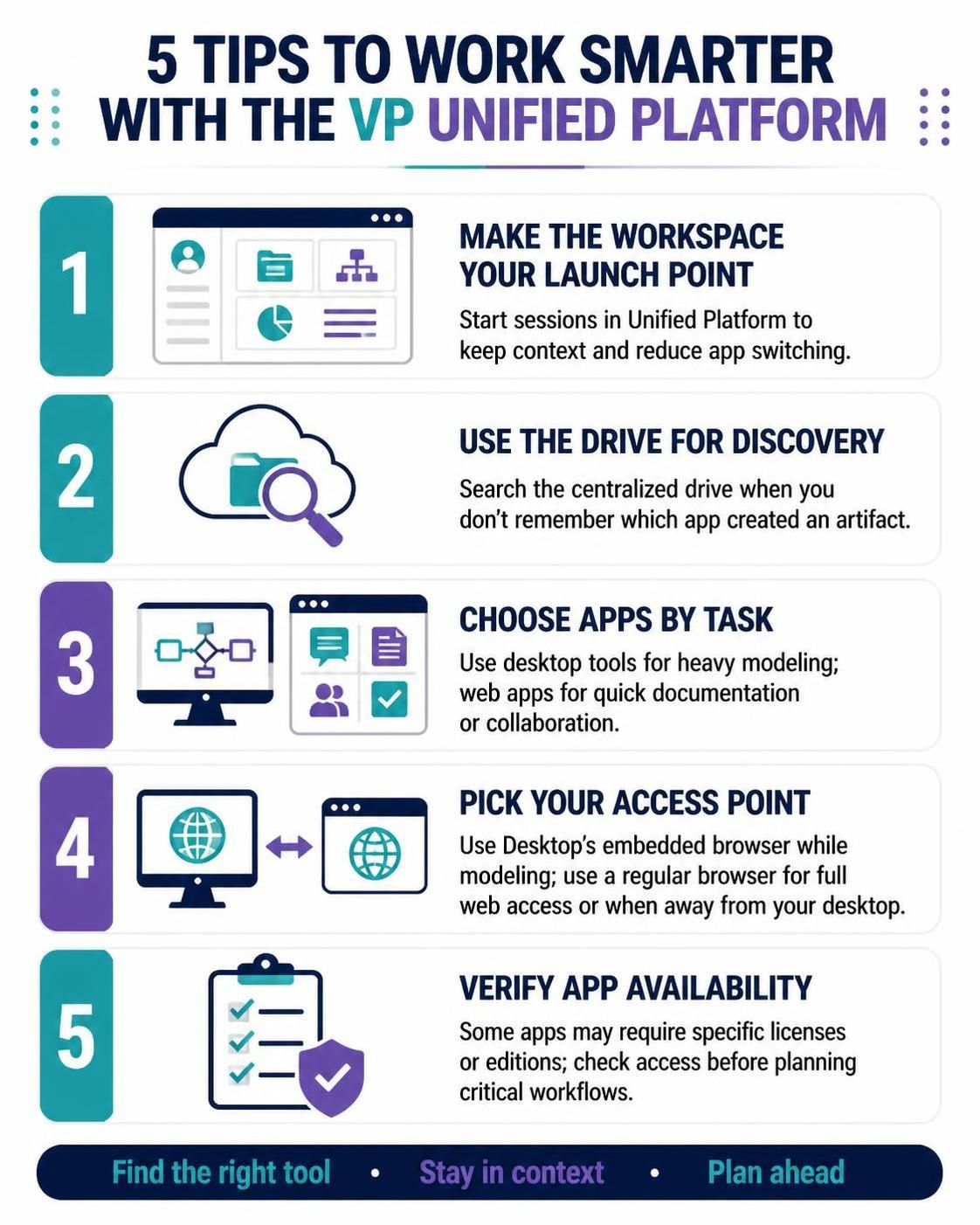
In the modern era of software engineering and system design, the gap between heavy-duty modeling and lightweight collaboration has traditionally been bridged by clunky context switching. The Visual Paradigm Unified Platform attempts to resolve this by centralizing your ecosystem. This tutorial explores the strategic workflow for maximizing efficiency within this environment, moving beyond simple login instructions to a deeper understanding of how to architect your daily modeling sessions.
1. The Launch Point: Context Retention
The first step in mastering this platform is shifting your mental model of where work begins. Instead of launching the desktop executable and then hunting for a project, or opening a browser and navigating through folders, the platform advocates for a specific entry point.
The Strategy: Start every session directly within the Unified Platform workspace. This acts as your “Home Base,” ensuring that your context is preserved immediately upon login. By doing this, you reduce the cognitive load associated with “app-switching fatigue,” allowing you to focus on the modeling task rather than the tool setup.
2. The Drive: Centralized Discovery
In large enterprise environments, artifacts (diagrams, models, requirements) are often scattered across different repositories or local drives. The Unified Platform introduces a centralized mechanism to solve this fragmentation.
The Strategy: Utilize the Drive feature for artifact discovery. If you need to locate a specific model but do not remember which specific application created it, do not guess. Search the centralized drive. This feature unifies the metadata of your projects, making the search process agnostic to the specific app used to create the file.
3. Tool Selection: Specialization by Task
One of the core architectural principles of the Visual Paradigm ecosystem is the separation of concerns. Not all tools are built for the same purpose. A key to efficiency is selecting the right interface for the specific task at hand.
- Heavy Modeling: For complex system architecture, detailed UML, or heavy computational modeling, leverage the Desktop Tools. These offer the full power of the native environment.
- Quick Documentation: For rapid prototyping, quick documentation, or immediate collaboration, utilize the Web Apps. These are optimized for speed and accessibility without the overhead of a full installation.
4. Access Points: The Hybrid Workflow
Flexibility is the hallmark of a modern platform. The Unified Platform supports two distinct modes of access depending on your location and needs.
- The Embedded Browser: When you are actively modeling on your desktop, use the embedded browser within the Desktop application. This allows you to access web-based tools while staying in your modeling environment, effectively eliminating context switching.
- The Regular Browser: When you need full web functionality or are working away from your physical desktop machine, switch to a standard browser. This ensures you maintain access to your artifacts regardless of your physical location.
5. Verification: Licensing and Permissions
Finally, efficiency relies on predictability. Before diving into a critical workflow, it is essential to understand the constraints of your current environment.
The Strategy: Always verify app availability. Some advanced applications within the Unified Platform may require specific licenses or editions. Checking your access permissions beforehand prevents workflow interruptions and ensures that your project planning is realistic regarding tool availability.
Conclusion
The Visual Paradigm Unified Platform represents a significant step toward a more cohesive workflow. By centralizing artifacts, simplifying app discovery, and bridging desktop and web environments, it reduces friction. Whether you are modeling complex systems, planning agile sprints, or creating business visuals, adopting these five tips ensures your work remains organized, accessible, and integrated.