


Have you ever stared at a blank screen, wondering how to turn a complex business idea into a perfectly structured database? We’ve all been there. Whether you’re building a massive Hospital Management System or a simple inventory app, the leap from a “concept” to a “SQL schema” is usually filled with coffee-fueled late nights and a lot of manual sketching. But what if you had a brilliant database architect sitting right next to you, doing the heavy lifting? That is exactly what it feels like to use Visual Paradigm’s AI-powered database modeling tool, the DB Modeler AI.
The DB Modeler AI isn’t just another diagramming app; it’s an intelligent workflow that guides you through a 7-step journey from a simple project name to a fully realized, normalized database. Imagine starting with nothing but the words “Hospital Management System” and ending with a comprehensive design report and a testable playground. It takes the anxiety out of database design by automating the tedious parts—like writing DDL or manually checking for transitive dependencies—so you can focus on the business logic that actually matters.
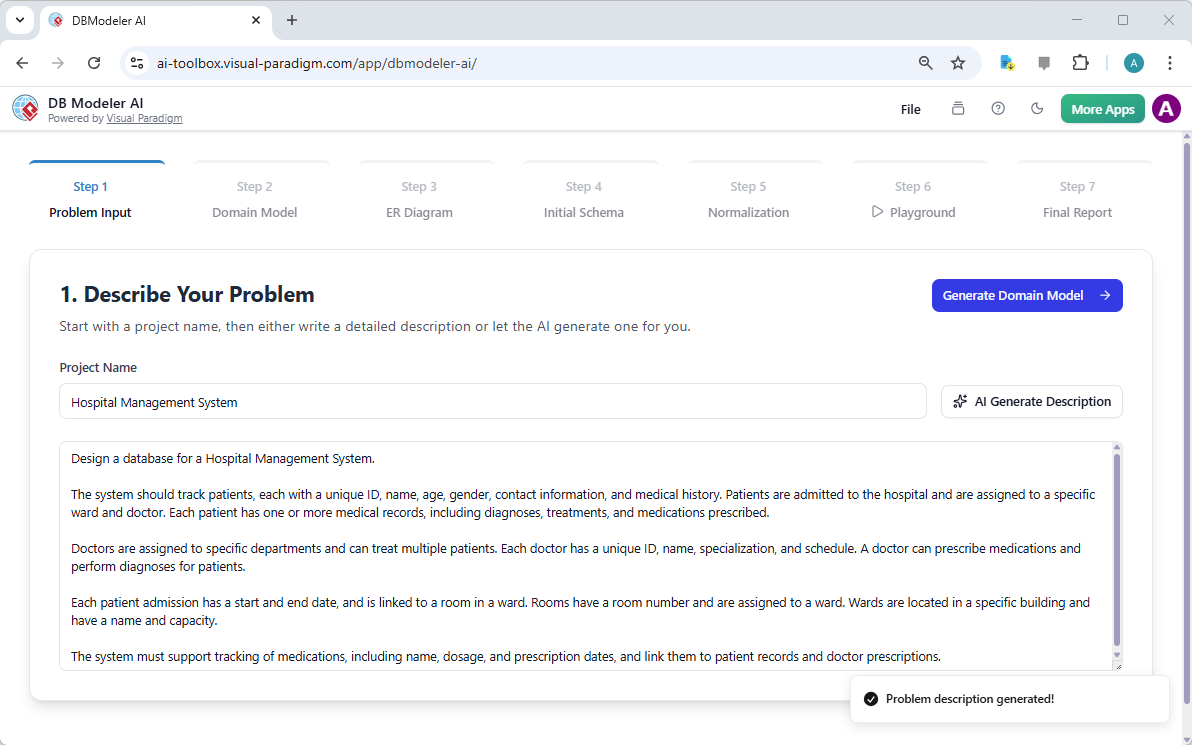
In the first step of this journey, you simply define your project. As seen in our Hospital Management System example, you don’t even need to write the requirements yourself. By clicking the “AI Generate Description” button, the tool drafts a professional problem statement covering patients, doctors, admissions, and medical records. It’s a massive time-saver for anyone who wants to ensure their database design covers all the necessary bases right from the start.
Quick Takeaways: Why Professionals Choose DB Modeler AI
-
Automated Artifact Generation: Transforms text descriptions into visual diagrams and SQL code in seconds.
-
Logical 7-Step Workflow: Follows industry best practices, moving from conceptual models to physical schemas.
-
Built-in Normalization: Automatically refines your data structure to 1NF, 2NF, and 3NF to ensure data integrity.
-
Interactive SQL Playground: Test your design with real data and see the SQL logs in real-time before you deploy.
-
Seamless Project Management: Save to the cloud or export your designs as JSON for ultimate flexibility.
From Concepts to Visual Reality: The Domain Class Diagram
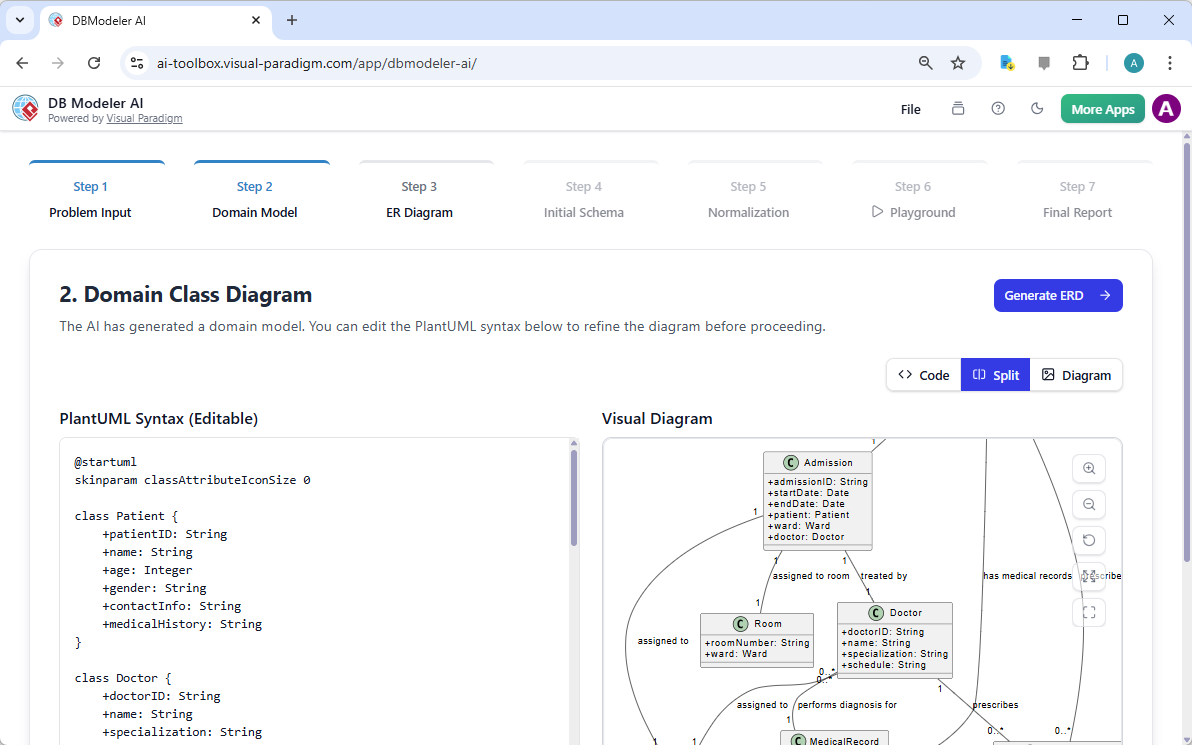
Once your problem description is set, the best AI-powered database modeling tool moves you into the visual realm. Step 2 generates a Domain Class Diagram. This is where your abstract ideas start looking like a real system. You’ll see entities like “Patient,” “Doctor,” and “Admission” mapped out with their primary attributes. It’s the perfect stage to verify your business logic with stakeholders before diving into technical database specifics.
What makes Visual Paradigm Online truly stand out here is the flexibility. The AI uses PlantUML syntax to generate these diagrams. If the AI misses a specific field you need, like a patient’s emergency contact, you can simply edit the code on the left, and the visual diagram on the right updates instantly. It’s a harmonious blend of AI efficiency and human control, ensuring your database schema is exactly what your application requires.
The Technical Deep Dive: Generating the ERD
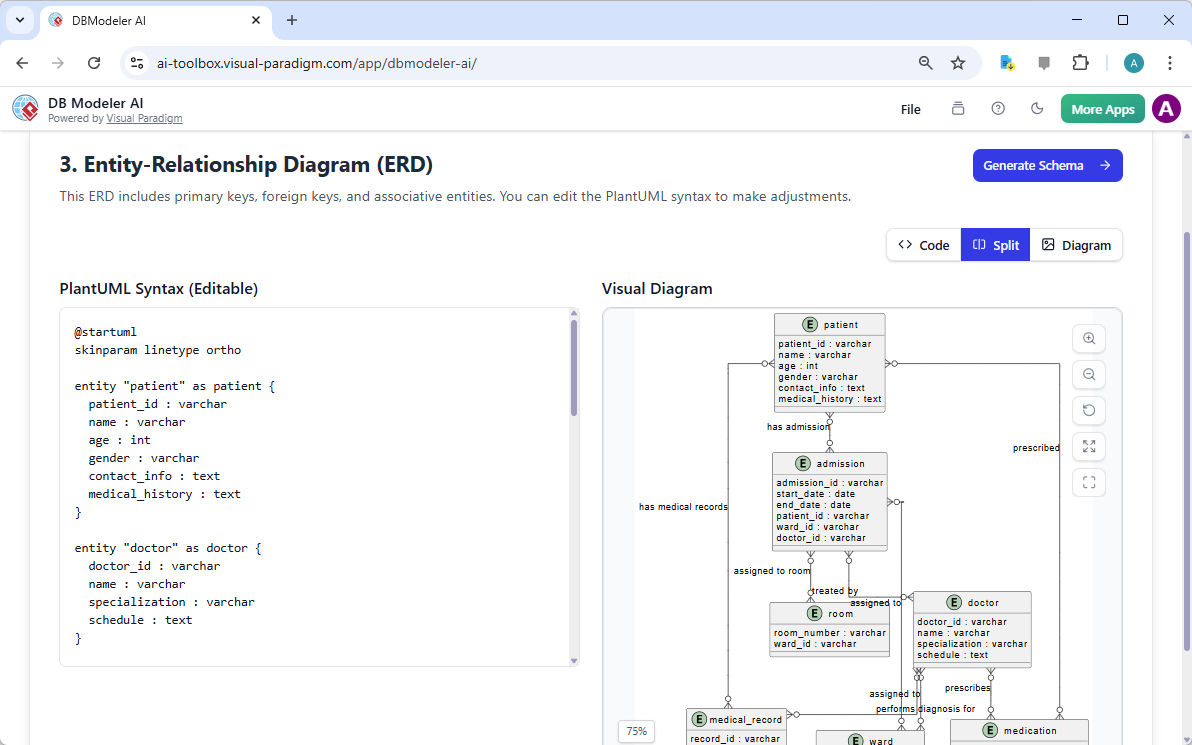
Moving from a conceptual class diagram to a logical Entity-Relationship Diagram (ERD) is often where errors creep in. But with this professional database design software, the transition is seamless. In Step 3, the AI translates your domain classes into a detailed ERD. This includes identifying primary keys, foreign keys, and the cardinality of relationships (like how one doctor can treat multiple patients). It’s the blueprint that every developer needs to understand how data flows through the system.
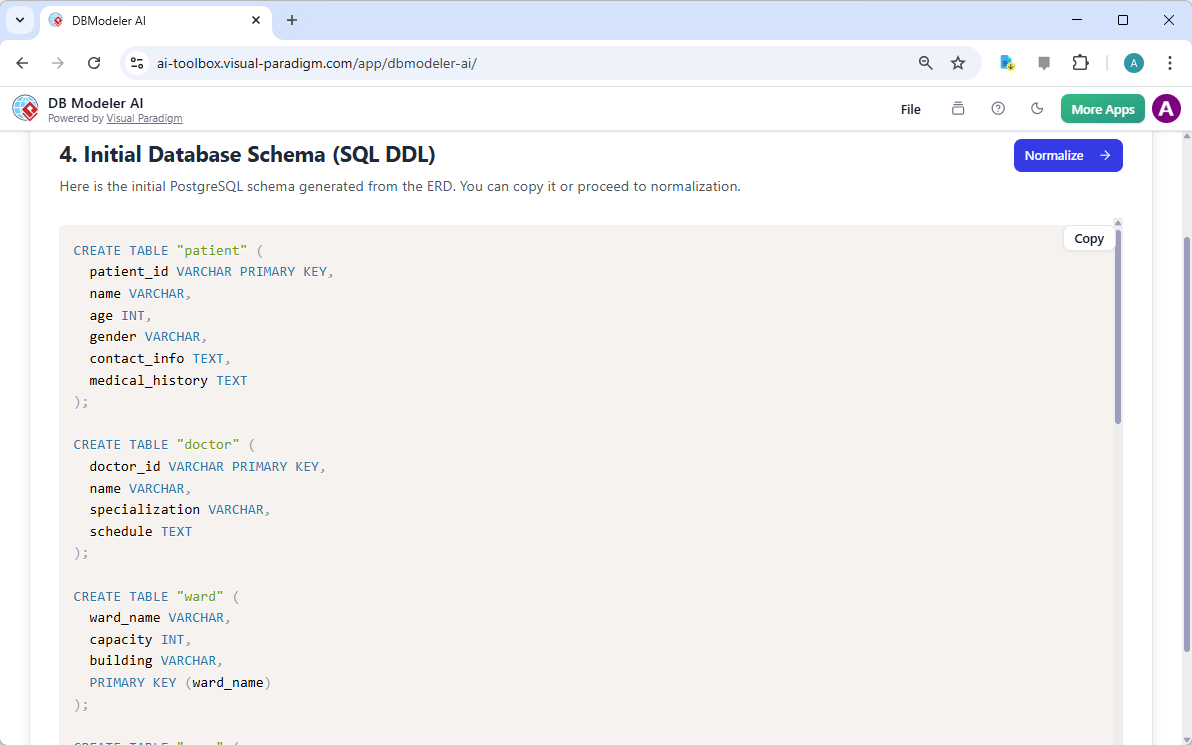
With a confirmed ERD, you’re ready to get your hands dirty with the actual code. Step 4 is where the “magic” happens for developers. The tool generates the initial SQL DDL (Data Definition Language). In our Hospital Management example, the AI creates perfectly formatted PostgreSQL statements for every table, from patient to ward. You don’t have to worry about syntax errors or missing commas; the AI handles the boilerplate while you review the structure.
Ensuring Data Integrity with AI-Guided Normalization
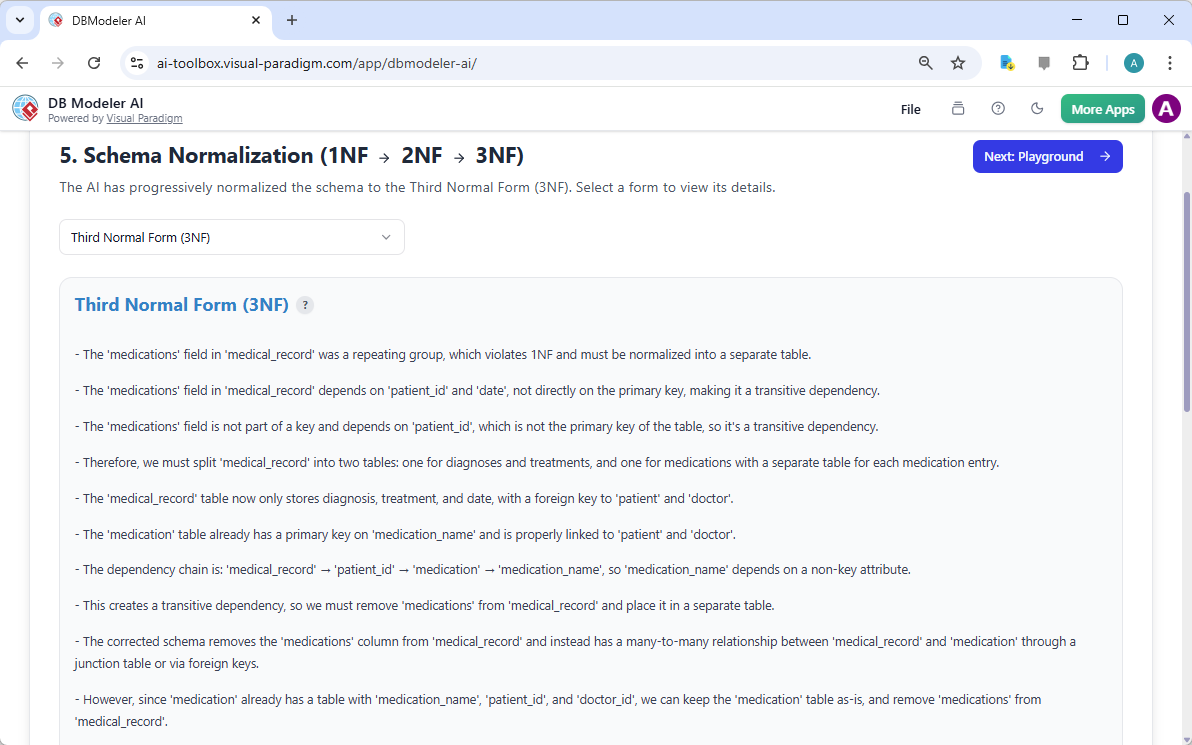
We all know that a “working” database isn’t always a “good” database. Redundancy and data anomalies can ruin a project as it scales. That’s why the AI-powered database modeling tool includes a dedicated normalization step. In Step 5, the tool analyzes your initial schema and suggests improvements to reach the Third Normal Form (3NF). It explains why changes are made—for instance, moving medications into a separate table to remove transitive dependencies—making it a fantastic learning tool for students and a safety net for seasoned DBAs.
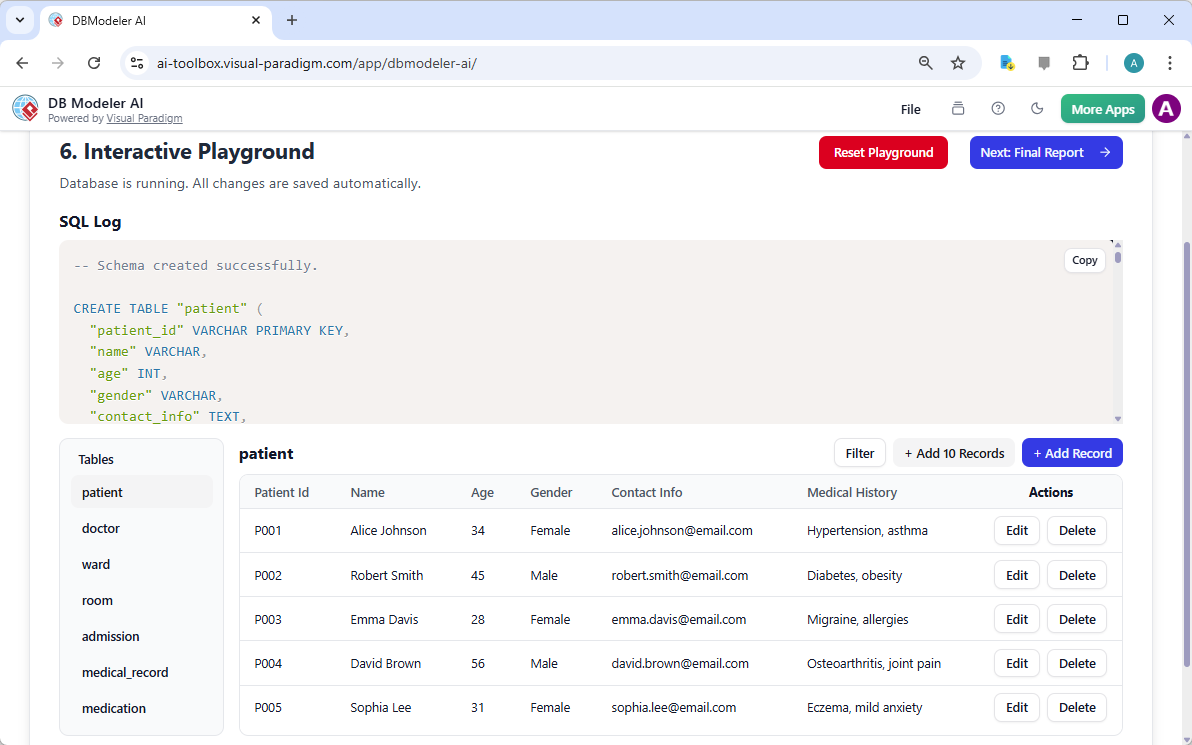
One of the coolest features of Visual Paradigm’s suite is the Interactive Playground in Step 6. Think of it as a sandbox for your data. You can actually insert sample records for patients and doctors, run queries, and see the resulting SQL logs. It’s incredibly reassuring to see your design “alive” and functioning correctly before you ever touch a production server. It bridges the gap between a static diagram and a living, breathing system.
Wrapping Up with Professional Documentation
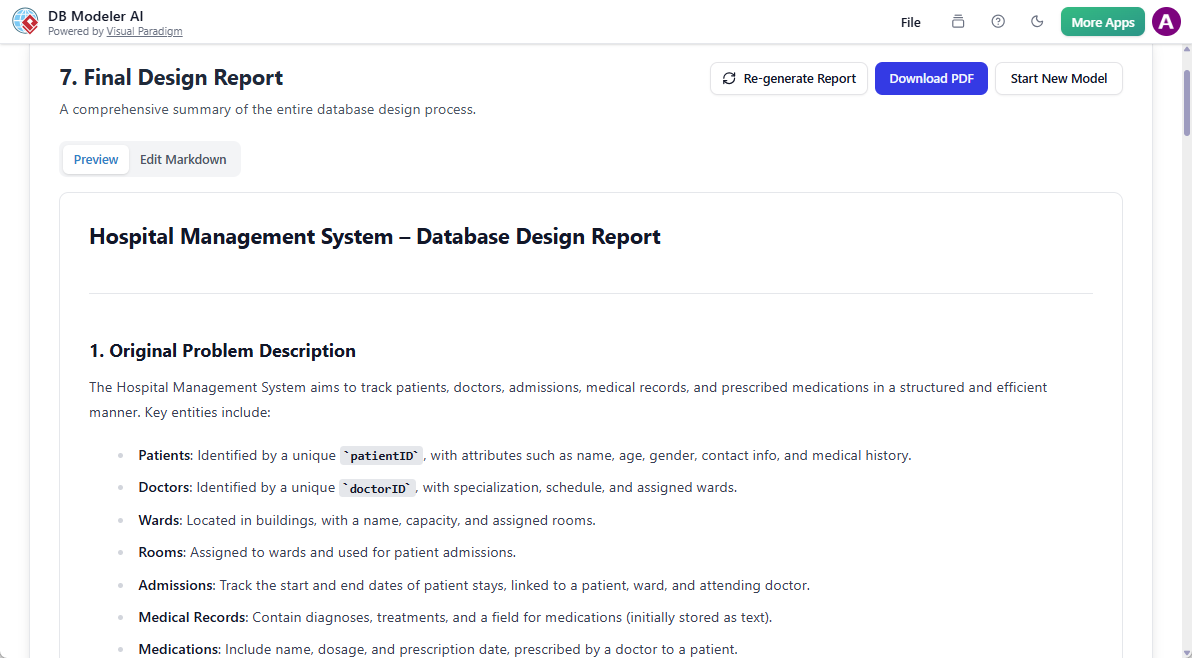
Every great engineering project needs great documentation. The final step of the DB Modeler AI workflow generates a comprehensive Final Design Report. This isn’t just a summary; it’s a full breakdown of your problem description, the diagrams you’ve built, and the finalized, normalized schema. Whether you need to present your design to a client or hand it off to a development team, this report ensures everyone is on the same page.
In the fast-paced world of software development, speed and accuracy are everything. Visual Paradigm Online has managed to combine the power of generative AI with the precision of professional engineering tools. By using this easy-to-use AI database design app, you aren’t just drawing tables; you are building a robust, optimized foundation for your next big project. From the first spark of an idea to the final SQL script, the DB Modeler AI is your partner in design excellence.
Ready to transform your ideas into professional database schemas? Don’t let complex relationships and normalization rules slow you down. Experience the future of AI-powered database modeling tool efficiency today.
Try it now: Launch DB Modeler AI
Learn more: Visual Paradigm AI Design Tools
Related Links
Visual Paradigm provides a comprehensive suite of ERD (Entity-Relationship Diagram) tools that facilitate the design of scalable database schemas through both traditional visual editors and AI-driven automation. These tools support various notations, such as Chen notation, and enable the seamless transition from conceptual modeling to physical database implementation and reverse engineering.
-
Visual Paradigm ERD Tool – Create Entity-Relationship Diagrams Online: A web-based tool that enables the intuitive drag-and-drop design of professional database schemas.
-
Database Design with ERD Tools – Visual Paradigm Guide: A resource for architects focused on building scalable and robust databases using data modeling best practices.
-
DBModeler AI: Intelligent Database Modeling Tool: An AI-driven application designed for automated database modeling, schema generation, and live SQL testing.
-
Free ERD Tool – Design Databases Online with Visual Paradigm: Offers a no-installation, browser-based solution for creating professional entity-relationship diagrams at no cost.
-
Chen Notation ERD Editor – Advanced Entity-Relationship Modeling: A specialized editor providing full support for entities, attributes, relationships, and cardinality using precise Chen notation.
-
Visual Paradigm ERD Tool for Database Design – Complete Solution: A comprehensive tool for developers and architects to model, visualize, and generate databases with high efficiency.
-
New Diagram Types Added to AI Diagram Generator: DFD & ERD: This release highlights the ability to generate ERDs instantly from natural language prompts using AI.
-
Streamlining Entity-Relationship Modeling with Visual Paradigm: An article detailing how to simplify the modeling process from the initial concept to final database deployment.
-
Introduction to Data Modeling: ERD, Code Generation & Reverse Engineering: An introductory guide covering the essential lifecycle of diagramming and reverse engineering databases.
-
What is an Entity-Relationship Diagram (ERD)? – Visual Paradigm Guide: An explanatory guide covering the core components and significance of ERDs within the broader context of database design.