


Creating accurate SysML parametric diagrams is a critical yet often tedious task in systems engineering. From defining complex constraints and linking value properties to ensuring mathematical consistency across requirements, the process demands precision — especially as design evolves.
What if you could describe your engineering problem in plain English and have a fully formed, professional-grade parametric diagram appear in seconds? And better yet — refine it interactively, collaborate in real time, and embed it into living documentation without losing traceability?
Visual Paradigm’s AI-powered ecosystem makes this not just possible, but seamless. With its integrated suite of tools — including VP Desktop, AI Chatbot, and OpenDocs — Visual Paradigm delivers the most comprehensive solution for generating, refining, collaborating on, and documenting SysML parametric diagrams today.
Let’s explore how this powerful workflow transforms systems engineering from manual drafting to intelligent modeling.
Introducing OpenDocs: Living Documentation with Embedded AI Diagrams
Once your parametric model is ready, you’ll likely need to communicate it clearly to stakeholders — whether in architecture decision records (ADRs), design rationale documents, or safety analysis reports.
Enter OpenDocs, Visual Paradigm’s modern knowledge management platform — purpose-built for modeling teams who demand clarity, collaboration, and consistency.
With OpenDocs, you can:
✅ Embed live, editable SysML parametric diagrams directly into pages
✅ Surround diagrams with context: explanatory text, tables, decision logs, risk assessments
✅ Enable team collaboration: add comments, suggest edits, and track changes
✅ Maintain version control and link every diagram back to its source model in VP Desktop
✅ Automatically sync updates — refresh the embedded diagram when changes occur in the original model
This ensures your documentation remains living, up-to-date, and fully traceable — essential for long-term system development cycles.
How to Embed an AI-Generated Parametric Diagram in OpenDocs
Follow these simple steps to turn your ideas into a professional diagram — instantly:
-
Open or create a page in OpenDocs
Log in to your Visual Paradigm Online workspace, navigate to OpenDocs, and either open an existing document or click + New Document Page. -
Insert a diagram
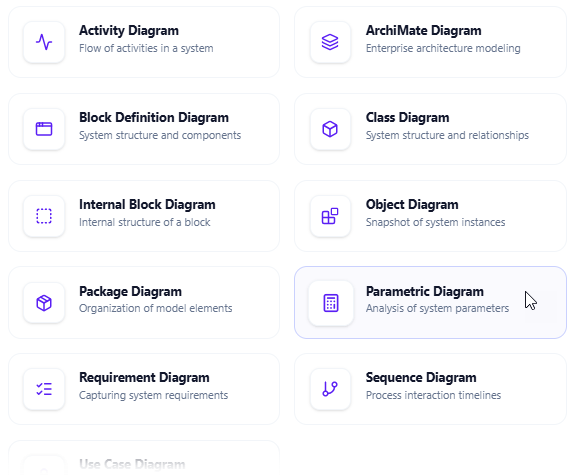
In the editor toolbar, click Insert > Diagram > Parametric Diagram.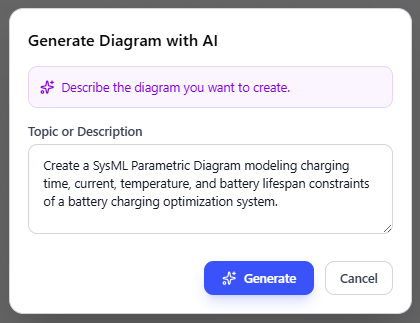
-
Generate with AI
The diagram editor opens. Instead of building from scratch, click Create with AI in the top-right corner.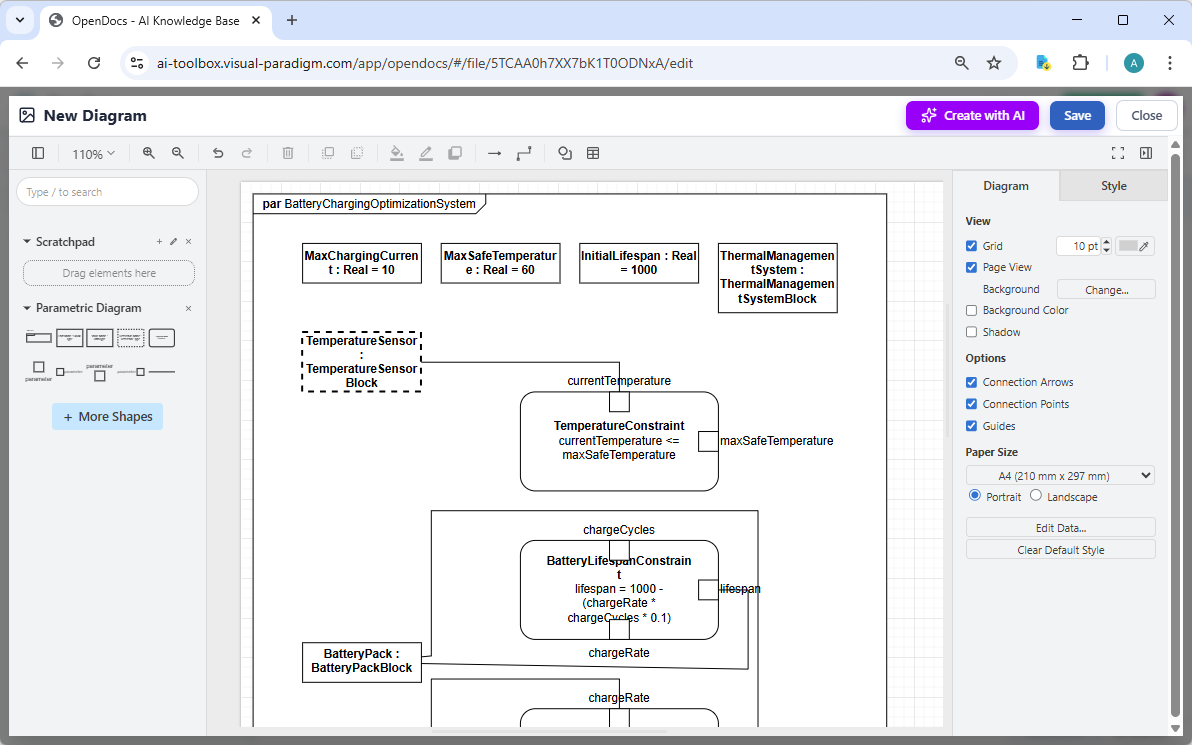
-
Describe your system
In the AI prompt box, type a clear, detailed description of your scenario. For example:“Model a thermal management system for a battery pack where the maximum temperature must not exceed 60°C. The cooling rate depends on airflow and heat dissipation. Use a constraint block with temperature, airflow, and power input as value properties.”
Click Generate.
-
Review, refine, and embed
The AI instantly produces a well-structured parametric diagram with: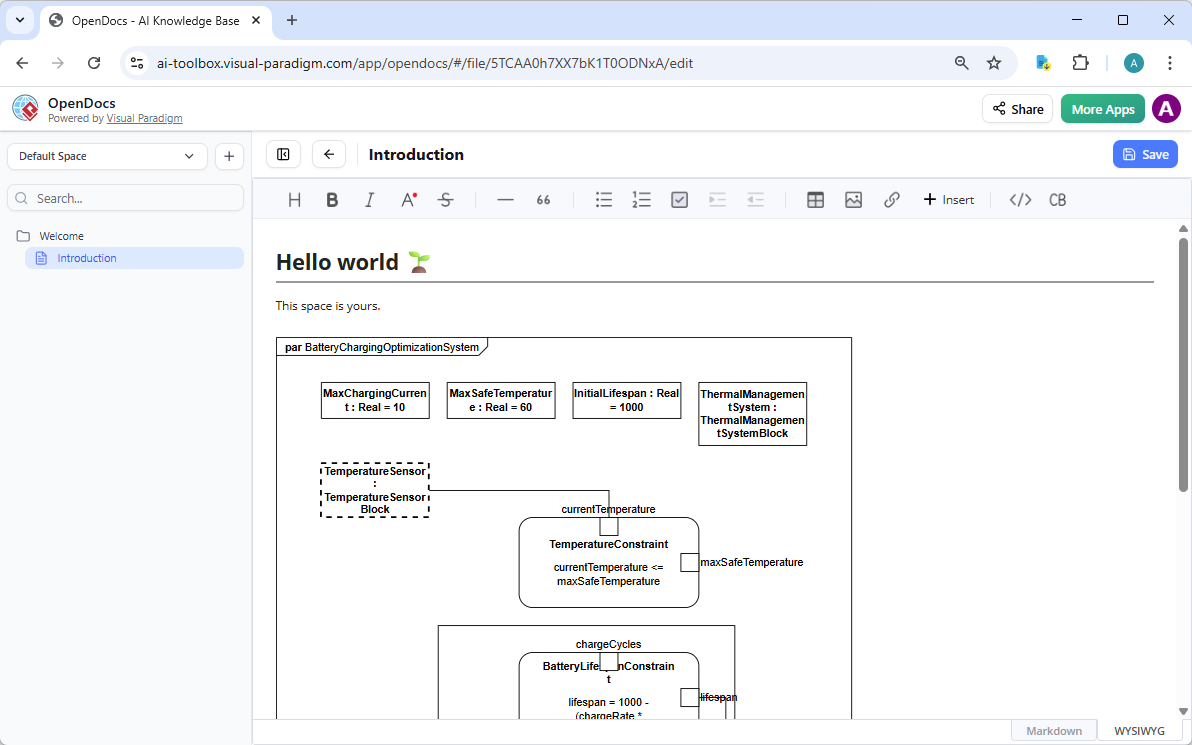
-
Constraint blocks
-
Value properties
-
Constraint nodes
-
Constraint links with appropriate constraints
Use the drag-and-drop editor to:
-
Reorganize elements
-
Adjust labels and styles
-
Add notes or annotations
-
Fine-tune constraint expressions
Once satisfied, click Save, then Close.
-
💡 Result: Your AI-generated parametric diagram is now embedded as a live, editable block in your OpenDocs page — viewable inline, fully integrated, and automatically synchronized with the source model.
Why Visual Paradigm Stands Out: The Full AI + Modeling Ecosystem
While many tools now offer “AI diagram generation,” most deliver only static images — losing traceability, editability, and integration. Visual Paradigm goes further by offering a complete, interconnected ecosystem.
| Feature | Visual Paradigm | Most Other AI Diagram Tools |
|---|---|---|
| AI Generation Quality | High – clean, structured, ready for refinement | Varies (often requires heavy cleanup) |
| Full SysML v1 & v2 Support | ✅ Yes | ❌ Usually partial or simplified |
| Traceability to Requirements | ✅ Built-in | ❌ Rarely available |
| Seamless Editing in VP Desktop | ✅ Full offline access | ❌ Export-only, breaks traceability |
| Team Collaboration & Documentation | ✅ OpenDocs with live embeds | ❌ Not supported |
| Conversational AI Refinement | ✅ AI Chatbot with context memory | ❌ Limited or none |
| Offline Professional Modeling | ✅ VP Desktop available | ❌ Rarely |
🔄 The key difference:
Most tools give you a picture.
Visual Paradigm gives you a living, traceable, maintainable model — with multiple ways to work on it, depending on your phase.
The Visual Paradigm Advantage: From Idea to Document, Seamlessly
Here’s how the full workflow looks in practice:
-
Idea Phase
Use the AI Chatbot in VP Desktop to describe your system:“Create a parametric diagram for a drone’s flight stability system. The pitch angle must stay within ±5 degrees. Use sensor inputs, actuator response time, and mass distribution as value properties.”
-
Modeling Phase
The AI generates a draft. Refine it in VP Desktop with full SysML compliance — adjust constraints, validate equations, and link to requirements. -
Documentation Phase
Export or embed the diagram into OpenDocs, adding explanations, rationale, and safety considerations. -
Collaboration Phase
Share the page with stakeholders. Team members can comment, suggest edits, and even trigger model updates — all while maintaining full traceability. -
Maintenance Phase
When requirements change, update the model in VP Desktop. Refresh the embedded diagram in OpenDocs — and your documentation stays perfectly in sync.
Ready to Transform Your Systems Engineering Workflow?
Tired of spending hours manually drawing parametric constraints? Struggling to keep models consistent across teams and documents?
Visual Paradigm offers a smarter way:
🔹 Generate your first parametric diagram in seconds using AI
🔹 Refine it professionally in a full-featured SysML tool
🔹 Share and document it in living knowledge bases with OpenDocs
🔹 Collaborate in real time — with full traceability and version control
Start Your AI-Powered Modeling Journey Today
👉 Download Visual Paradigm (30-day free trial)
👉 Try the AI Chatbot Online
Experience the future of systems engineering — where AI meets professional modeling, and every diagram is a living artifact.
Build smarter. Document better. Engineer with confidence.
Visual Paradigm — Where AI Meets Engineering Excellence.
-
Creating SysML Block Definition Diagrams with an AI Chatbot: This article explains how users can simply describe their ideas in plain English—such as requesting a SysML Block Definition Diagram for a weather forecasting system—and have the AI chatbot generate the diagram instantly.
-
Mastering AI-Driven Systems Engineering: A Comprehensive Guide to ArchiMate and SysML Diagram Generation: A detailed guide exploring how specialized AI chatbots act as modeling partners to enhance efficiency and simplify complex workflows in systems engineering.
-
AI Diagram Chatbot Update: Better ArchiMate & SysML Support: This release note highlights updates that bring higher stability and improved relevance to the chatbot when handling complex prompts for SysML and ArchiMate.
-
Visual Paradigm AI Suite: A Comprehensive Guide to Intelligent Modeling Tools: This resource outlines how the AI chatbot facilitates systems engineering by supporting the generation of SysML Block Definition, Internal Block, and Requirement diagrams.
-
AI Chatbot for Diagramming: How It Works with Visual Paradigm: Explains how the chatbot serves as an AI-powered modeling assistant that converts natural language into professional diagrams, removing the need to learn specific SysML syntax.
-
Visual Paradigm SYSML Diagram Tool – Advanced Modeling for Systems Engineering: An overview of a comprehensive tool designed for Model-Based Systems Engineering (MBSE), which integrates with AI features for seamless diagram creation.
-
MBSE and SysML: A Guide to Systems Engineering with Visual Paradigm: A guide detailing how SysML supports systems engineering and how AI-powered development plans can transform project ideas into actionable roadmaps.
-
Visual Paradigm AI-Powered Diagram Generation Tutorial: A tutorial demonstrating how to use AI-driven features to automatically generate diagrams from natural language, applicable to technical system designs.
-
Introducing Visual Paradigm AI Chatbot: A Smarter Way to Create Diagrams: This update showcases how conversational AI enables contextual analysis and smart editing for enterprise-level systems modeling.
-
AI Chatbot Feature – Intelligent Assistance for Visual Paradigm Users: Introduces the core chatbot functionality designed to provide instant guidance and task automation, significantly boosting productivity for system architects.