
Unified Drive: Centralized Engineering Context in VP Unified Platform
In modern software engineering and systems architecture, one of the most persistent challenges is data fragmentation. Teams often scatter wireframes in design tools, code in repositories, and architectural models in separate modeling environments. This lack of connectivity leads to version control nightmares and a loss of project context.
The Unified Drive represents a paradigm shift designed to solve this exact problem. Acting as the central nervous system for an ecosystem’s artifacts, it functions as a centralized storage and indexing layer that brings together diverse forms of engineering content. Whether you are an architect defining the system’s bones or a developer implementing its logic, the Unified Drive ensures you are always working with the current, shared source of truth.
What is the Unified Drive?
The Unified Drive is not merely a file server; it is a sophisticated repository designed to unify the “messy” middle of the development process. While it functions similarly to a shared project drive found in standard file management systems, its architecture is built to understand the specific nature of engineering artifacts.
Its primary purpose is to aggregate content from disparate tools into a single, indexed view. Instead of maintaining a scattered collection of files across disconnected locations, the Unified Drive allows teams to maintain a common project context. This is particularly critical when multiple roles contribute to the same system design, ensuring that a change in a database schema is instantly visible to the developer writing the API documentation.
Types of Engineering Artifacts
One of the most powerful features of the Unified Drive is its versatility. It is agnostic to the tool used to create the content, provided that tool can output to the repository. The drive supports a wide spectrum of artifact types, ranging from high-level conceptual models to concrete code specifications.
- Visual & Conceptual Models: This includes Wireframes for UI layout, User Journeys to map customer experiences, and various modeling diagrams such as UML (Unified Modeling Language), BPMN (Business Process Model and Notation), and SysML (Systems Modeling Language).
- Architecture & Design: The drive hosts high-level Architecture diagrams and detailed Database schemas to ensure data integrity across the system.
- Documentation & Specifications: Teams can store Code specifications, API documentation, and comprehensive Design documents directly within the project context.
- Code & Automation: Modern development practices are supported by the storage of VPasCode source files and AI-generated starting models, allowing for rapid prototyping.
- OpenDocs Content: The system also integrates with Published OpenDocs content, bridging the gap between internal documentation and external knowledge bases.
The Architecture of Collaboration
The Unified Drive is most effective when the project complexity requires synchronization between visual and text-based elements. The architecture facilitates this by acting as a hub for cloud and local workspaces.
Step 1: Centralized Indexing
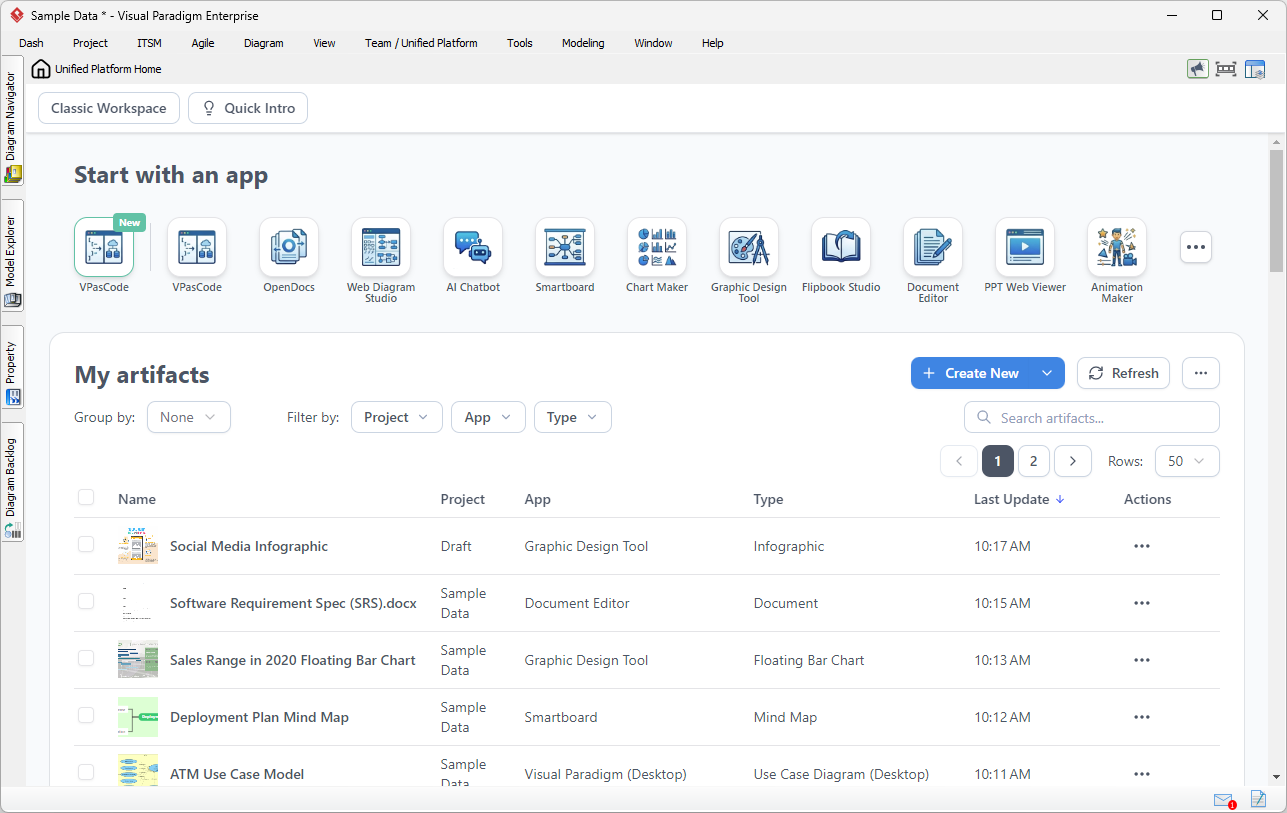
When an artifact is created or updated—whether it is a Smartboard mind map, a Graphic Design Tool infographic, or a Document Editor spec—the Unified Drive indexes it. This creates a unified metadata layer that allows for powerful filtering and searching across the entire project.
Step 2: Cross-Tool Accessibility
Because artifacts can originate in different tools, the Unified Drive provides a “single pane of glass” view. This is essential when projects contain both visual artifacts (like PPT Web Viewer presentations or Animation Maker clips) and technical specifications. Users can access models from both cloud and local workspaces without needing to manually locate the source file.
Step 3: Maintaining the “Source of Truth”
The ultimate goal of the Unified Drive is to eliminate the “version mismatch” problem. By providing a shared source of truth, architects and developers can ensure that documentation always refers to current design assets. If a database schema is modified, the Unified Drive ensures that the API documentation and the architecture diagrams are updated or flagged for review, keeping the entire ecosystem in sync.
When to Use the Unified Drive
Teams should leverage the Unified Drive when they face the following scenarios:
- Multi-Role Collaboration: When multiple disciplines (UX, DevOps, Backend, QA) need to access the same system design simultaneously.
- Heterogeneous Artifacts: When a project contains a mix of visual diagrams, text documents, and code files that need to be referenced together.
- Distributed Workspaces: When teams need to bridge the gap between local desktop modeling tools and cloud-based collaboration platforms.
- Traceability Requirements: When it is critical that documentation refers strictly to current, validated design assets.
By unifying these elements, the Unified Drive transforms a chaotic collection of files into a coherent, searchable, and manageable engineering ecosystem.