
Introduction
As someone who has spent countless hours juggling between diagramming tools and documentation platforms, I know the pain of maintaining consistency between visual models and written specifications. The traditional workflow—create a diagram, export it as an image, upload it to your documentation, and then repeat this tedious process every time something changes—is not just time-consuming; it’s a recipe for outdated documentation.
That’s why I was genuinely excited to explore Visual Paradigm’s OpenDocs platform and its integration ecosystem. After spending several weeks testing how Visual Paradigm Desktop, Online, and the AI Chatbot connect with OpenDocs through the Pipeline feature, I wanted to share my hands-on experience with teams considering this workflow. Whether you’re a software architect, business analyst, or technical writer, this guide walks through what it’s actually like to use these tools together in real-world scenarios.
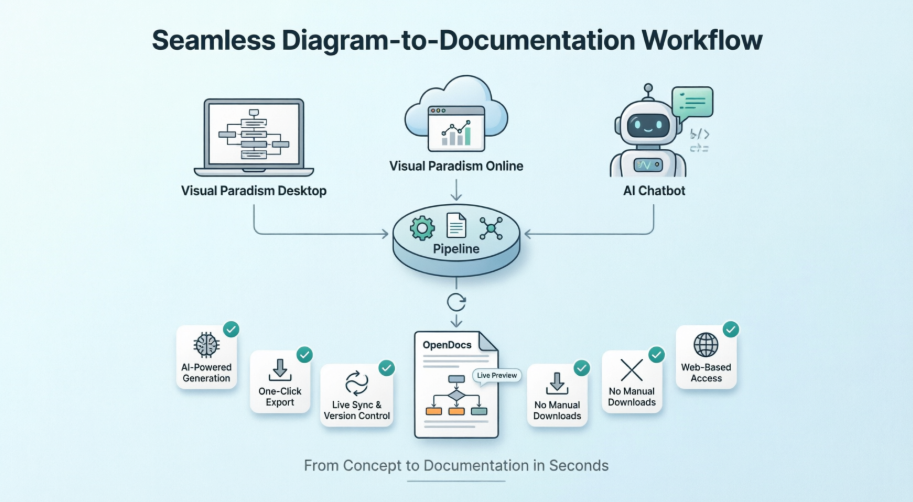
Seamlessly Export Visual Paradigm Desktop Diagrams to OpenDocs
The Ultimate “Concept-to-Docs” Workflow
From my experience, the integration between Visual Paradigm Desktop and OpenDocs represents exactly what modern documentation workflows should look like. As a Professional Edition user, I finally found a way to bridge the gap between my modeling environment and online document management without the usual friction of manual exports and uploads.
What impressed me most was how naturally the workflow fits into daily tasks. I used the AI diagram generation in Visual Paradigm Desktop to quickly visualize a business process, refined it using the professional modeling tools, and then sent it directly to OpenDocs via the Pipeline. The ability to provide context and descriptions for stakeholders without leaving my modeling environment was a game-changer.
Note: This integration requires Visual Paradigm Professional Edition or above.
Ready to experience it? Access OpenDocs directly, or download the latest Visual Paradigm Desktop.
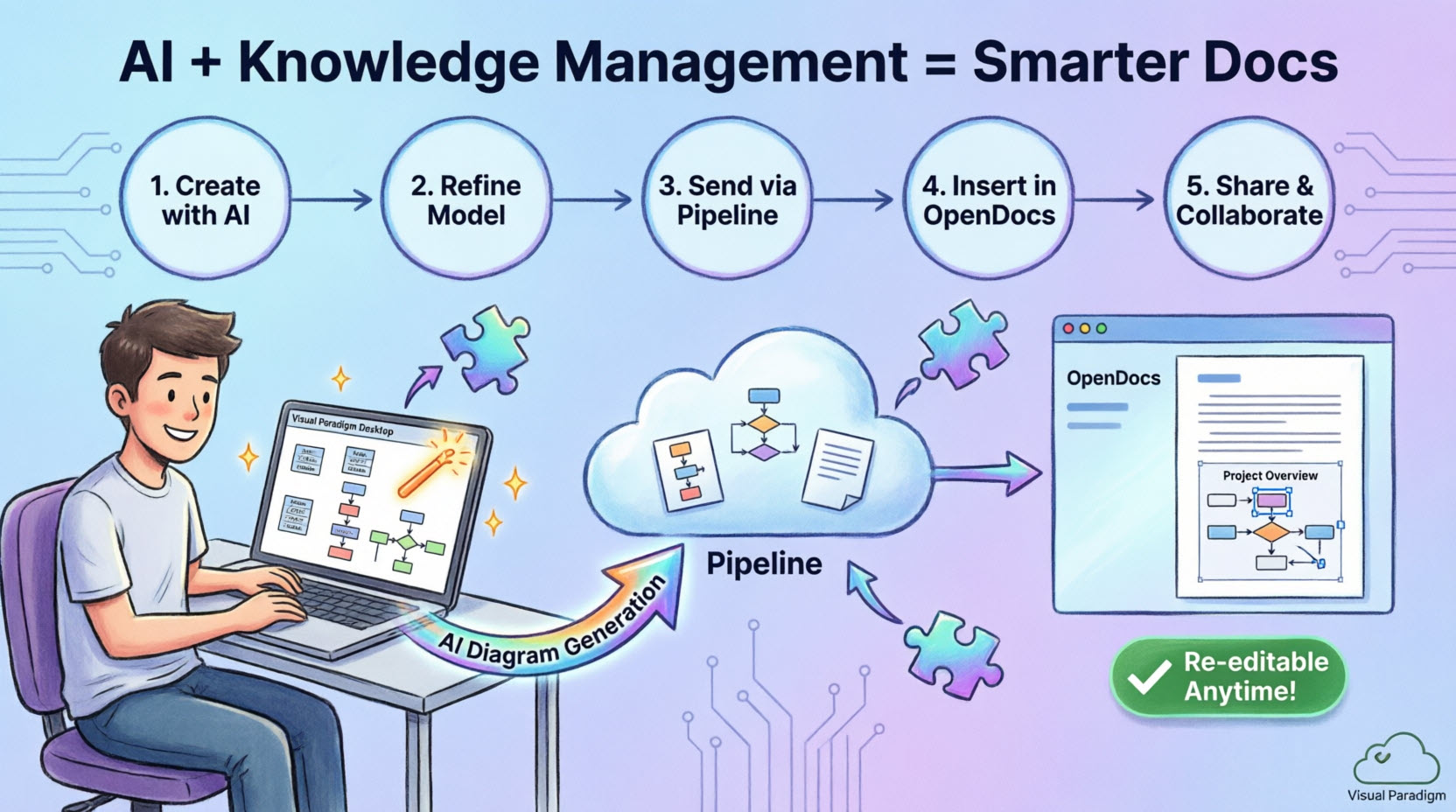
What is Visual Paradigm OpenDocs?
In my testing, OpenDocs proved to be far more than just another documentation platform. What sets it apart is the integrated diagram editor—you can insert diagrams into pages and re-edit them later without ever leaving the document. This “diagram-aware” approach means OpenDocs becomes the central hub for all professional modeling and documentation needs, supporting exports from Visual Paradigm Desktop seamlessly.
Understanding the Pipeline
The Pipeline serves as the backbone of this ecosystem. From my perspective, it’s essentially a secure, centralized repository for “artifacts”—the assets created across the Visual Paradigm ecosystem. Since these tools cover everything from enterprise architecture to agile development, the Pipeline acts as the essential transfer space. I found that output from one tool, like an AI-generated UML diagram, easily becomes input for another, such as a technical manual in OpenDocs.
How to Export Your Diagrams to OpenDocs
Whether you created your diagram manually or used the AI generation tool, here’s how I exported it to documentation:
-
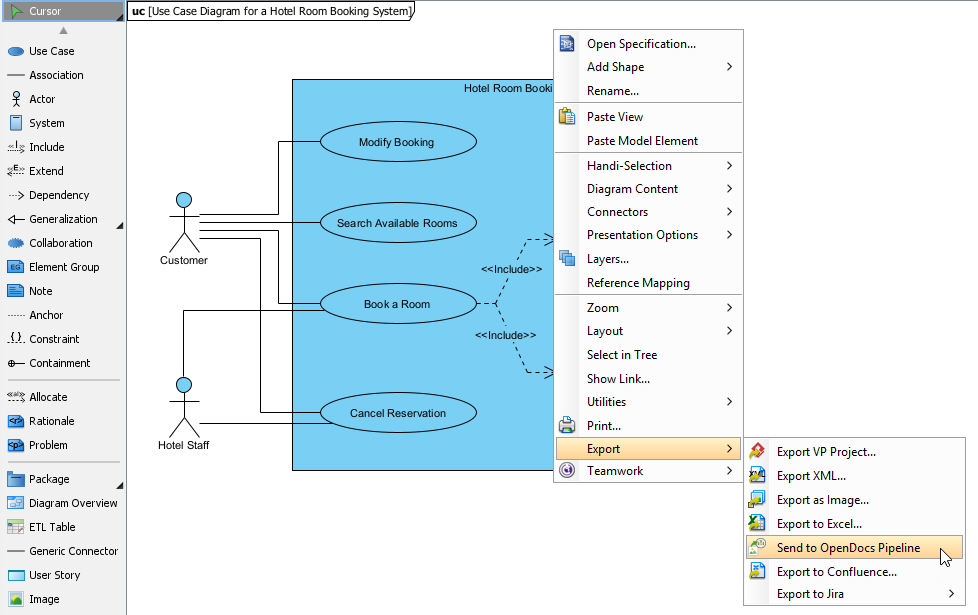
In Visual Paradigm Desktop, I opened the diagram I wished to send.
-
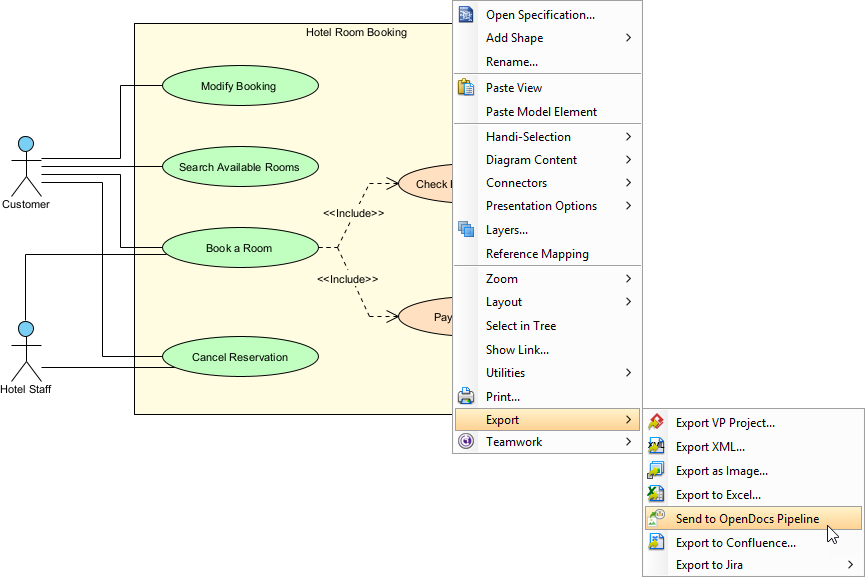
Right-clicked on the diagram and selected Export > Send to OpenDocs Pipeline.
-
When prompted, saved my project by clicking OK.
-
(Optional) Entered a comment. This became visible in the Pipeline pane within OpenDocs to help identify the version or purpose of the artifact.
-
Confirmed the export to output my diagram to the cloud.
Inserting Artifacts into Your Document
Once my diagram was in the Pipeline, placing it in my knowledge base was straightforward:
-
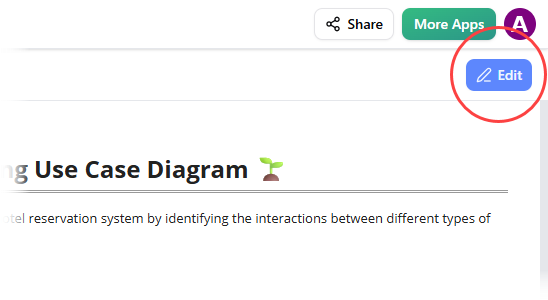
Opened any document page in OpenDocs and clicked Edit.
-
Clicked on the page where I wanted to insert the diagram.
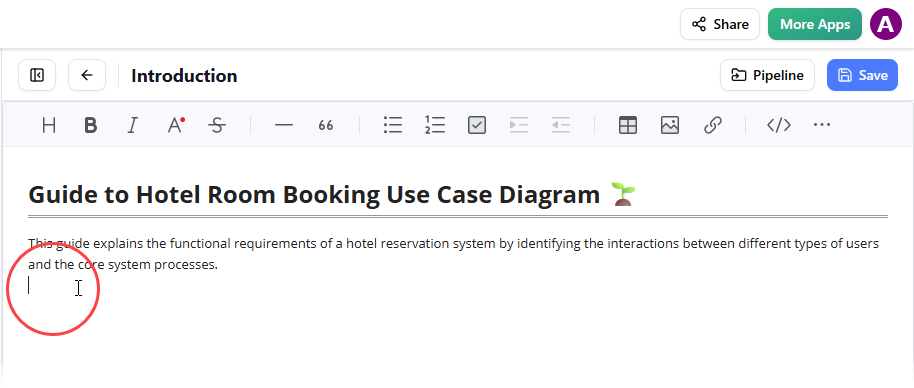
-
On the toolbar, clicked Insert.
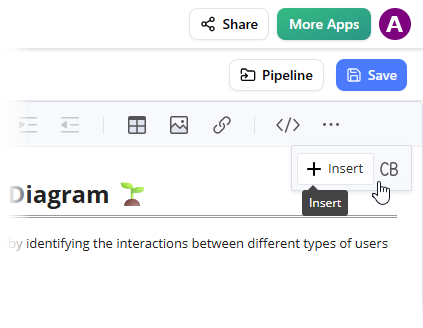
-
In the Insert window, selected Pipeline from the left-hand sidebar. My sent diagrams appeared here.
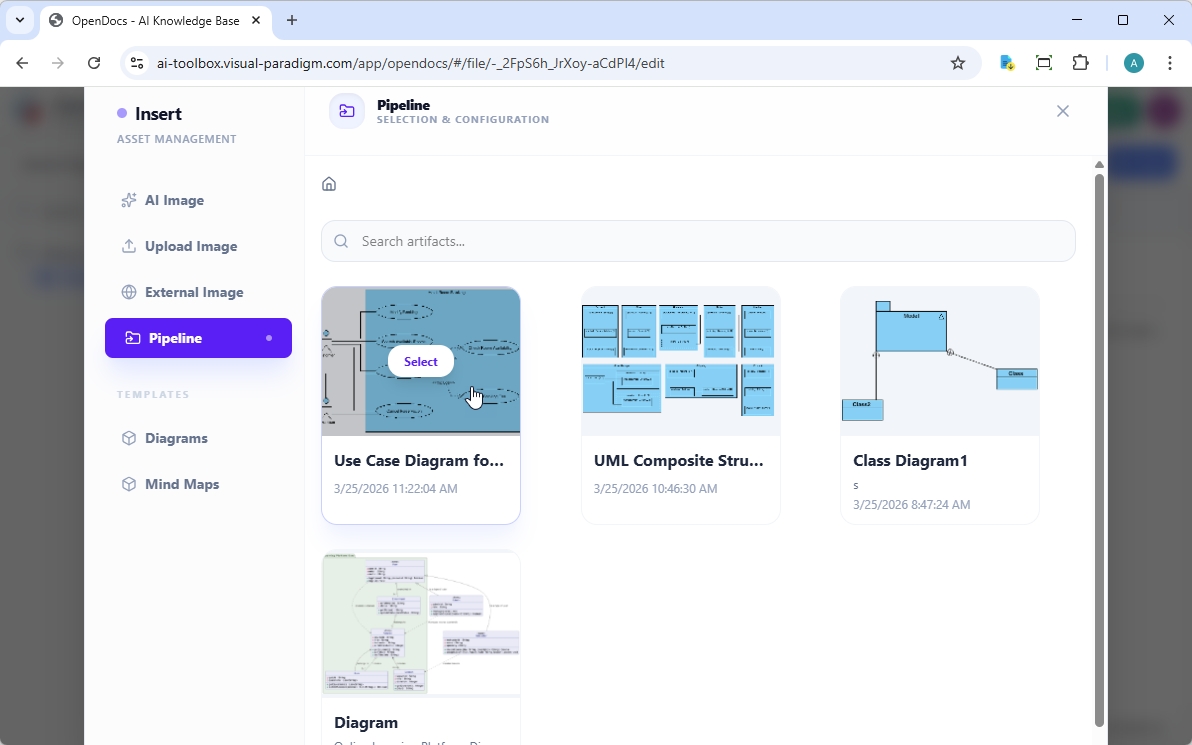
-
Clicked on the diagram to insert the image directly at my cursor position.
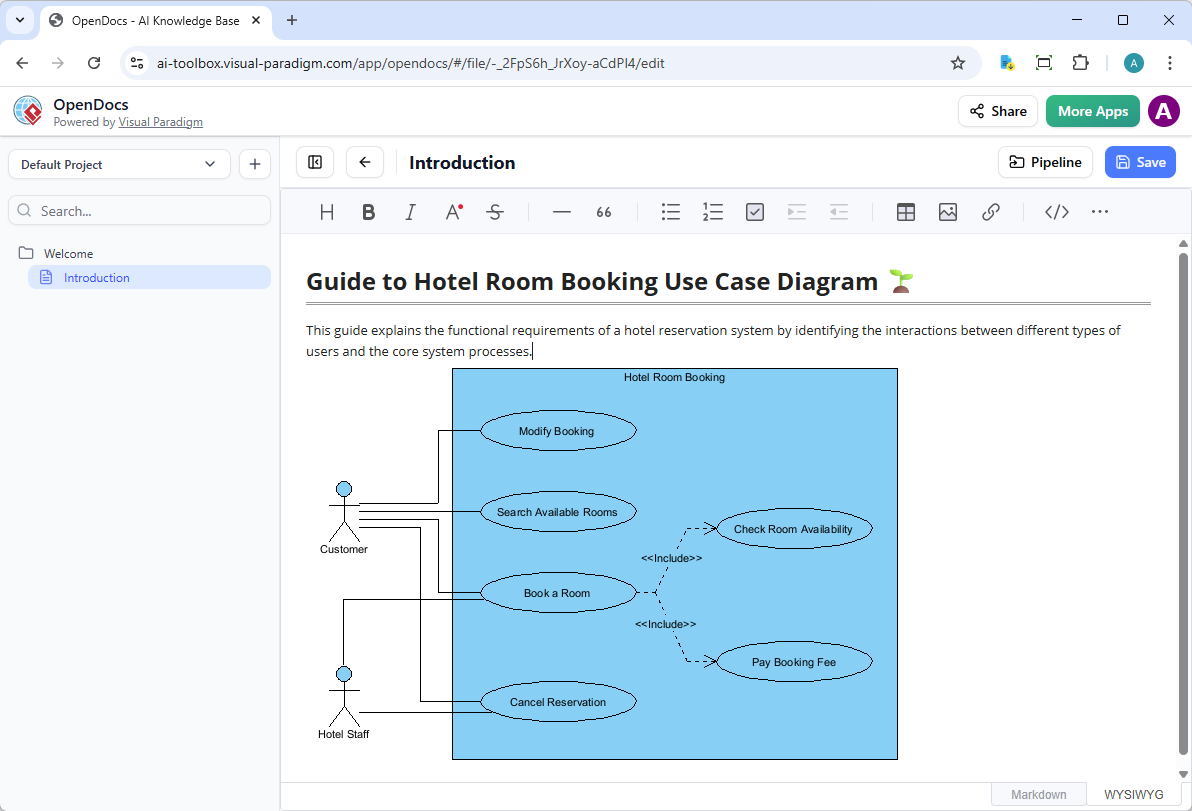
Keeping Your Documentation in Sync: Updating Artifacts
One of the most powerful aspects I discovered was the ability to update documentation as models evolved. When I needed to make changes to a diagram already in OpenDocs, here’s what worked:
1. Open the Source Diagram
In OpenDocs, I clicked the Edit icon at the top right of the diagram image to open the Edit Diagram window.
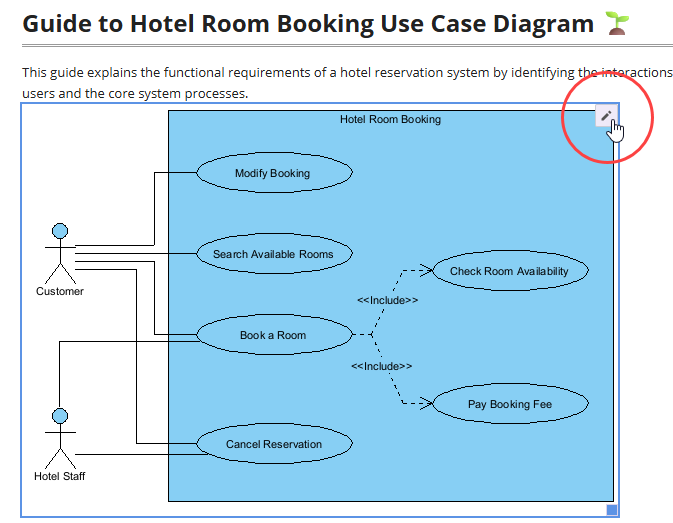
I copied the diagram link provided. In Visual Paradigm Desktop, I went to Project > Open, pasted the link, and the software opened the source model for me. (Alternatively, if you already have the project open, you can skip this step.)
2. Edit and Re-send
I modified my diagram in Visual Paradigm Desktop. Once finished, I right-clicked the diagram and selected Export > Send to OpenDocs Pipeline again. I could also simply commit changes to VP Online, which automatically creates a new revision of the artifact.
3. Swap to the Latest Revision
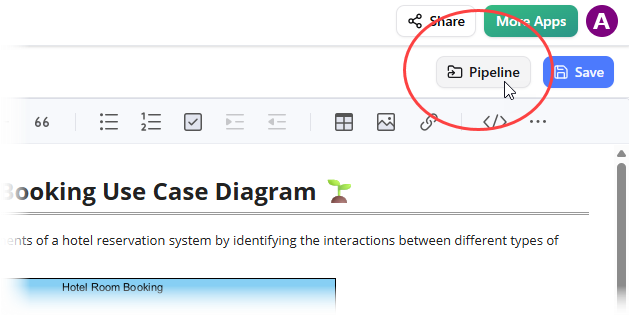
Back in the OpenDocs editor, I clicked Pipeline at the top right.
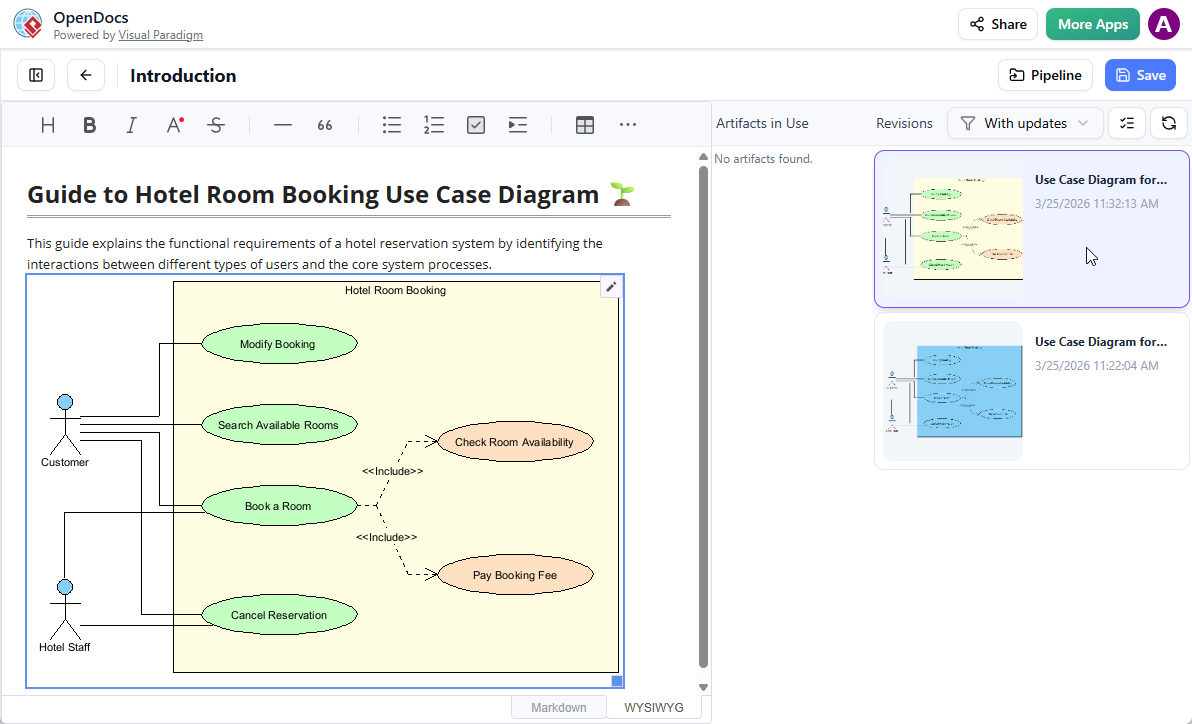
I saw the artifacts currently used on that page. Selecting the diagram showed a list of revisions. I simply clicked on the latest revision to instantly swap the old diagram for the updated version.
Related Releases
Send Diagrams from Visual Paradigm AI Chatbot Directly to OpenDocs!
The Future of Intelligent Documentation
Testing the Visual Paradigm AI Chatbot integration with OpenDocs was genuinely impressive. This new integration makes creating beautiful, technical documentation faster and easier than ever. By connecting the Visual Paradigm AI Chatbot directly to OpenDocs, I could generate a professional diagram through simple conversation and instantly send it to my documentation workspace using the new “Send to OpenDocs Pipeline” feature.
This workflow is perfect for software engineers, business analysts, and project leads who need to visualize complex ideas quickly. Whether brainstorming a new system architecture or documenting a business process, the AI Chatbot handles the drawing, while the Pipeline handles the delivery.
Note: This feature requires a Visual Paradigm Online (Combo Edition) or Visual Paradigm Professional Edition license.
Ready to try it? Start generating with the AI Chatbot or explore your OpenDocs workspace.
What is Visual Paradigm OpenDocs?
From my experience, OpenDocs is a specialized knowledge and document management platform built for modern, visual-heavy documentation. Unlike conventional text editors, OpenDocs handles live diagrams beautifully. It allows you to embed, view, and update visual models directly within document pages, ensuring that technical specifications and knowledge bases stay clear and professional.
The Power of the Pipeline
The Pipeline truly is the “connective tissue” of the Visual Paradigm ecosystem. It serves as a secure, centralized repository for all creative assets, which Visual Paradigm calls artifacts. When I generated a diagram in the AI Chatbot and sent it to the Pipeline, that artifact became instantly available as input for OpenDocs. This eliminated the need for downloading files, taking screenshots, or dealing with messy manual uploads.
How it Works: A Step-by-Step Guide
Here’s the seamless, web-based workflow I followed between diagram generation and documentation:
1. Generate Your Diagram
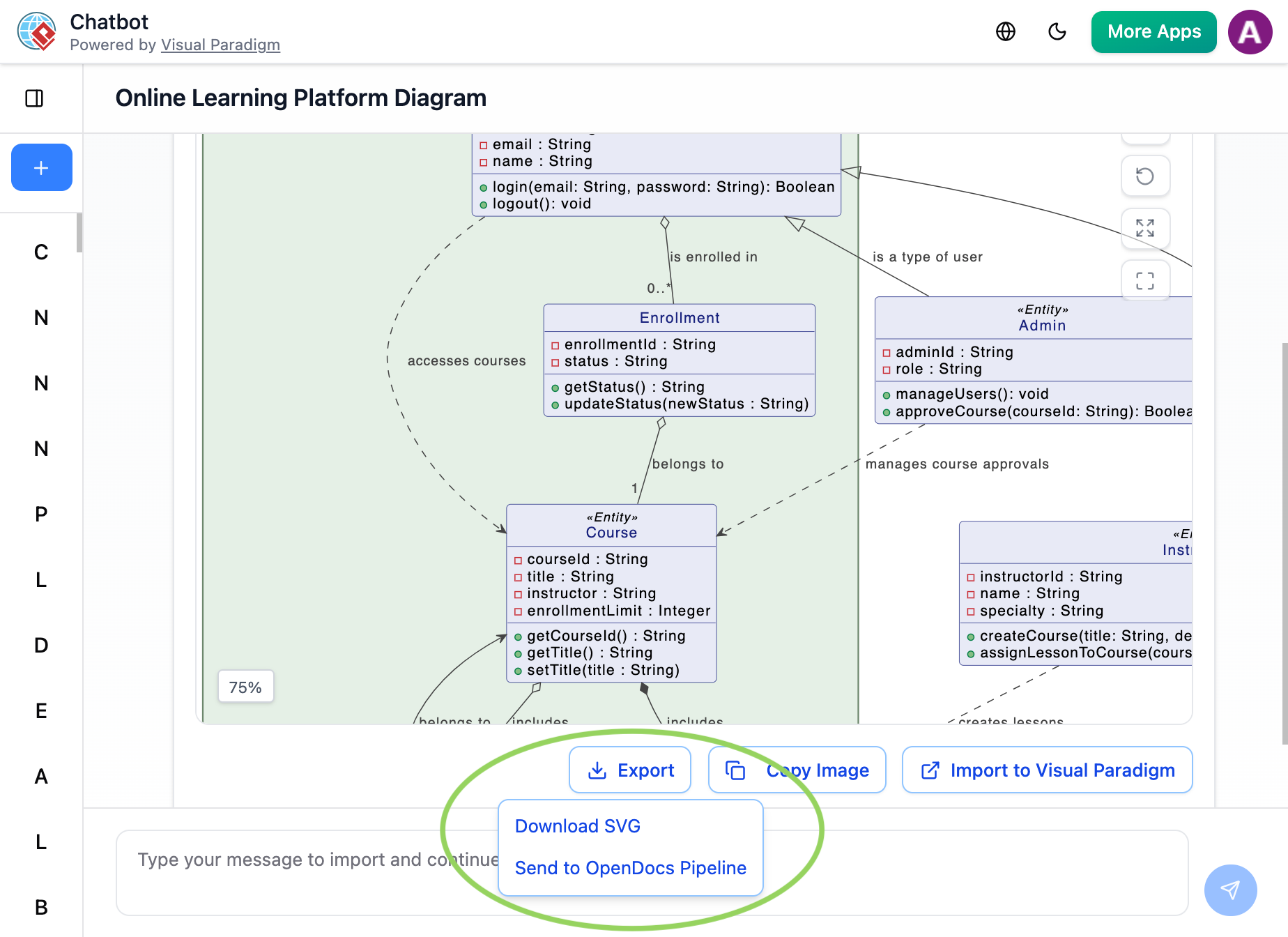
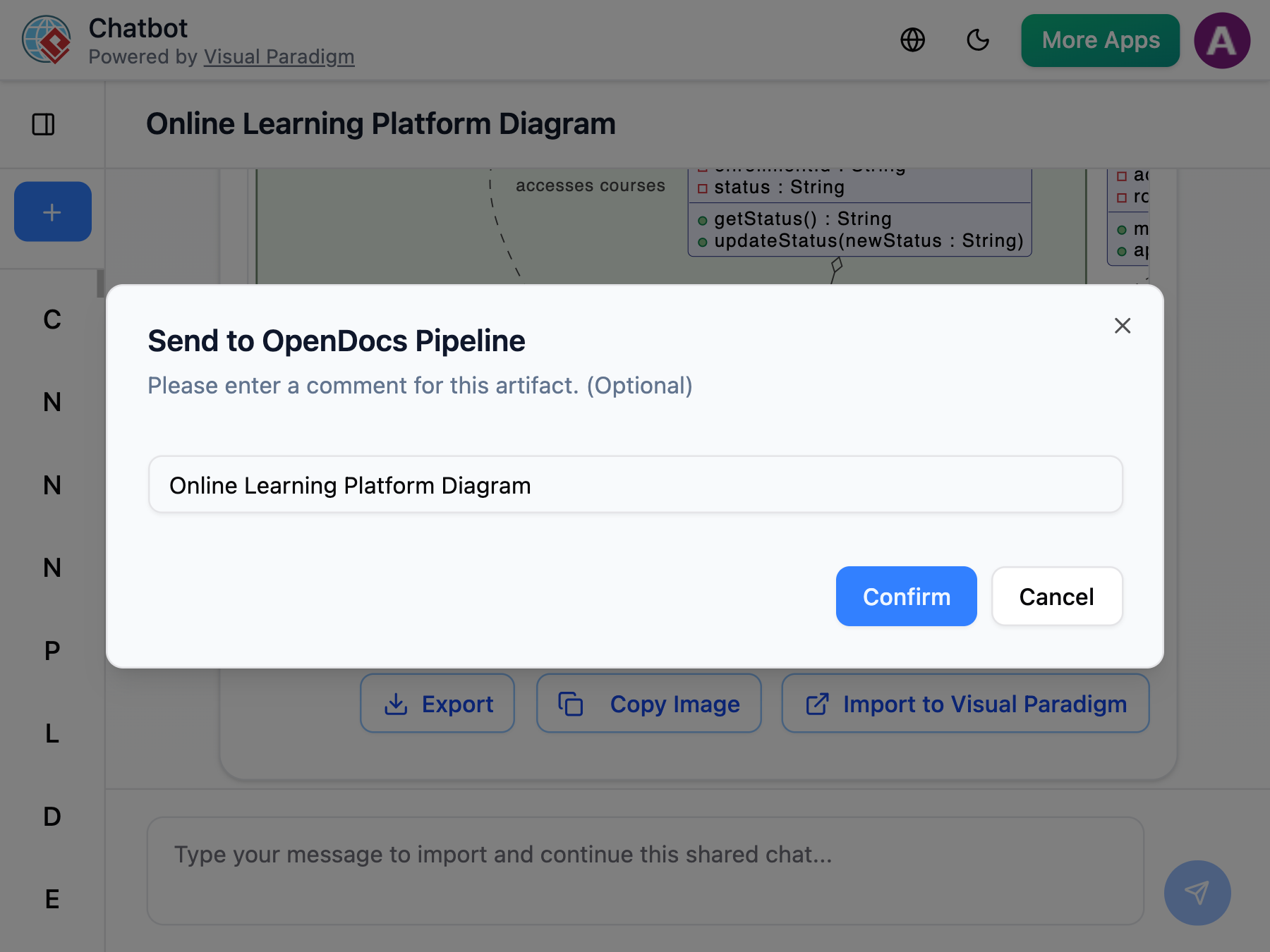
I created and refined my diagram (UML, flowchart, architecture, BPMN, etc.) in the AI Chatbot. Once the AI produced the visual I needed, I clicked Export and selected Send to OpenDocs Pipeline.
2. Insert into OpenDocs
I went to my desired document page in OpenDocs and entered the editor. I clicked Insert on the toolbar and selected Pipeline. My AI-generated diagram was waiting for me in the asset list.
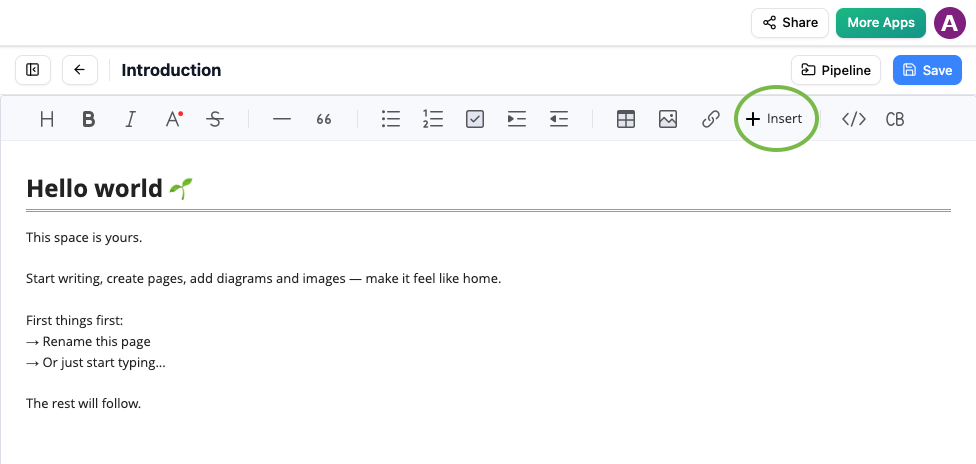 Insert button in OpenDocs editor with Pipeline option for adding AI-generated diagrams
3. Finalize Your Document
I selected the diagram to insert it instantly at my cursor position. The result was a crisp, professional visual perfectly integrated into my knowledge base.
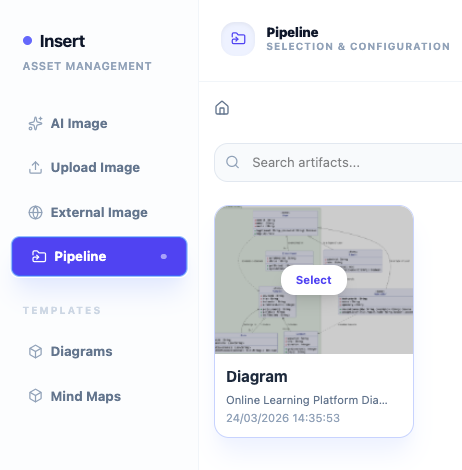 OpenDocs Pipeline tab showing recently sent diagram from Visual Paradigm AI Chatbot ready to be inserted
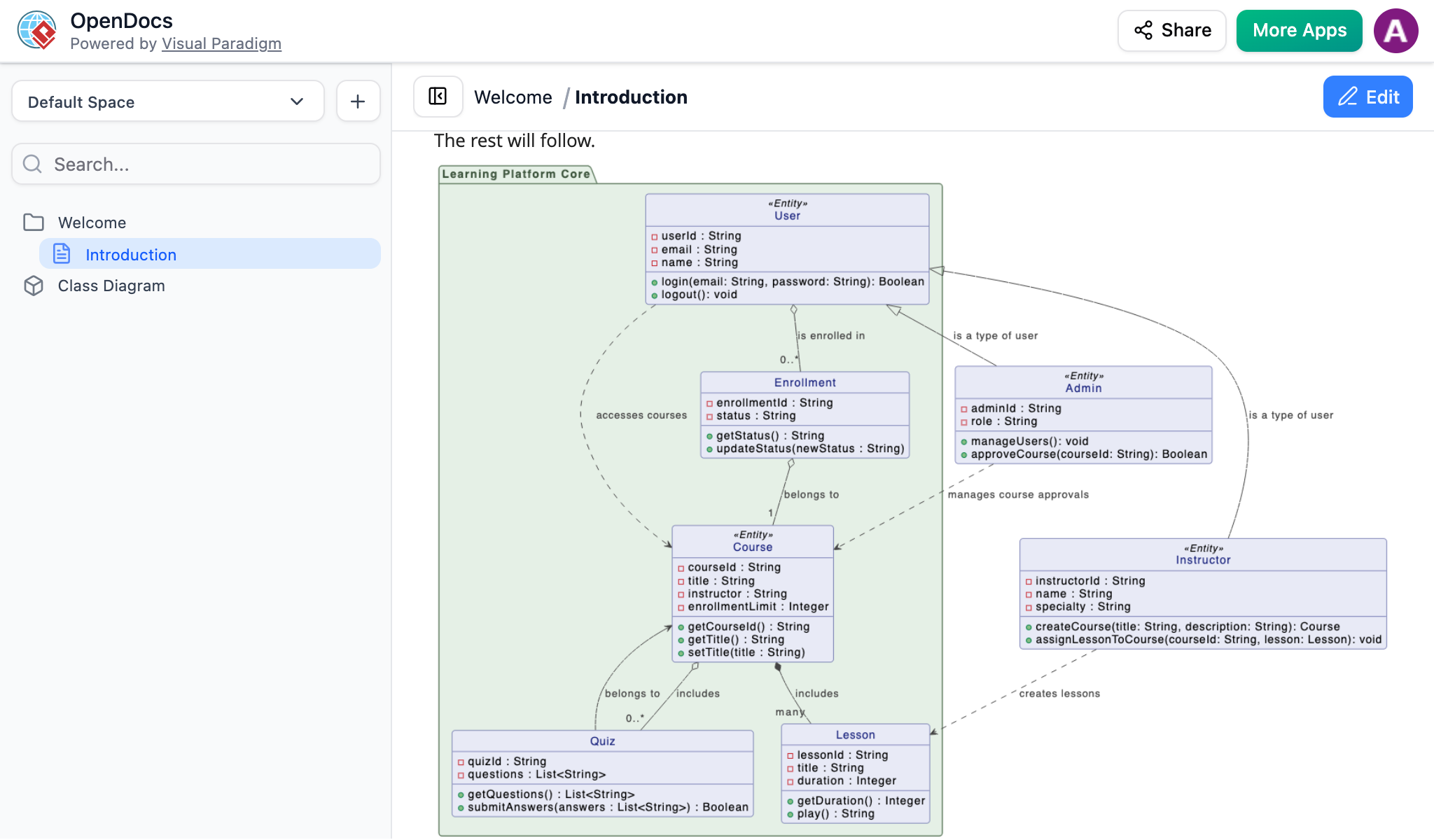 AI-generated UML diagram from Visual Paradigm Chatbot successfully inserted into an OpenDocs page using the Pipeline feature
Why You’ll Love This AI Workflow
From my testing, here’s what stood out:
-
Unmatched Efficiency: I went from an abstract idea to a perfectly placed diagram in seconds.
-
Crisp Visuals: I maintained high-resolution clarity without the blurriness of manual screenshots.
-
Web-Based Simplicity: No installation required—everything worked directly in my browser.
-
Living Documentation: I used the Pipeline to manage and update my AI-generated artifacts effortlessly.
Related Releases
Send Your Visual Paradigm Online Creations Directly to OpenDocs
The Unified Cloud Workflow
As a cloud-based user, I was thrilled to discover that Visual Paradigm Online now supports direct integration with Visual Paradigm OpenDocs. This update allowed me to bridge the gap between the versatile cloud-based diagramming tool and my centralized knowledge management platform. Any visual I created online—from intricate technical diagrams to eye-catching social media graphics—could be sent instantly to OpenDocs using the Pipeline.
This integration is perfect for teams who need to move fast. I created my design in my browser, sent it to the Pipeline, and immediately embedded it into project documentation. It eliminated the need to download images to my local machine, keeping my workflow entirely in the cloud.
Note: This feature requires a Visual Paradigm Online Combo Edition subscription.
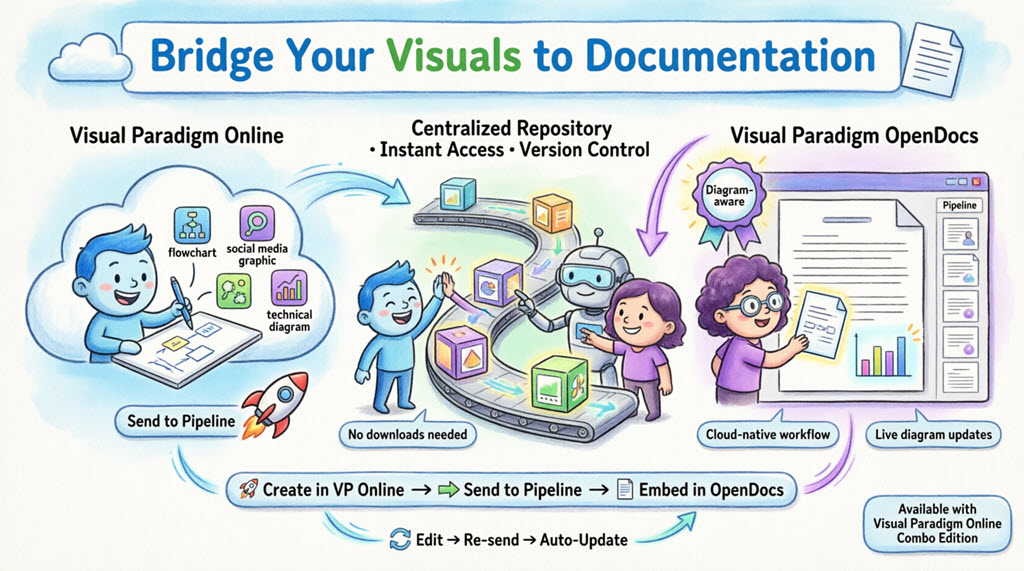
What is Visual Paradigm OpenDocs?
OpenDocs is Visual Paradigm’s premier knowledge and document management platform. Unlike standard word processors, OpenDocs is “diagram-aware.” It integrates a full diagramming engine directly into the document editor, allowing you to insert, view, and even re-edit visuals without leaving the page. By connecting Visual Paradigm Online to OpenDocs, cloud diagrams become living parts of documentation.
Understanding the Pipeline
The Pipeline acts as a personal “Asset Transit Hub.” It’s a centralized repository that stores diagrams and graphics (called “artifacts”) so they can be easily shared between different applications in the Visual Paradigm ecosystem. When I used “Send to Pipeline” from Visual Paradigm Online, I placed that artifact into a space where OpenDocs could instantly see it and use it as input for documents.
How to Send Visuals from VP Online to OpenDocs
Moving work from the cloud editor to documentation was simple and intuitive:
-
I opened my diagram or graphic in Visual Paradigm Online.
-
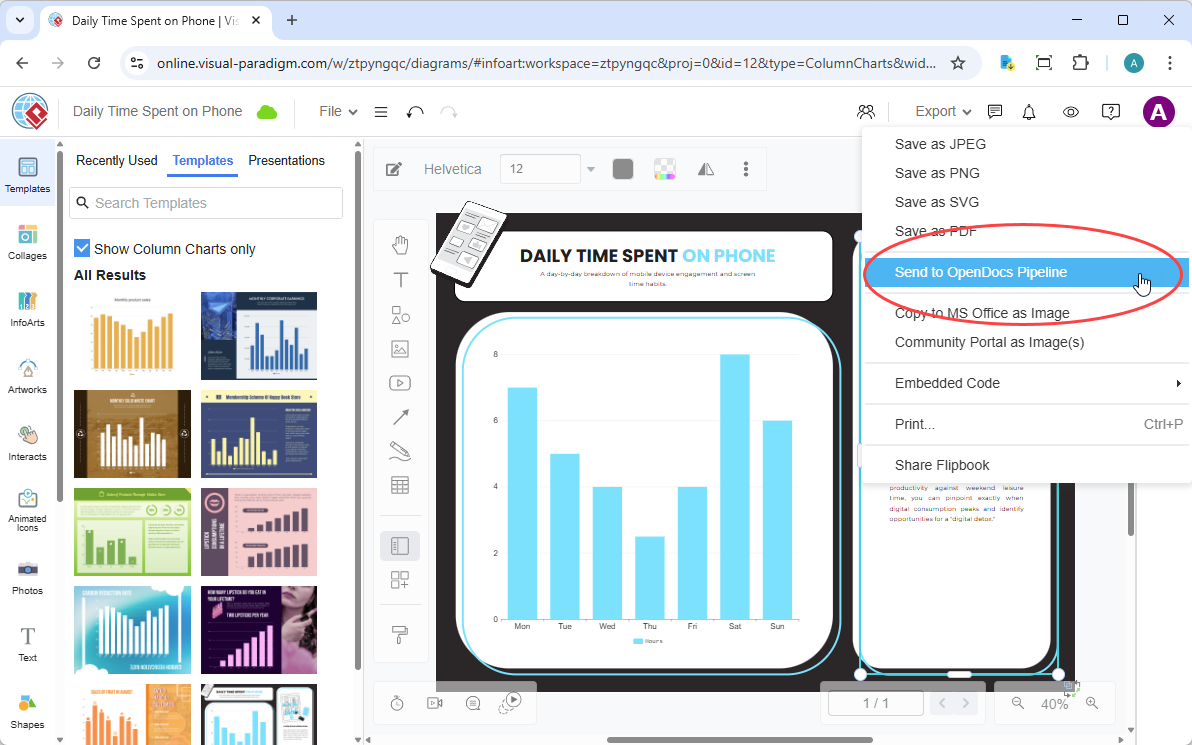
In the top menu, I selected Export > Send to OpenDocs Pipeline.
-
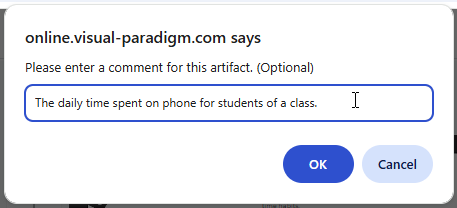
(Optional) I added a comment to describe the artifact. This made it easier to find later in the Pipeline pane.
-
I confirmed the export. My visual was now securely stored in the Pipeline.
Embedding Your Artifacts in OpenDocs
Once my diagram was in the Pipeline, I could place it anywhere in my knowledge base:
-
I opened any document page in OpenDocs and clicked Edit.

-
I clicked on the page where I wanted to insert the diagram.
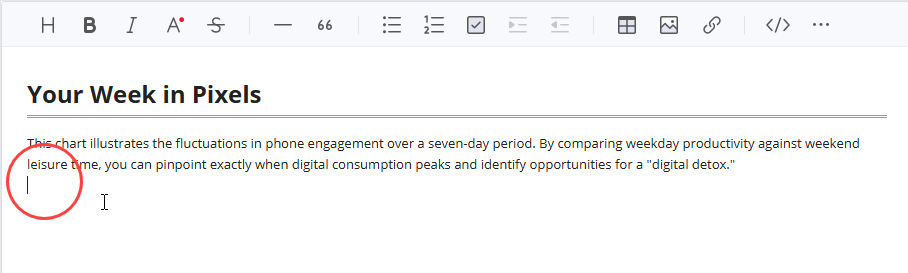
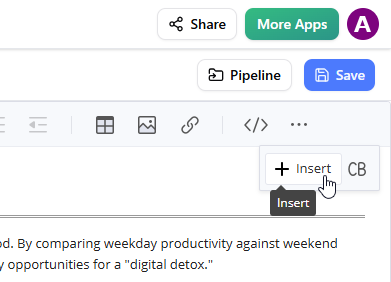
-
On the toolbar, I clicked Insert.
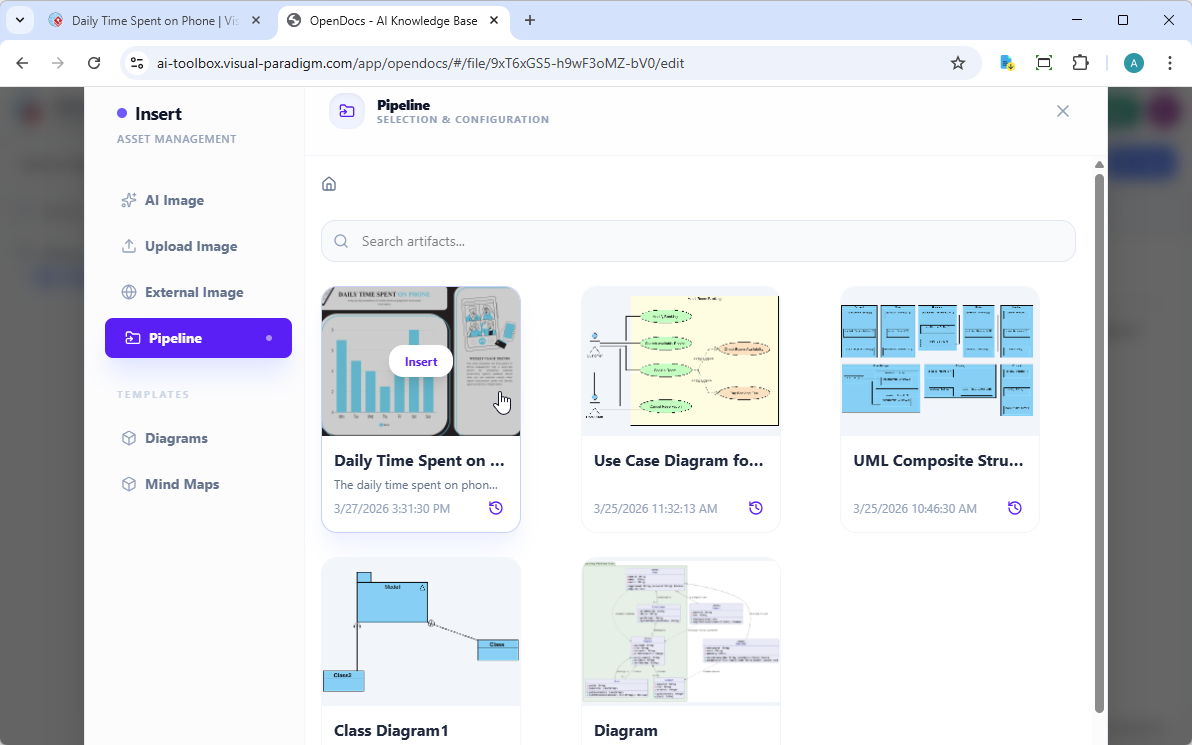
-
In the Insert window, I selected Pipeline from the left-hand sidebar. My sent diagrams appeared here.
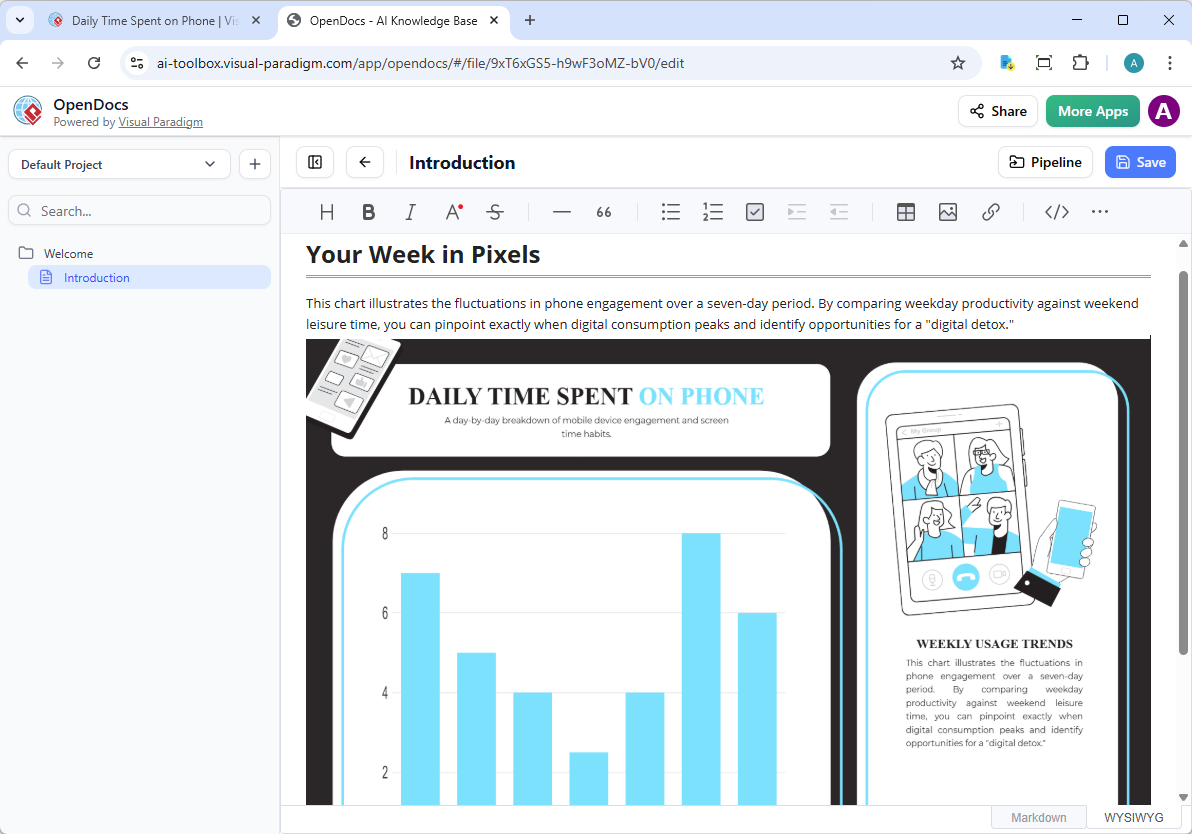
-
I clicked on the diagram to insert the image directly at my cursor position.
Keeping Your Documentation in Sync: Updating Artifacts
One of the most powerful aspects I discovered was the ability to update documentation as models evolved. When I needed to make changes to a diagram already in OpenDocs, here’s what worked:
1. Open the Source Diagram
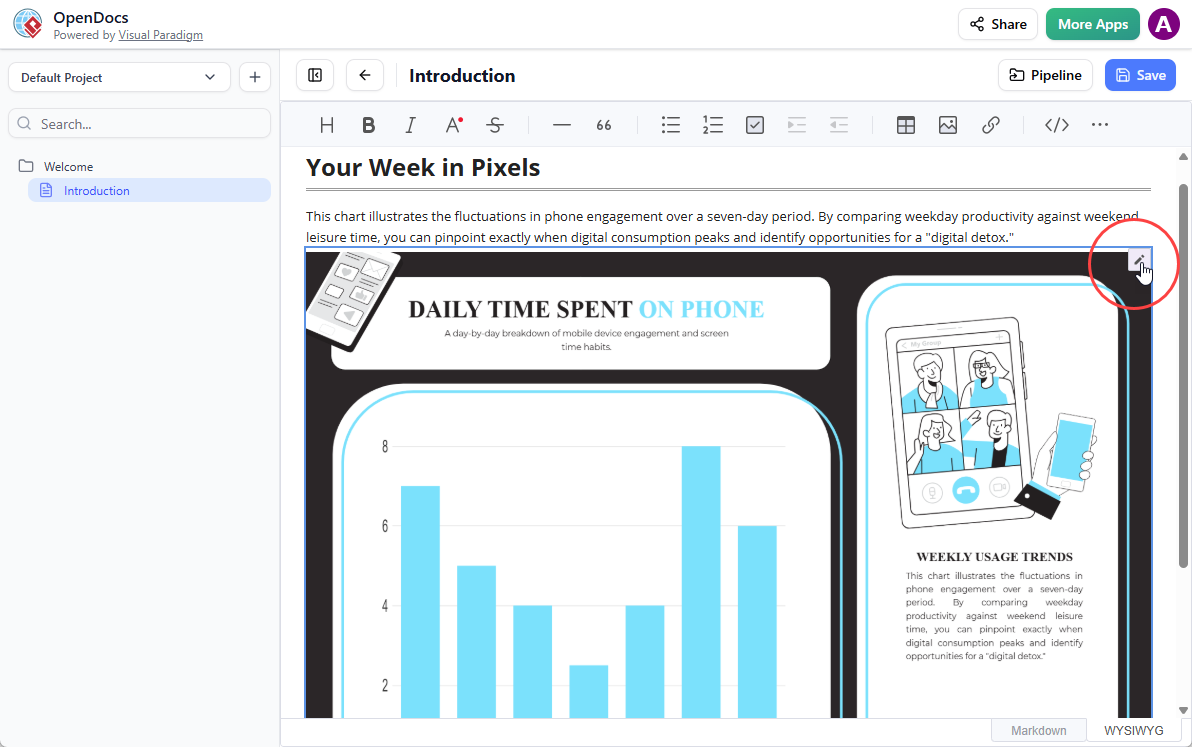
In OpenDocs, I clicked the Edit icon at the top right of the diagram image to open the Edit Diagram window.
2. Edit and Re-send
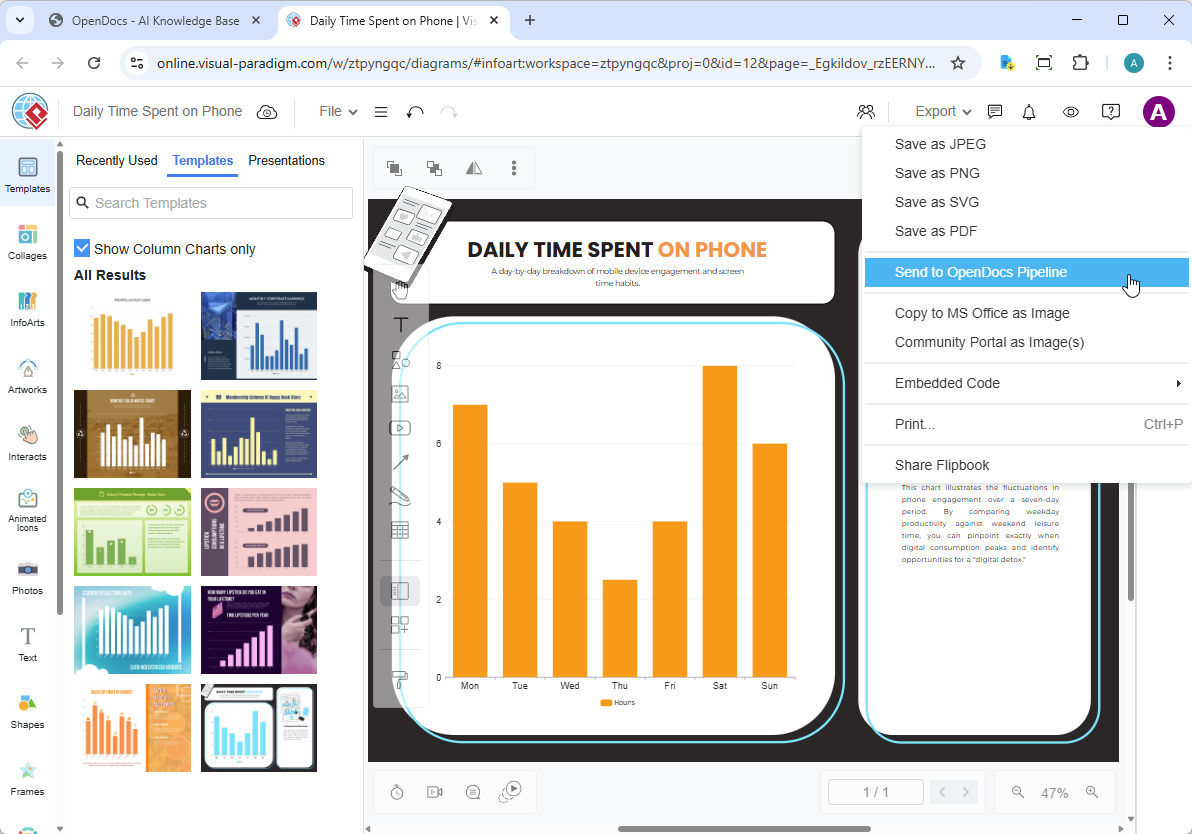
I modified my diagram in Visual Paradigm Online. Once finished, I selected Export > Send to OpenDocs Pipeline from the top menu again.
3. Swap to the Latest Revision
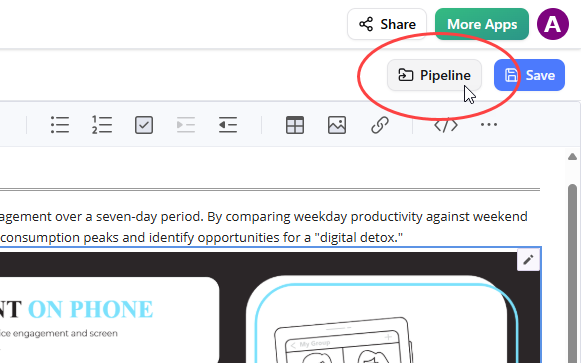
Back in the OpenDocs editor, I clicked Pipeline at the top right.
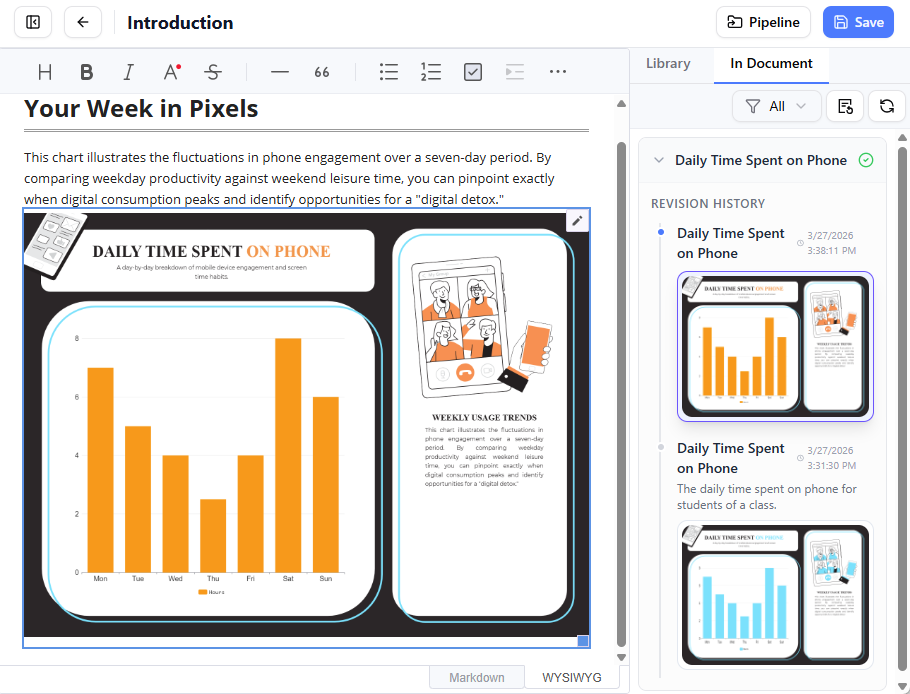
I opened the In Document tab. The filter “With updates” was active and the pane listed the modified artifacts. I clicked on the visual I just modified.
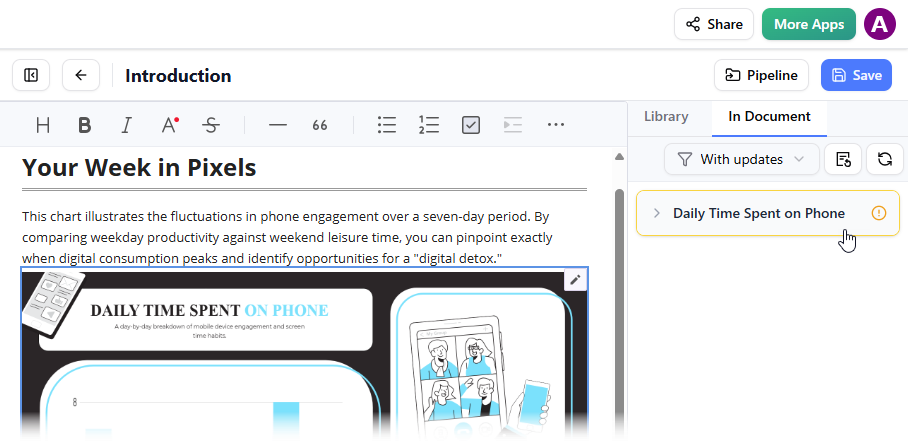
I could see the available revisions for the selected visual. I clicked on the latest revision to instantly swap the old diagram for the updated version. Or I could click on Update to latest revision directly.
Related Releases
Understanding OpenDocs: A Comprehensive Overview
Visual Paradigm OpenDocs is an AI-powered, web-based knowledge management platform designed to unify technical documentation with visual modeling. It acts as a “visual knowledge engine,” allowing users to create, organize, and share documents that seamlessly integrate rich text with professional diagrams.
Purposes of OpenDocs
The primary goal of OpenDocs is to bridge the gap between complex technical designs and human-readable documentation. Key purposes include:
-
Centralizing Knowledge: Serving as a “single source of truth” for teams, consolidating project specifications, notes, and diagrams into one searchable hub.
-
Eliminating Tool-Switching: Allowing users to create and edit professional diagrams (such as UML, flowcharts, and ERDs) directly within their text documents, rather than jumping between separate software.
-
Automating Documentation: Using built-in AI to generate article drafts, summarize long documents, and even transform natural language prompts into complete, editable diagrams.
-
Creating “Living” Documents: Through an integration called the Pipeline, diagrams created in Visual Paradigm Desktop or Online can be synced to OpenDocs so that documentation updates automatically when the source model changes.
-
Organizing Complex Information: Utilizing a hierarchical “Knowledge Tree” with nested folders and drag-and-drop capabilities to manage large volumes of documentation.
Core Features
-
AI Diagram Generation: Instantly create professional visuals by describing them in plain English.
-
Rich Markdown Editor: A developer-friendly editor that supports code syntax highlighting, tables, and real-time live previews.
-
Secure One-Click Sharing: Share entire knowledge trees or specific pages via secure, read-only links for stakeholders.
-
Multi-Platform Access: Being 100% web-based, it requires no desktop installation and is accessible from any device.
Conclusion
After thoroughly testing Visual Paradigm’s OpenDocs ecosystem and its integrations with Desktop, Online, and the AI Chatbot, I can confidently say this represents a significant leap forward for technical documentation workflows. The Pipeline feature eliminates the traditional friction between modeling and documentation, creating what feels like a truly unified environment for visual knowledge management.
What impressed me most was the consistency across all three platforms—whether working from the desktop application, the browser-based Online editor, or generating diagrams through AI conversation, the export and synchronization process remained intuitive and reliable. The ability to update diagrams and have those changes reflected in documentation through simple revision swaps is particularly valuable for teams maintaining living documents.
For organizations already invested in the Visual Paradigm ecosystem, this integration transforms OpenDocs from a standalone documentation tool into the central nervous system of your knowledge management infrastructure. The AI-powered features add another layer of efficiency, though the core value lies in the seamless connectivity between tools.
My recommendation: If you’re struggling with outdated diagrams in your documentation or spending too much time manually synchronizing visual models with text, this workflow is worth exploring. The learning curve is minimal, especially for existing Visual Paradigm users, and the time savings become apparent almost immediately.
References
- Visual Paradigm OpenDocs Features: Official overview of OpenDocs capabilities and features for visual knowledge management.
- Visual Paradigm OpenDocs: The Complete Guide to AI-Powered Knowledge Management and Diagram Generation: Comprehensive guide covering AI-powered features and knowledge management workflows.
- Visual Paradigm OpenDocs: The Complete Developer’s Guide to AI-Powered Technical Documentation: Developer-focused guide to technical documentation with AI integration.
- Mastering the Visual Paradigm AI Ecosystem: A Comprehensive Guide: Complete guide to navigating the Visual Paradigm AI ecosystem and tools.
- Visual Paradigm OpenDocs Tool: Direct access to the OpenDocs AI-powered knowledge management platform.
- OpenDocs: AI-Powered Knowledge Platform Release: Official release announcement for the AI-powered knowledge platform.
- From Model to Manual: A Software Engineer’s Guide to Syncing Visual Paradigm Desktop Diagrams with OpenDocs: Practical guide for software engineers on syncing desktop diagrams with OpenDocs.
- Fliplify French Documentation: French language resources and documentation for Visual Paradigm tools.
- Mastering Visual Paradigm OpenDocs: The Ultimate Guide to AI-Powered Knowledge Management and the Pipeline Ecosystem: Ultimate guide covering knowledge management and the Pipeline ecosystem.
- OpenDocs Page-Based Sharing Update: Release notes for page-based sharing and control features in OpenDocs.