


Imagine you are a Senior Business Analyst tasked with overhaulng a complex hotel reservation system. You have a detailed PlantUML use case diagram, but the stakeholders demand more than just a visual. They need a deep textual analysis, every possible user scenario, and a full suite of test cases by tomorrow morning. Manually documenting these details would take days of meticulous effort and constant cross-referencing. This is where the AI-powered Base Use Case Diagram Analyzer by Visual Paradigm Online transforms your professional workflow. It bridges the gap between high-level visual models and granular, actionable documentation using advanced artificial intelligence.
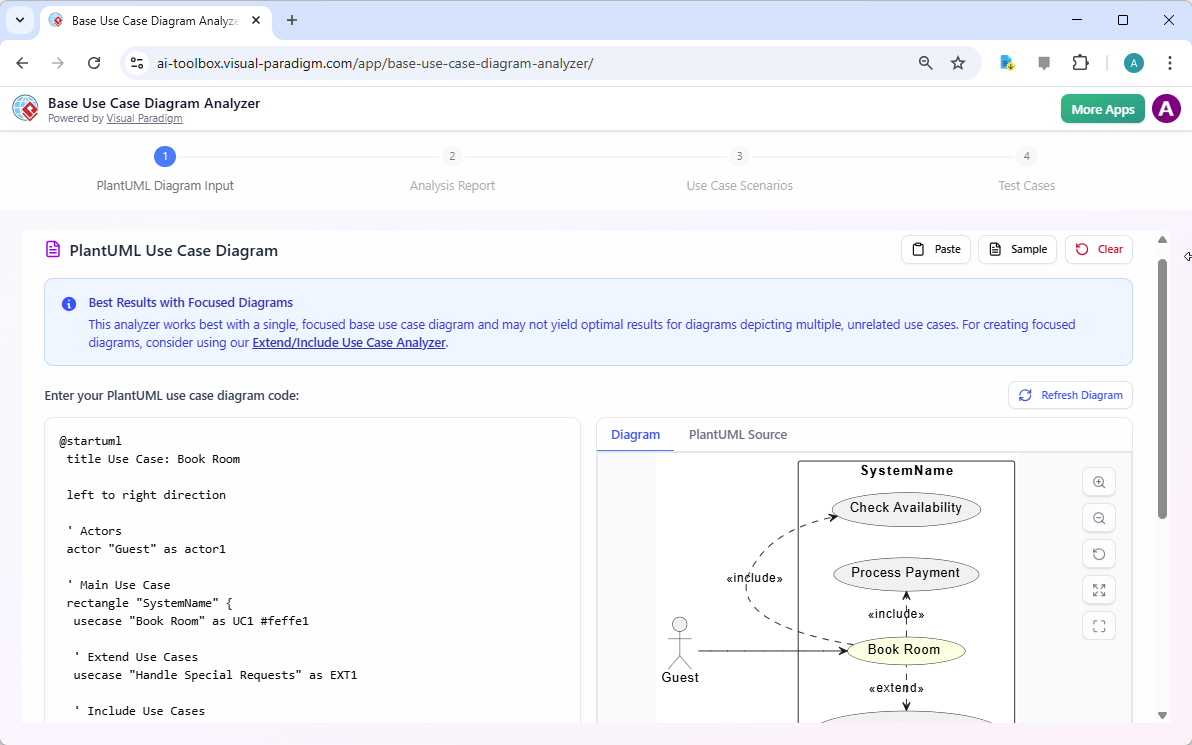
The journey begins with your existing technical assets. You provide the tool with your PlantUML code, such as the logic for a “Book Room” use case. As you paste the code into the input area, the system renders a live PlantUML visualization instantly. This immediate feedback ensures your syntax is correct before the AI begins its deep analysis. You can see the “Guest” actor interacting with the “Book Room” use case, which includes “Check Availability” and “Process Payment” requirements. This first step is the foundation for all subsequent analytical artifacts.
Precision Analysis with an Online Use Case Tool
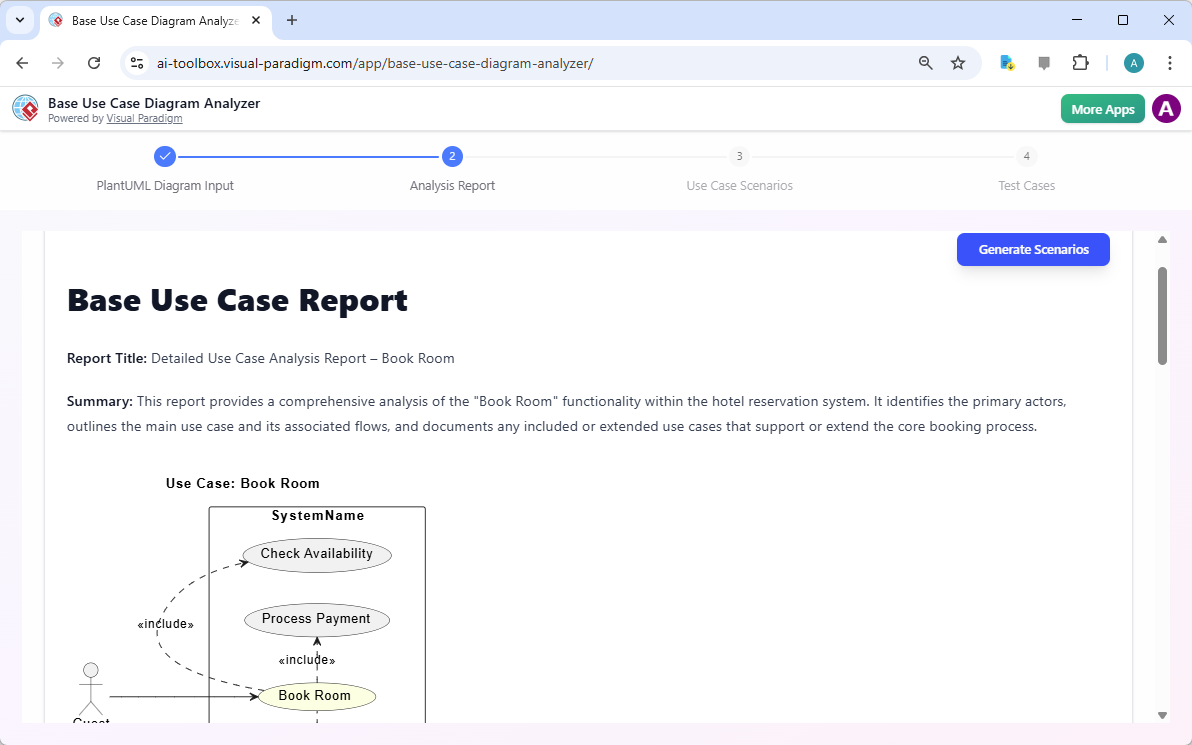
Once your diagram is loaded, the best AI-powered diagram analyzer moves into the first stage of formal documentation: the Analysis Report. Traditional manual analysis is prone to human error, often overlooking subtle relationships or implied constraints. The AI meticulously examines every actor, use case, and relationship link defined in your PlantUML source. It translates the visual connections into a structured, professional report that makes the system logic explicit for all stakeholders. This report serves as a definitive reference for requirements validation and project alignment.
The Base Use Case Report identifies the primary “Book Room” functionality within the hotel reservation context. It documents any included or extended use cases that support the core process, such as payment validation or special request handling. By converting visuals into precise text, the tool ensures that developers and project managers share a singular, unambiguous understanding of the system’s intended behavior. This high-level clarity is essential for reducing implementation bugs and architectural misunderstandings during the early stages of development.
Key Takeaways for Professional Development Teams
-
Automated Documentation: Generate comprehensive reports, scenarios, and test cases from a single PlantUML input.
-
Requirements Validation: Leverage AI to uncover ambiguities and inconsistencies in your visual use case models.
-
Accelerated QA Cycles: Transition from design to testing faster by automatically formulating concrete test plans.
-
Seamless Tool Integration: Use URL hash loading and Markdown exports to fit the analyzer into any existing CI/CD or documentation pipeline.
-
No-Barrier Entry: Access full AI analysis capabilities immediately without the need for account registration or login.
Uncovering Every Logical Path via Scenario Extraction
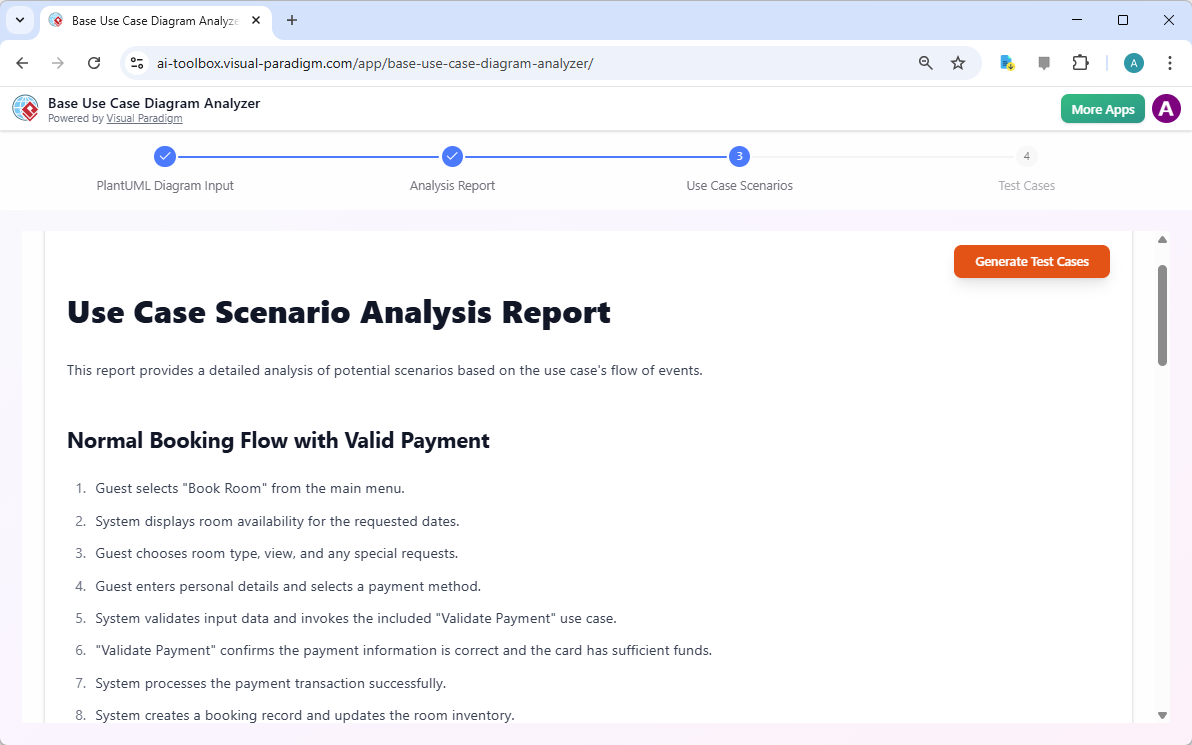
A diagram shows what a system does, but scenarios explain how it happens across different conditions. The professional use case scenario generator takes the analysis further by enumerating specific sequences of events. It breaks down the “Book Room” use case into detailed narratives, such as the “Normal Booking Flow with Valid Payment.” This automated extraction ensures that no logical path is forgotten, covering both standard operations and complex alternative sequences that are often missed in manual documentation.
Each scenario is presented as a clear, numbered sequence of events. For a hotel guest, this includes selecting the room, displaying availability, entering personal details, and validating payment methods. The AI identifies the specific points where the system invokes auxiliary processes like the “Validate Payment” use case. These scenarios provide the bridge between abstract requirements and concrete implementation. They allow the design team to walk through the user journey step-by-step, ensuring the logic holds up under scrutiny before a single line of code is written.
Formulating Actionable Test Cases with AI Precision
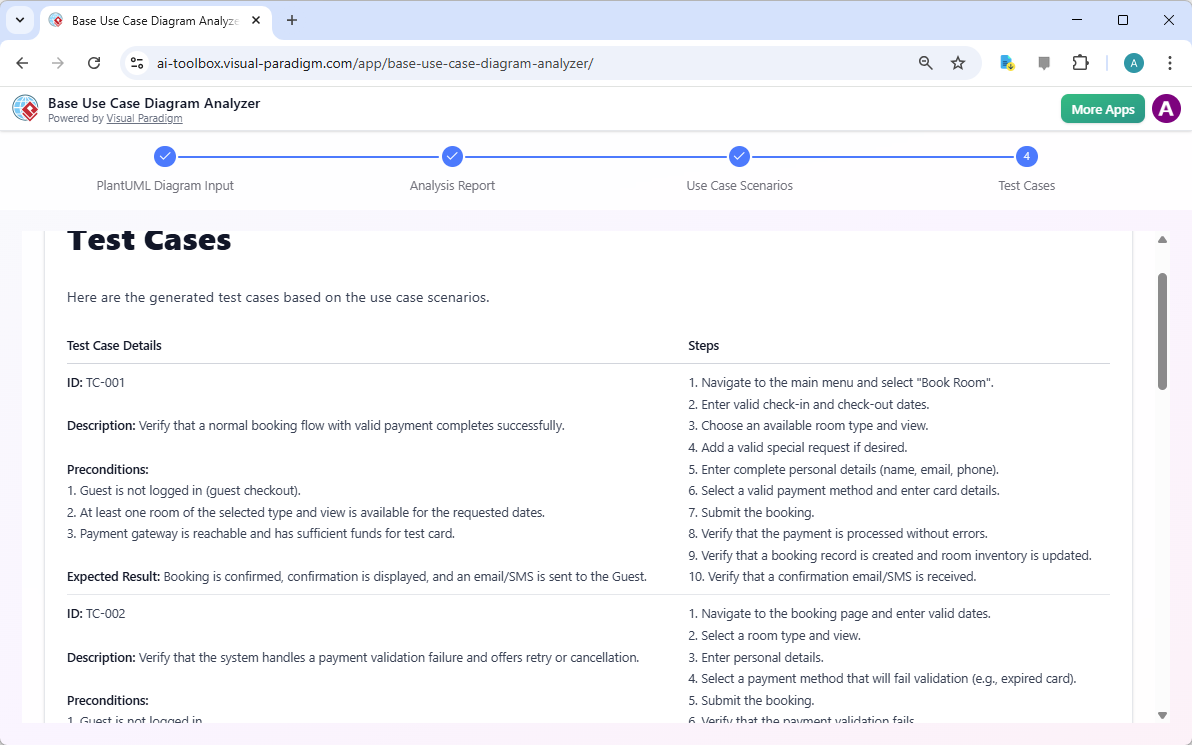
The final phase of the workflow is often the most time-consuming: test planning. The easy-to-use AI test case generator eliminates the manual labor of drafting individual tests for every scenario. It looks at the previously extracted scenarios and formulates concrete test cases with unique IDs, preconditions, and expected results. For the “Book Room” use case, the AI generates TC-001 to verify a normal booking flow. It also anticipates failures, generating TC-002 to handle payment validation errors and retry logic.
These test cases are not generic templates. They are specific, data-driven instructions derived directly from your original diagram logic. Each test case includes a precise 10-step sequence, from navigating the menu to verifying the confirmation email. Because these are generated in well-structured Markdown format, you can instantly export them into your preferred test management system. This ensures 100% coverage of the requirements defined in your initial use case diagram, providing a robust safety net for your software quality assurance efforts.
Improving Requirements Quality Through AI Analysis
The AI-powered Base Use Case Diagram Analyzer is more than a simple converter. It is a validation engine that improves the quality of your software design. When you see your visual diagram translated into a 10-step test case, logic gaps become glaringly obvious. If a test step requires data that wasn’t defined in the diagram, the AI highlights that missing link. This feedback loop allows Business Analysts to refine their models iteratively. You can modify your PlantUML code, refresh the diagram, and regenerate the entire documentation suite in seconds.
For Project Managers, the generated Markdown files provide an instant audit trail. These reports can be integrated into version control systems alongside the source code. This keeps the documentation in perfect sync with the design. Students and educators also find this tool invaluable for learning the rigors of use case analysis. It demonstrates the practical connection between a visual UML model, its narrative scenarios, and the resulting test requirements in a structured, professional context.
Conclusion: Elevate Your System Design Workflow
Speed and accuracy are the pillars of modern software development. The professional AI-powered Base Use Case Diagram Analyzer delivers both by automating the most tedious parts of the requirements gathering and testing process. By transforming a simple PlantUML script into a comprehensive suite of reports, scenarios, and test cases, it empowers teams to focus on innovation rather than documentation. Whether you are validating a new hotel booking system or complex enterprise architecture, this tool ensures your logic is sound and your test coverage is complete.
Eliminate the manual grind and ensure your system requirements are bulletproof. Experience the precision of AI-driven analysis and the convenience of instant Markdown exports today. Visit Visual Paradigm Online to start your 4-step analysis journey and bring professional-grade clarity to your use case diagrams.
Try the Base Use Case Diagram Analyzer now: Launch AI Toolbox
Learn more about our innovative AI tools: Explore Visual Paradigm AI
Related Links
-
Use Case Diagram – Wikipedia: A use case diagram is a visual representation of system functionality from the user’s perspective, commonly used in UML to model interactions between actors and the system.
-
AI-Based Use Case Diagram Analyzer – Visual Paradigm: An AI-powered tool that automatically analyzes and generates use case diagrams from textual requirements or natural language input.
-
Base Use Case Diagram Analyzer – AI Tool by Visual Paradigm: An AI-driven tool that converts natural language descriptions into structured use case diagrams, enhancing software modeling efficiency.
-
What is a Base Use Case Diagram Analyzer and How Can It Help You?: A comprehensive guide explaining how the base use case diagram analyzer automates the creation of use case diagrams from textual input using AI.
-
Free AI Use Case Diagram Analyzer Released by Visual Paradigm: Visual Paradigm has released a free AI-powered tool that enables users to generate accurate use case diagrams from plain text input.
-
Base Use Case Diagram Analyzer Editor – Free … – Visual Paradigm: Edit and analyze PlantUML base use case diagrams with instant previews. Generate reports, scenarios, and test cases effortlessly using the Free Base Use …
-
AI Base Use Case Diagram Analyzer Examples – Visual Paradigm AI: Explore AI-powered use case diagram analysis for Healthcare, Finance, E-commerce, Education, and Transportation with step-by-step examples using the Base …
-
AI Extend & Include Use Case Analyzer Tutorial – Visual Paradigm Guides: 21 Aug 2025 · The AI Extend & Include Use Case Analyzer is designed to analyze and visualize use case relationships from your PlantUML use case diagrams.